

Andy Walker / Android Authority
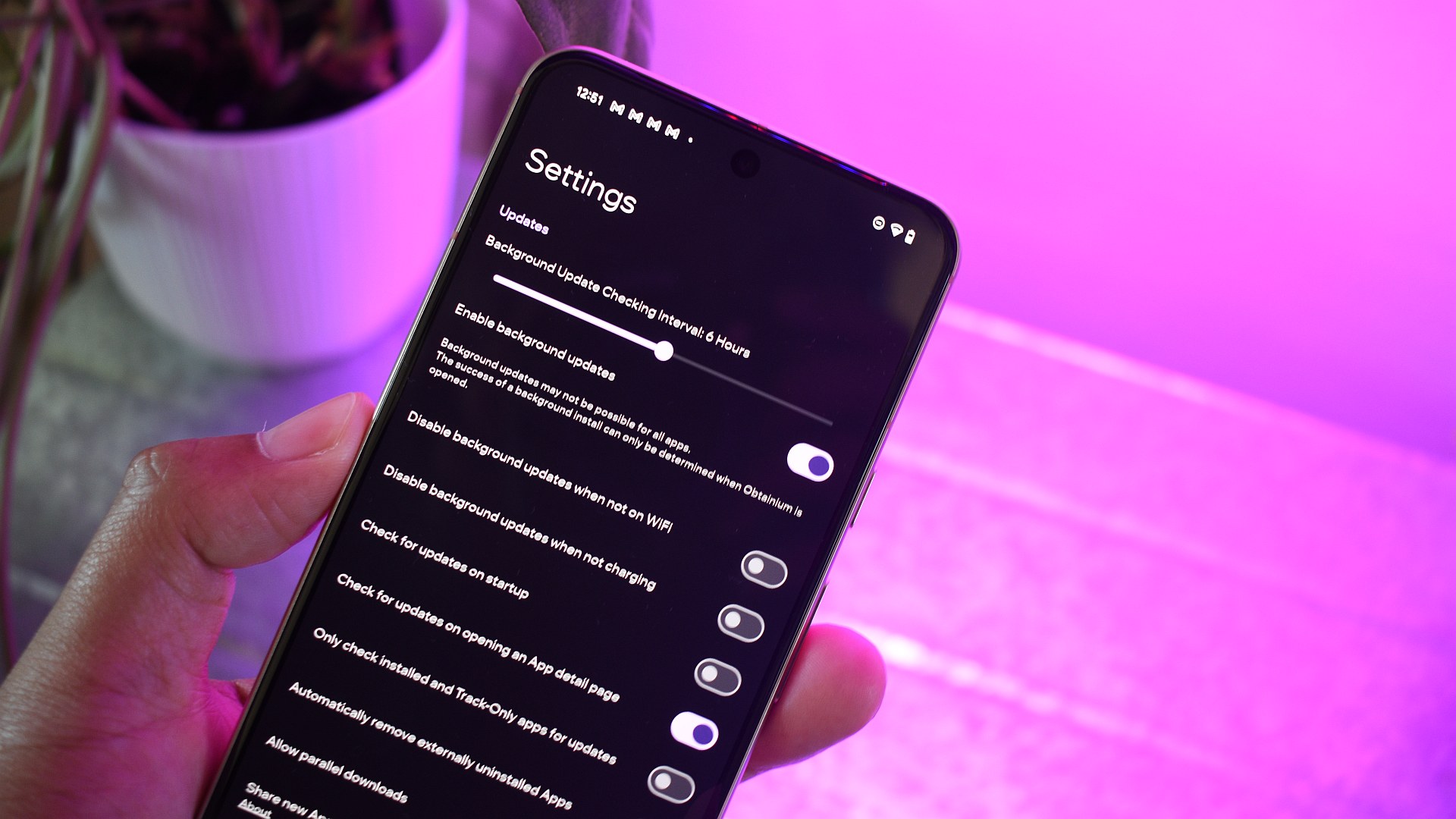
There are a handful of Android apps I simply must install on every phone I use, and Obtanium is near the top of that list. I can’t imagine living without this app; it’s the glue that holds non-Play Store apps together. Essentially, it serves as a central hub for installing, updating, and adding apps from other sources, such as F-Droid, GitHub, or the vivo Store.
Of course, this is only half the equation — there’s no point in using Obtanium if you don’t load it up with useful apps. To make your experience more seamless, I’ve compiled a short list of essential Android apps that I install and update through Obtanium. You can easily find and install these on your own phone using Obtanium’s built-in search functionality.
How do you install and update apps from sources beyond the Play Store?
58 votes
Breezy Weather
Andy Walker / Android Authority
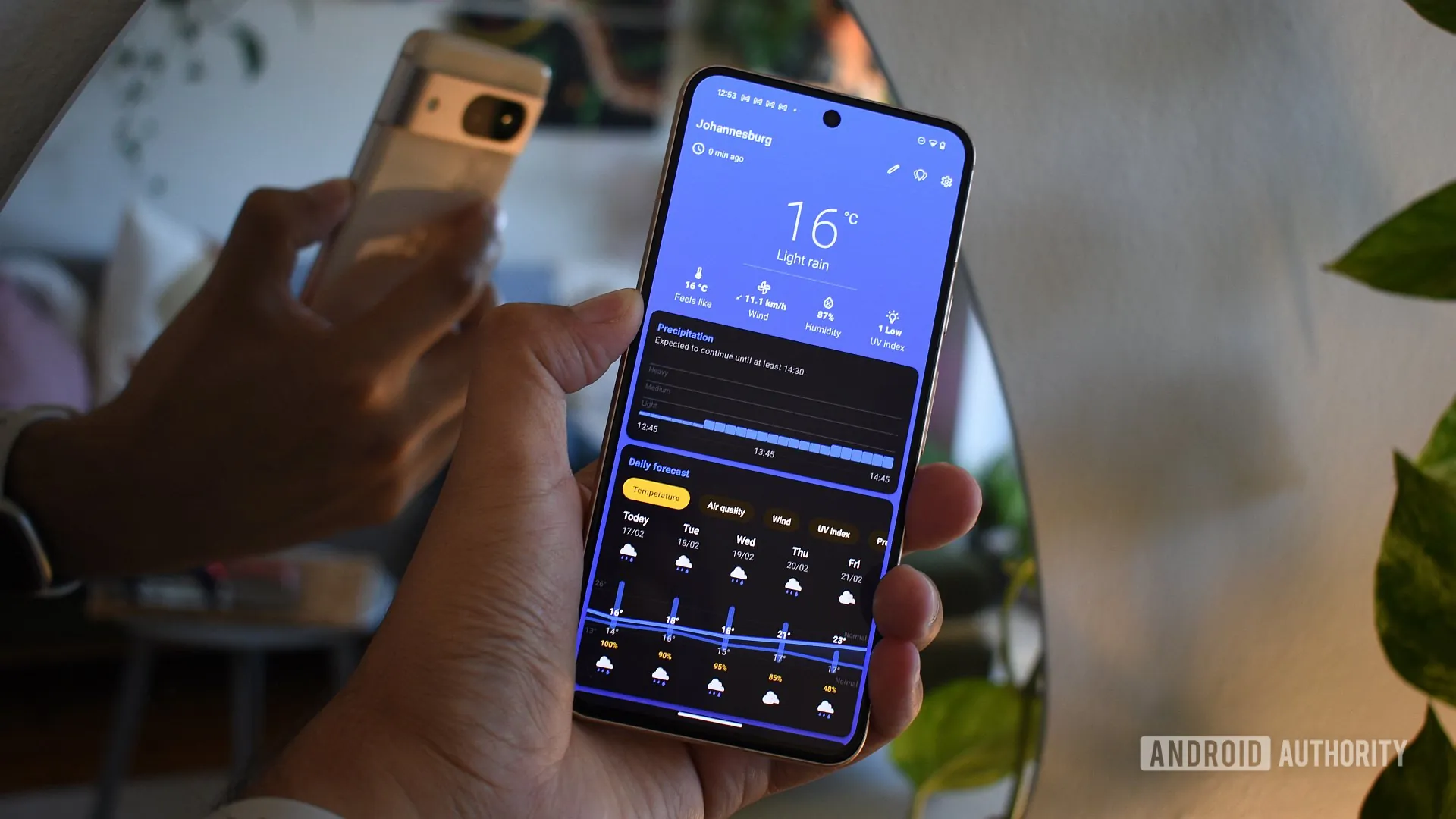
There are a few weather apps that I truly love, but Breezy Weather is firmly on the list. If you use a Google Pixel as your primary phone, it pairs perfectly with the look and feel of Pixel Launcher and Material 3 Expressive.
But looks aren’t the only thing in its favor. It’s an incredible open-source product that packs loads of weather detail other apps lack and can draw info from multiple sources. Breezy is also heavily inspired by the Pixel Weather app, down to the latter’s movable in-app widget indicators.
Nobook

Andy Walker / Android Authority
Although Facebook is no longer the king of social networks, I’ve found that having an active account is still necessary. I use it to track traffic incidents during trips, keep up to date with local government news, and enjoy viewing content from numerous nature-loving groups and pages.
To skirt the annoyances of the Facebook app, I’ve turned to Nobook. It’s essentially a wrapper for Facebook Lite that offers ad blocking and a few additional customization options. It’s simple, it’s free, that’s all I really want or need.
Forkyz

Andy Walker / Android Authority
Forkyz is the best crossword puzzle app on Android. It has kept me entertained for hours of waiting, but most of all, it keeps that hamster in my brain spinning freely.
It can grab various crosswords from multiple sources, including US and European newspapers.
Suntimes

Andy Walker / Android Authority
Suntimes is an older app — newer versions of Android will complain about its dated version — but it still works a treat for tracking the lengthening and shortening of days and nights. It’s particularly useful for planning golden hour trips or pinpointing the best time to leave for a day hike.
Canta

Andy Walker / Android Authority
I can’t imagine using a new phone without installing Canta first. This crucial tool lets me remove system-level apps from the phone, giving me the power to debloat annoying preinstalled apps on practically any device. It forms a core part of my Android security checklist.
There’s little risk of ruining your device, either. Canta relies on community contributions to distinguish between safely removable apps and those critical to system functionality. And based on my experiences thus far, it’s difficult to go wrong if you stay within the community’s outlined limits. Of course, you can deliberately seek trouble if you so wish.
Shizuku

Andy Walker / Android Authority
For Canta to operate effectively, it needs access to normally prohibited privileges. That’s where Shizuku comes in. This brilliant app allows other apps that require system-level access a gateway to these powers. This allows Canta to uninstall practically any app, including SmartSpacer — an app I mention later in this article — to soup up Pixel Launcher’s At A Glance feature.
If you’re a power user, Shizuku should be one of the first apps you install on your phone (at least after Obtanium), alongside Canta.
Kvaesitso

Andy Walker / Android Authority
Android launchers are dime a dozen in 2026, but Kvaesitso remains one of my favorite open source options. I used it as my primary home screen for years and loved its infinite vertical scrolling design, which supported my overzealous use of widgets while keeping my home screen clean and focused.
Kvaesitso also packs numerous built-in features, like native widgets that meld well with the launcher’s design, a robust search system, and plenty of customization options for minimalists and maximalists alike. I’ve previously earmarked it as an excellent Nova Launcher alternative, and I still stand by this take.
Tubular

Andy Walker / Android Authority
While you can certainly use the stock YouTube app, I’ve never been a fan of its rigid design and lack of useful features. It’s a core reason why I’ve sought alternative YouTube apps, and Tubular is certainly one of the best around.
It’s a fork of Newpipe, another popular YouTube alternative, and also includes Sponsorblock and ReturnYouTubeDislike, which both enhance the video viewing experience by blocking sponsor segments, intros, and other identifiable snippets, and reintegrating the dislike counter.
The app is lightweight, runs on terrible hardware without a hitch, and functions well without a Google account and microG. It’s generally the app I turn to when I want to view a standalone YouTube video without affecting my watch history.
Aurora Store

Andy Walker / Android Authority
If you want access to the Play Store’s apps without using the Play Store, Aurora Store is the app you need. It’s a portal into the Google app repository that doesn’t require a Google account or Google services. As a result, it’s a favorite for those in de-Google circles.
I’ve also found Aurora Store’s search functionality to be far more functional and direct than the Play Store, and you needn’t worry about those annoying ads taking up space — Aurora is ad-free.
ColorBlendr

Andy Walker / Android Authority
While modern Android does a far better job of drawing core or related colors from the wallpaper for theming purposes, it still lacks the freedom to choose any shade. ColorBlendr opens up this limitation.
The app plugs into Google’s theming system and allows finer tuning of the predominant theme color. This means pairing a lime green wallpaper with hot pink UI elements, or any other color combination you could dream of.
Fennec

Andy Walker / Android Authority
Fennec is essentially Mozilla Firefox without the trackers. It’s based on the latest version of the browser, so all the latest features are ready and waiting. It also supports add-ons, picture-in-picture support, and Firefox Sync. I use Fennec as my private browser for info-sensitive task,s and it serves that purpose incredibly well.
SmartSpacer

Andy Walker / Android Authority
Now that Google has made At A Glance optional on the Pixel home screen, SmartSpacer has largely lost its allure. Nevertheless, if you do use the feature, the app sure does power it up.
Supported by Shizuku, SmartSpacer captures and overlays even more information on the At A Glance widget, including data from third-party apps and services.
Exodus

Andy Walker / Android Authority
If privacy is of paramount importance, you’ll want to recognize which of the apps you’ve installed on your phone include trackers and which permissions they demand. Exodus does just that.
This incredibly useful tool sheds light on the chief offenders on your phone, highlighting which trackers are used and for which purpose. I will admit it’s rather scary to see just how many apps are willing to keep tabs on your activity.
OSS Document Scanner

Andy Walker / Android Authority
It’s open source, packs useful scanner features like OCR and visual editing smarts, and lets me set a quality level for scanned images and save them in specific formats. It’s an all-in-one scanning solution for modern Android phones.
Those are the main apps I install and update with Obtanium, but this list is by no means complete. I continue to reevaluate and add new apps to Obtanium daily. If you have any recommendations for the community or me, be sure to drop them in the comments below.
Don’t want to miss the best from Android Authority?


Thank you for being part of our community. Read our Comment Policy before posting.

 By
By