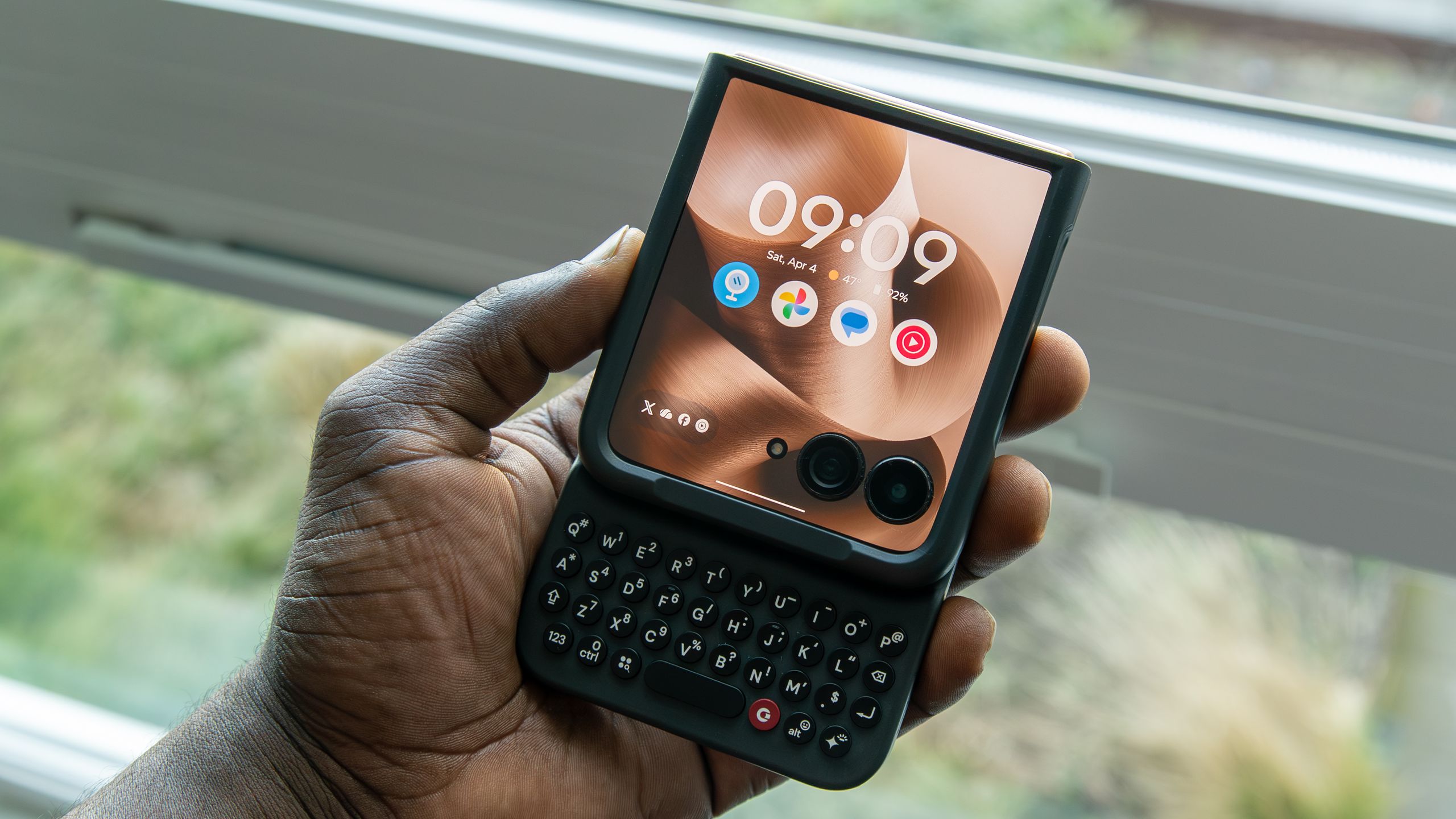

One of the biggest problems with the Motorola Razr Ultra 2025 is the lack of case options from reputable brands. I’m often stuck having to search Amazon for cases from brands I’ve never heard of, which always feels like a gamble on quality. The Clicks Keyboard launched for the Razr series just over a year ago, and so far, it seems to be the only case worth getting, while adding an extra dash of nostalgia onto an already nostalgic form factor.
The Clicks Keyboard, as the name implies, brings a miniature keyboard to your smartphone, with models available for the iPhone and the Pixel 9 (currently out of stock). It offers a level of functionality you don’t get with many cases, and the more I use it, the more I love it. It’s not perfect, and there are some things I would change, some of which are present on the upcoming Clicks Power Keyboard, but it’s a great accessory for anyone with a Razr.
Make the most of the cover screen
Image 1 of 2
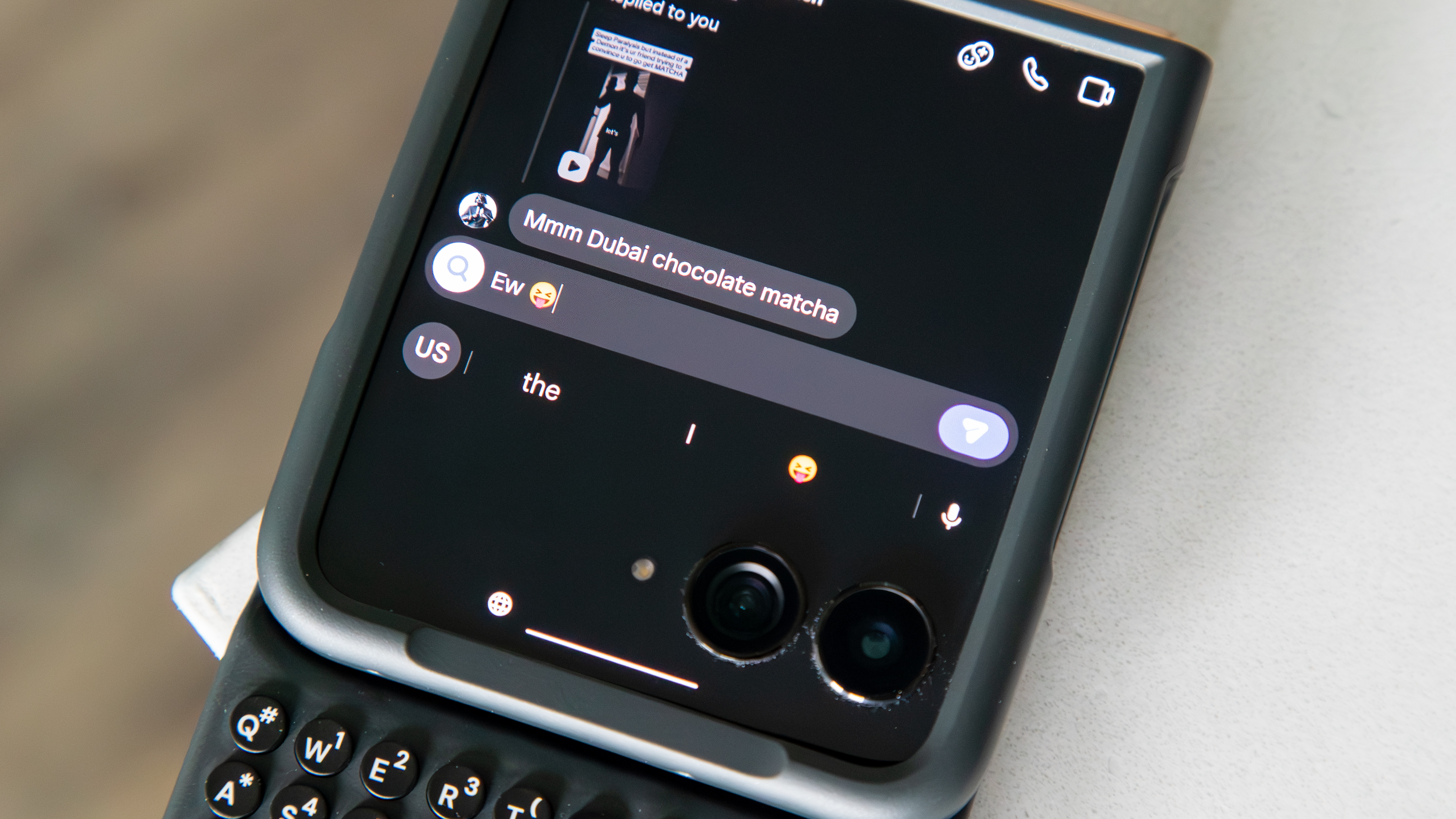
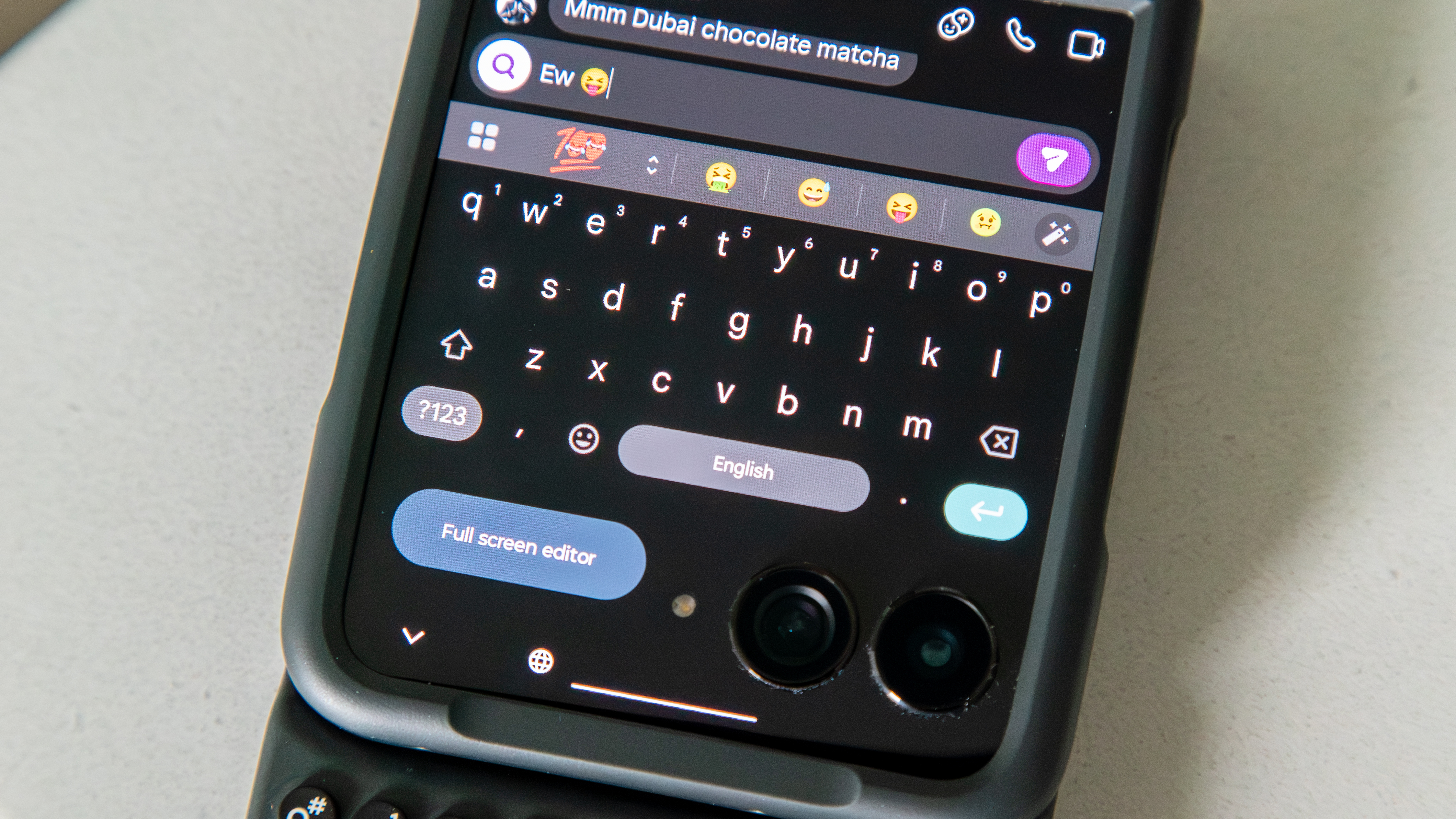
The cover screen is by far the best part about using the Razr. In fact, I use the cover screen most of the time, more than I use the main display. That said, with such a small display, typing can be a bit of a nuisance, since the on-screen keyboard takes up much of the screen real-estate, often covering other UI elements and even hiding the conversation.
Article continues below
With the Clicks Keyboard, you get to retain more of that real-estate since the on-screen keyboard no longer appears. You can type in any text field while still having access to the conversation. And if you need it, you can still use the on-screen keyboard, shortcuts, and auto-correct with Gboard’s floating menu.
The result is a phone that looks and almost acts like a Blackberry from the days of yore. The Razr is already an iconic and nostalgic phone, but to add the Blackberry aesthetic adds another level to it that will definitely turn heads and spark curiosity.
Functional keys and useful shortcuts

To some of you, the keys might be too small for your liking. I definitely struggled to use the Clicks Keyboard when I first got my hands on it, partly because of the keys themselves, but also because I haven’t typed like this on a smartphone in… many moons. Fortunately, after a few days of consistent use of the Clicks Keyboard, I began to adjust, and typing became much easier. It’s admittedly not as fast as I would type when swiping with an on-screen keyboard, but I’m no longer typing at a snail’s pace as I was when I first got the case.
It’s also a nice touch that the keys are backlit, and you can adjust this in the Clicks app.

But beyond typing, the keyboard comes with some pretty intuitive features and shortcuts. You can easily access certain functions or apps by pressing the Search key and a letter. For instance, Search+B opens the browser, Search+Y opens YouTube, and Search+G opens Gmail. Plus system functions like showing the notification shade or switching open apps can be done by pressing Search+N or Alt+Tab (the Clicks button), respectively.
You can edit some of the key functions in the app, and there’s even a cursor mode that lets you control an on-screen cursor using the keys as arrows. They seem to have thought of it all.
There’s also a Gemini button that makes it easy to access the AI assistant on the cover screen.
It’s actually a great case with a thoughtful design
Image 1 of 2
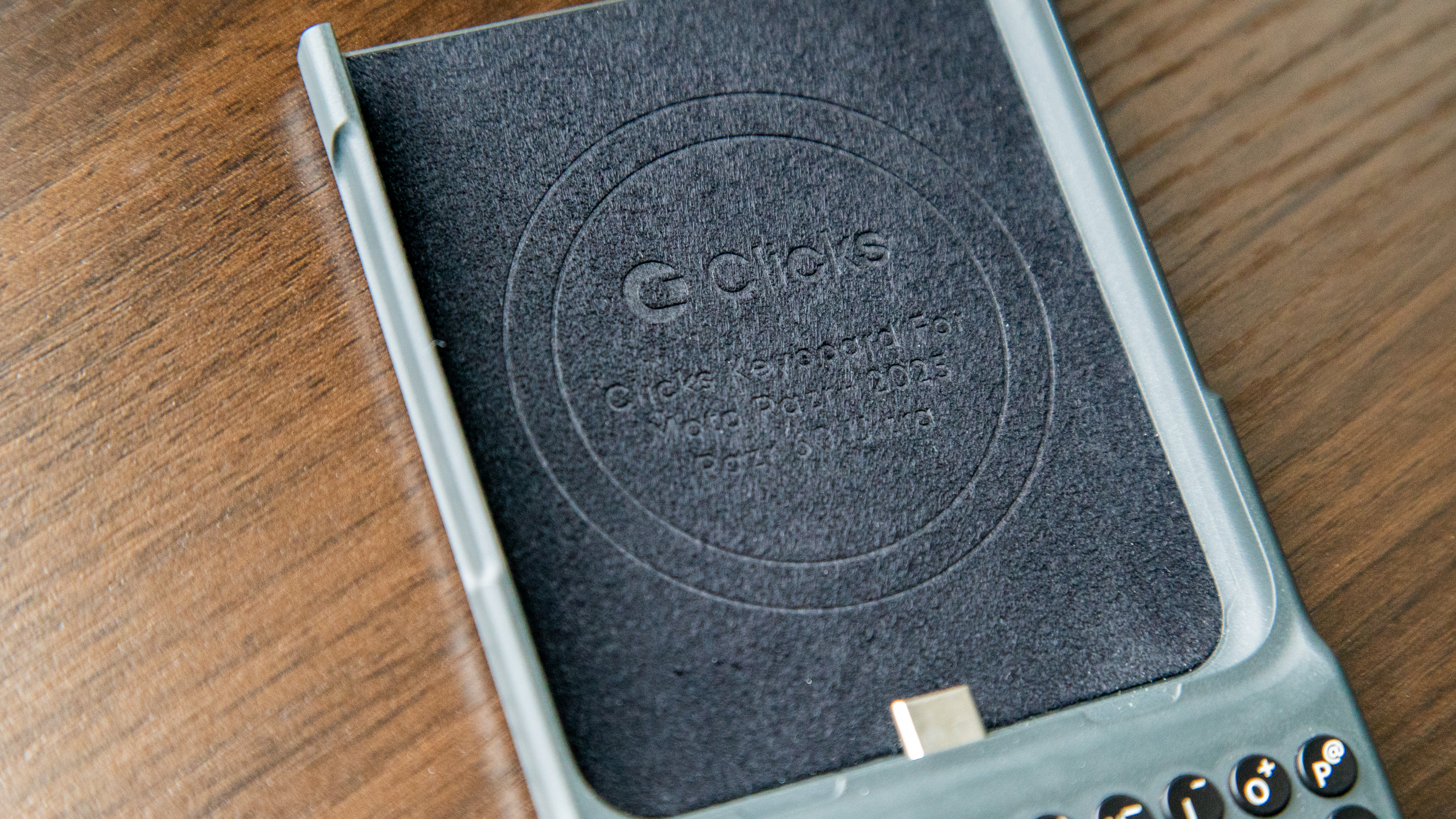
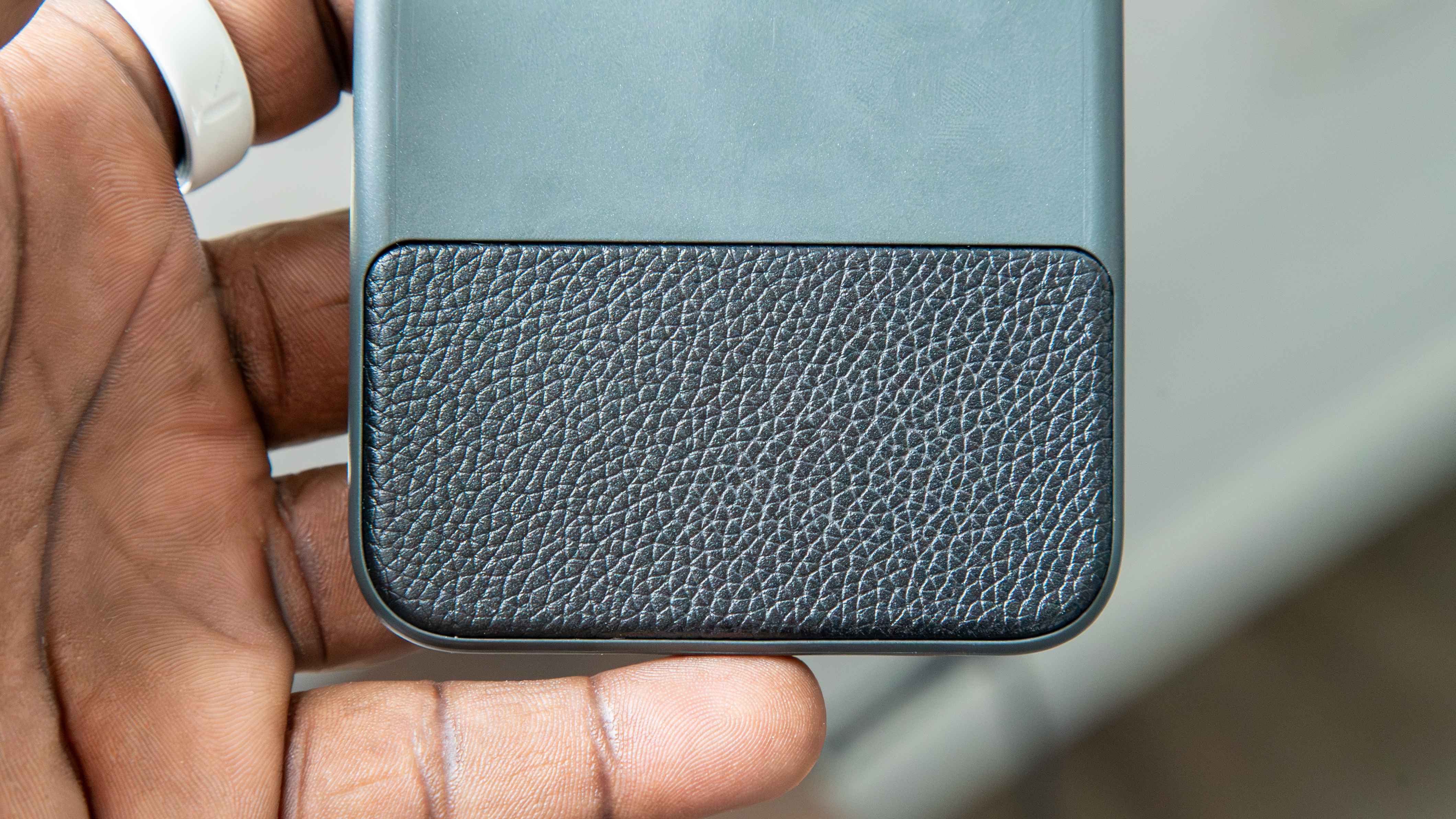
Probably the best part about the Clicks Keyboard is the fact that it’s actually a pretty good case for the Razr Ultra. It’s thick enough to provide adequate protection (which may annoy some, as the Razr is already thick when closed), and the keys themselves are slightly curved towards the user. The inside of the case is lined with a nice soft material, while a leather-like material on the outside adds a nice touch.
But there are other aspects of the case design that made me realize that the Clicks Keyboard was designed with love. For instance, there’s an indented section at the bottom of the top cover, which makes it easy to use gesture navigation on the cover screen. I love this because swiping up to the Open Apps view can be a challenge on other Razr cases due to the thickness of the top cover, which somewhat obstructs access to the bottom of the cover screen.
Then, when you open the Razr, two openings at the bottom of the phone allow the speaker and mic to operate unobstructed. It’s things like this that you won’t find on other Razr cases.
I wish it had a number row

While I’ve gotten used to typing on the Clicks Keyboard, there are some things that annoy me about it, such as the lack of a number row. Having to tap or hold the Number button if I need to input a number feels a bit cumbersome, and I feel like some of those keys could house other symbols, like an “=” symbol, which somehow isn’t present on the keyboard.
The upcoming Clicks Power Keyboard has a number row, and I hope future iterations of the Clicks Keyboard (assuming there will be more) come with one, even if it makes the keyboard slightly larger.
Typing is much slower than an on-screen keyboard

This kind of goes without saying, but despite being pretty decent at typing on the physical keyboard, I’m so used to swiping on the on-screen keyboard that I’m still noticeably slower with the Clicks Keyboard. We live in a day and age when we expect instant results or responses, and I find I become slightly anxious when my responses come in slower than I’d like, especially when the other person starts typing again in the middle of my response.
The various shortcuts and functions can also take some getting used to, which may slow you down even more. Enabling or disabling Caps/Caps lock feels like a delicate dance; pretty much every symbol/number requires tapping or holding the Number button, and there are definitely times when I have to turn on the on-screen keyboard.
This is likely more of a me problem, and it’s not really a huge issue since I feel like I’m constantly improving my typing speed. In some instances, I can even type without looking, and auto-correct will (sometimes) fix any of my mistakes. But I’ve definitely had to adjust my expectations and behavior when it comes to typing with Clicks.
It makes the Razr uncomfortably tall when open

The Clicks Keyboard was clearly meant to be used for the Razr cover screen, but sometimes you need to open the phone to perform certain functions or use apps that just require it. Unfortunately, doing so reveals just how silly the entire package looks. The Razr Ultra 2025 is already long, with a 22:9 aspect ratio, but the keyboard just makes it look like a whole yardstick. Passerbyers go from impressed by the Razr and its keyboard to laughing at how wildly long it looks when open, and I don’t blame them.
Fortunately, I still use the Razr Ultra closed for the most part, and the Clicks Keyboard is definitely a must-have if you can get your hands on one.
 By
By