

Edgar Cervantes / Android Authority
TL;DR
- Gemini is cozying up with Chrome through a new side panel and Nano Banana integration.
- Side panels can exist independent with their own Gemini conversation, or share awareness across tabs.
For all the places Gemini has popped up since its inception, probably one of the most powerful has been in our browsers. And beyond just using them to access Gemini’s home on the web, last year we started seeing Google bake Gemini right into its Chrome browser. Now, in early 2026, Google’s only strengthening the connection between Gemini and Chrome, delivering a new side-panel Gemini view and integrating the utterly fantastic Nano Banana.
Don’t want to miss the best from Android Authority?


Google is making pulling up Gemini in Chrome as simple as can be: Just tap the Gemini icon over at the top-right, and a new Gemini side panel will expand into action. Here you can interact with Gemini without needing to open a new tab just for that session. And, of course, you can ask Gemini about the tab you currently have open.
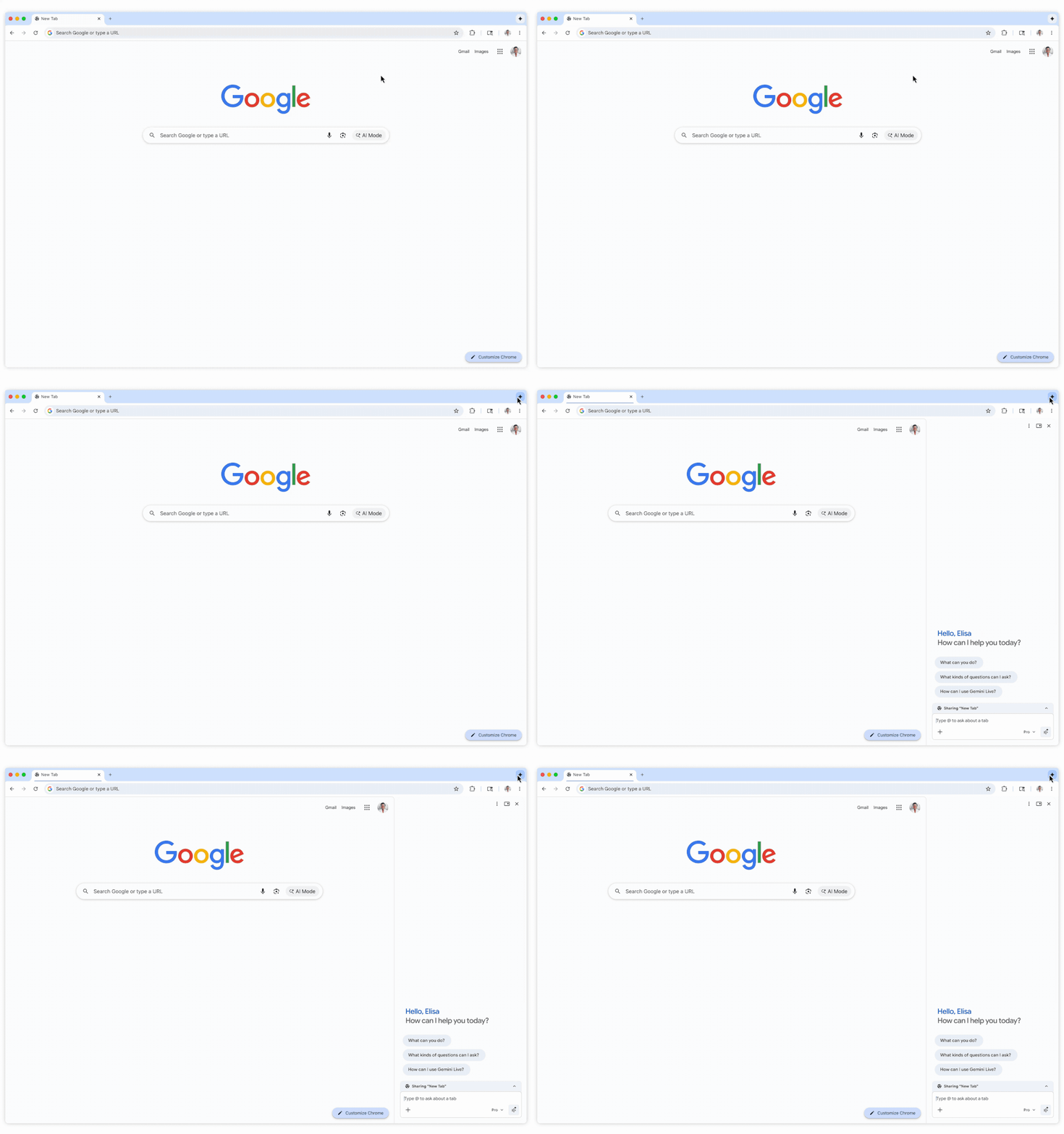
Each of these will stay attached to the tab you open them from — that lets you work with multiple Gemini sessions at once, each conversation operating independently. But Google’s also smart enough to know when you might want Gemini aware of a few tabs at once, so if you open several tabs from the same page, for instance, these can be linked up for a shared Gemini conversation.
Nano Banana has been one of our favorite additions to Gemini, really upping its game when it comes to generating imagery. And because Google loves integrating tools like this across as many products as it possible can, you know it had to find a home for Nano Banana in Chrome.
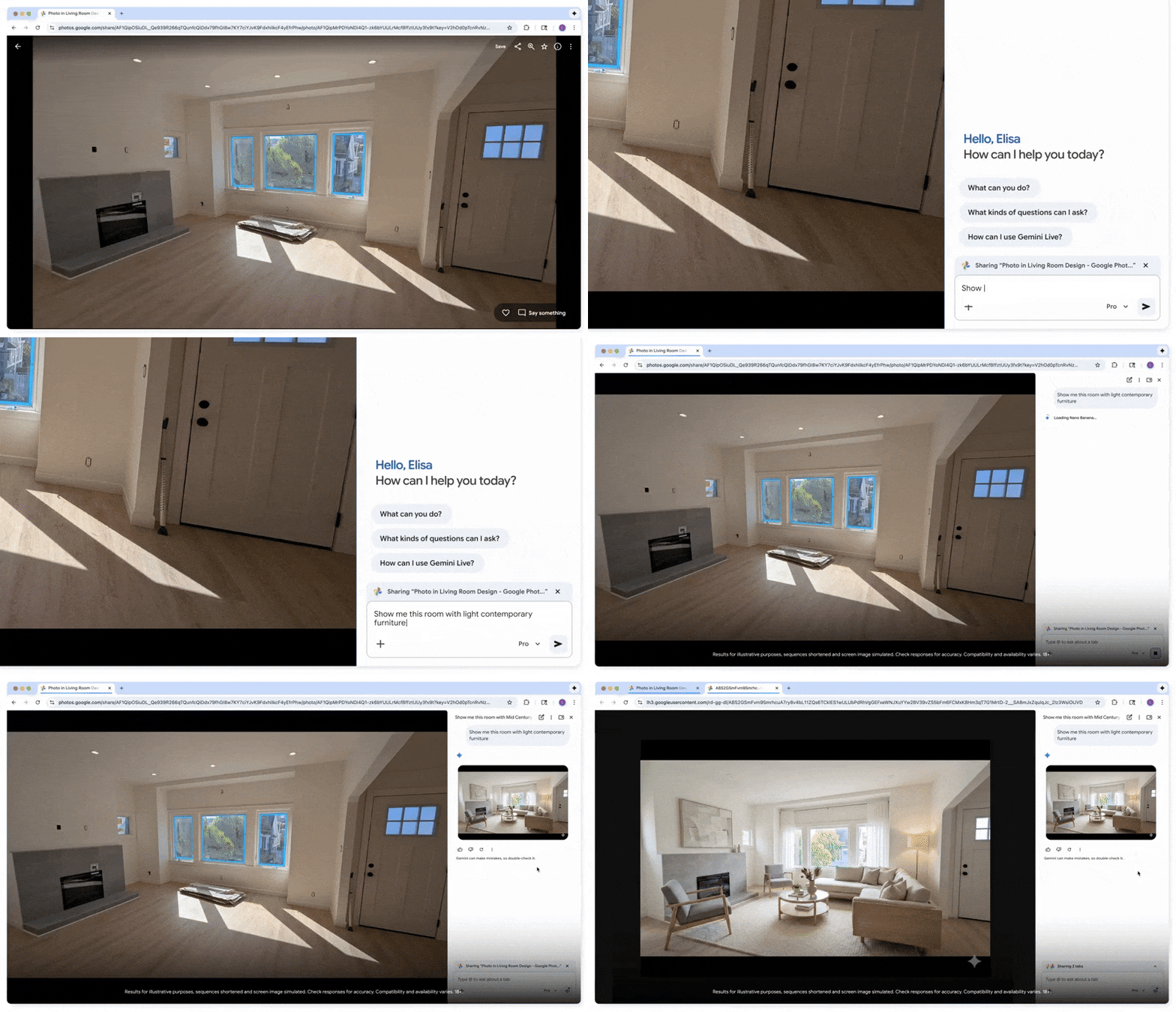
With Gemini in Chrome, Nano Banana offers rich, image-based feedback. Let’s say that you’re shopping for new furniture. Instead of just imagining how it might look in your home, you can give Nano Banana a picture of your living room and have it create a picture that actually shows you how your new purchase will fit in.
Both the new Gemini side panel and Nano Banana integration start rolling out today.
Thank you for being part of our community. Read our Comment Policy before posting.

 By
By