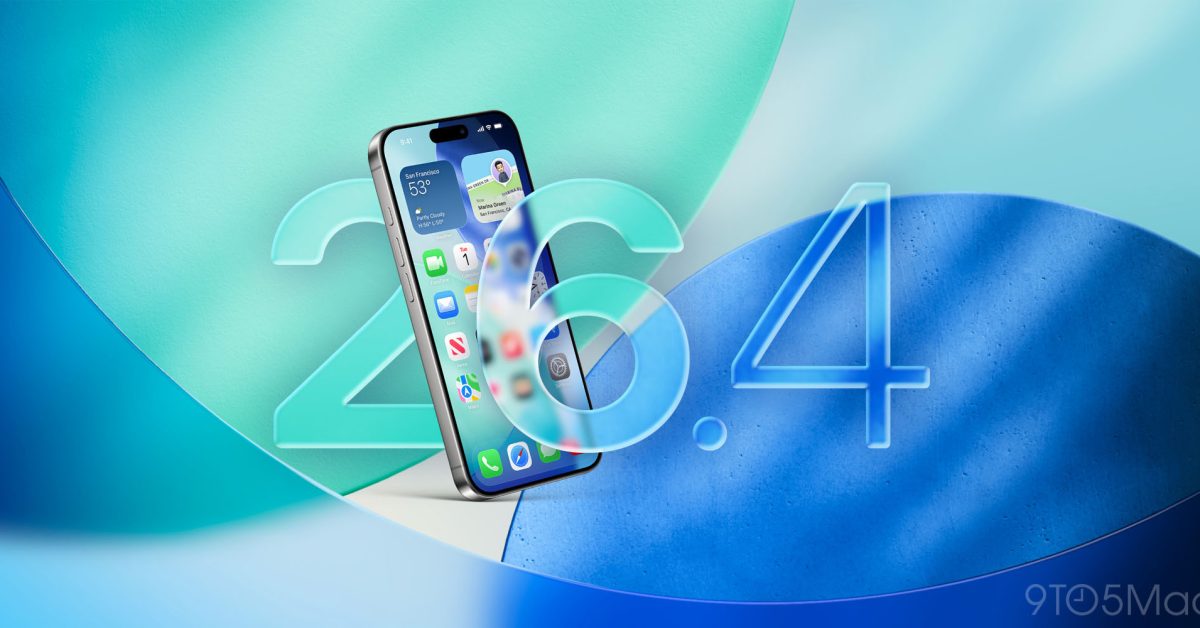

iOS 26.4 beta 1 is now available in beta for developers. The update includes a ton of new features and changes for iPhone users. There are new changes to the Music app, Messages, Apple Podcasts, and much more. Head below for the full roundup of all the new features in iOS 26.4 beta 1.
iOS 26.4 beta details
iOS 26.4 is available now for developer beta testers. The build number for the update is 23E5207q. Developers can update by going to the Settings app, choosing General, then choosing Software Update. A public beta will likely be released sometime within the next several weeks.
What’s new in iOS 26.4 beta 1?
Messages
Apple has added support for testing encrypted RCS messaging with iOS 26.4 beta 1. Right now, this is only supported on iPhone-to-iPhone communication for RCS testing purposes.
Read more: iOS 26.4 beta adds support for testing end-to-end encrypted RCS messaging
Apple Podcasts
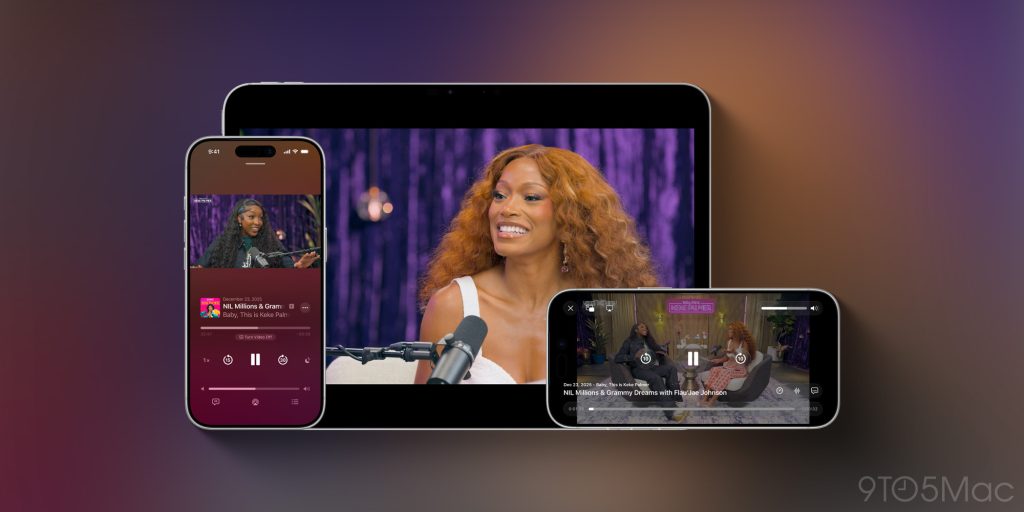
iOS 26.4 upgrades the Apple Podcasts app with new “advanced video podcast capabilities.” This refresh makes it easier to switch between viewing a video podcast and listening to the audio podcast. The features are based on Apple’s HLS technology, which allows it to power automatic quality adjustment based on network conditions.
Apple is also adding support for dynamic video ads in Apple Podcasts with iOS 26.4.
Read more: Apple Podcasts app gaining ‘enhanced video podcast experience’ in iOS 26.4
Apple Music
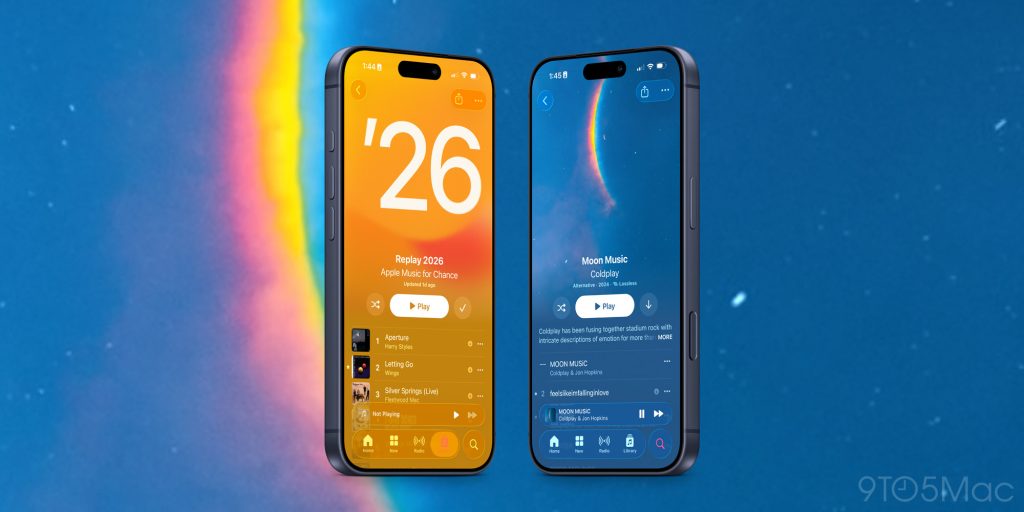
Apple has made several upgrades to the Apple Music app as part of iOS 26.4. When looking at select albums and playlists, you’ll now see new full-screen artwork that “brings your music to life.”
The update also adds support for finding concerts near you and tour dates for artists in your Apple Music library.
The “Profile” section of the Music app has also been redesigned with easier access to common tasks. This Redesigned “Profile” interface is also shown in the App Store, Apple Podcasts, and Apple TV.
Read more: Apple Music in iOS 26.4 has new design for albums, playlists, and more
Playlist Playground
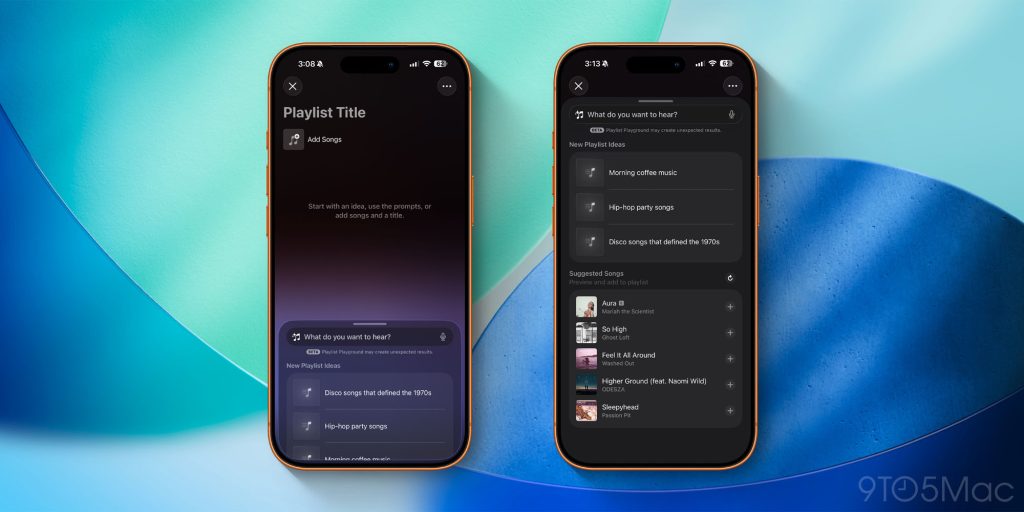
iOS 26.4 also adds a new Apple Intelligence feature to the Music app. Playlist Playground lets you create playlists based on text descriptions or preselected prompts.
Read more: iOS 26.4 beta adds new ‘Playlist Playground’ AI feature for Apple Music
Wallpaper gallery
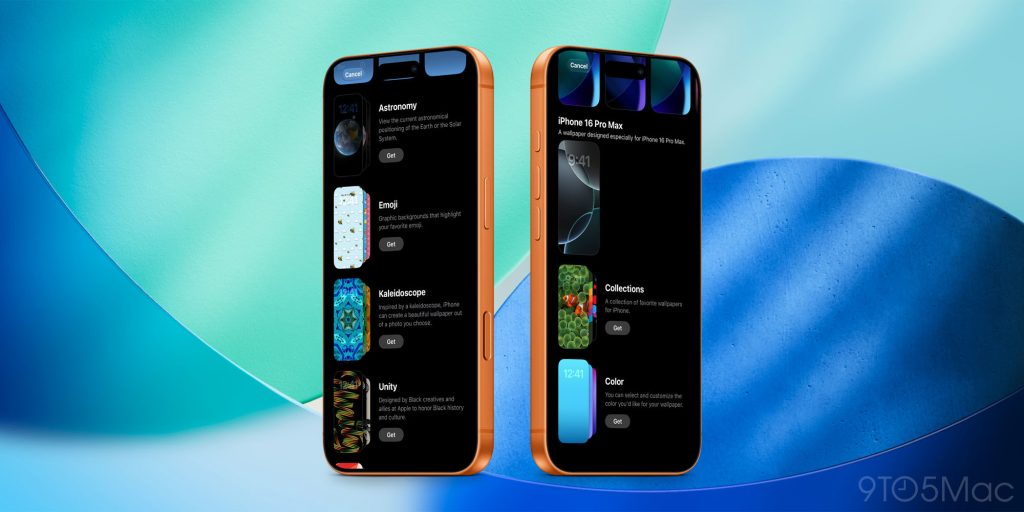
iOS 26.4 introduces a redesigned Wallpaper Gallery that further separates the different categories of available options. The interface is also much cleaner than before and faster to respond to input. Apple has rolled out a similar to design to the Apple Watch face gallery.
Read more: iOS 26.4 redesigns Wallpaper Gallery
Reminders
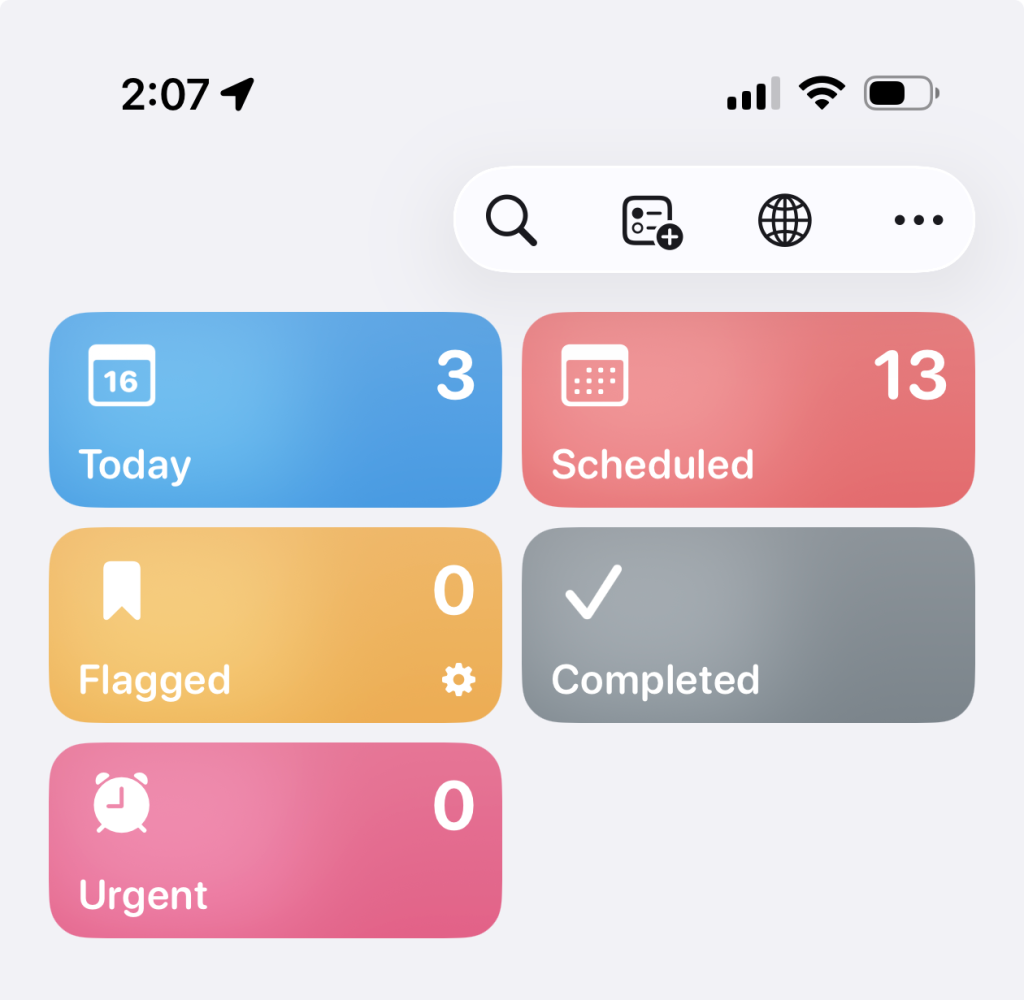
In the Reminders app, iOS 26.4 adds a new Smart List for the tasks that you’ve marked as “Urgent.” This builds on the new Urgent setting that Apple added to Reminders as part of iOS 26.2 last year. When you designate a task as urgent, the Reminders app will set an alarm to remind you of it.
New Home Screen widget
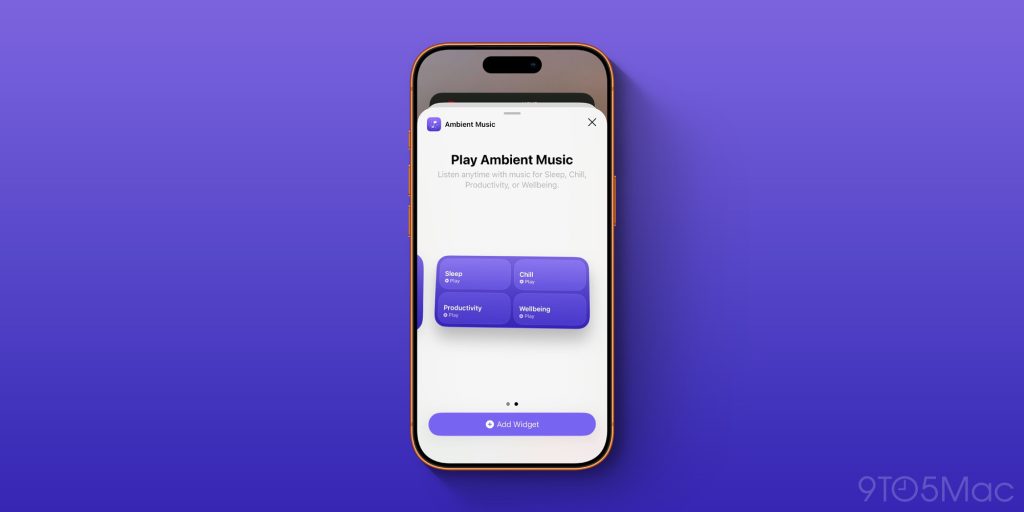
iOS 26.4 adds a new Home Screen widget that gives you quick access to your ambient music playlists in Apple Music.
Stolen Device Protection
According to MacRumors, Stolen Device Protection is now enabled by default in iOS 26.4. When enabled, Stolen Device Protection requires biometric authentication when away from trusted places like home and work. It also includes a time delay for a second biometric authentication for certain sensitive actions.
Prior to iOS 26.4, Stolen Device Protection had to be enabled manually by iPhone users.
App Store
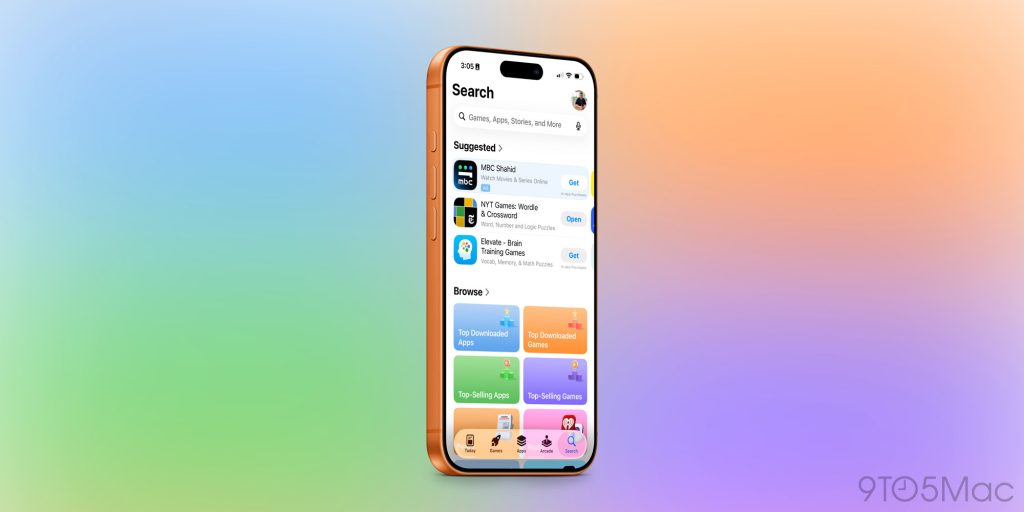
In the App Store, the Search bar has been moved back to the top of the search tab. The search tab is also now integrated into navigation bar at the bottom instead of being separated in its own floating circle.
More changes
- There is a new Shortcuts action for setting your iPhone’s charge limit, as well as removing and adding locations to Weather.
- iPadOS 26.4 adds the compact tab bar back in Safari
- New icon for Freeform, as well as a new splash screen about Apple Creator Studio
Wrap up
We’ll continue updating this story as we uncover more new features in iOS 26.4. If you spot anything new, let us known down in the comments.
My favorite iPhone accessories:
Follow Chance: Threads, Bluesky, Instagram, and Mastodon.


FTC: We use income earning auto affiliate links. More.

 By
By