

Joe Maring / Android Authority
This October will mark nine years since Google introduced one of the best Pixel features it’s ever created. The first time Now Playing automatically identified a song on my Pixel 2 XL, it felt like magic. All these years later, it’s one of the main reasons I carry a Pixel instead of any other Android phone.
Google has slightly tweaked Now Playing over the years, but the core experience has largely remained the same. However, it just got its biggest update ever with the release of Google’s new Now Playing app.
I’ve spent the last day using the new app on my Pixel, and as a longtime Now Playing fan, it’s exactly the update I’ve been waiting for.
Do you like Google’s new Now Playing app?
0 votes
The same Now Playing, just better and prettier

Joe Maring / Android Authority
It’s worth noting right off the bat that Google hasn’t fundamentally changed how Now Playing works. It still runs in the background and IDs songs without you needing to lift a finger. However, it looks a lot nicer now.
Songs continue to appear near the bottom of your lock screen/always-on display, although the text is larger and easier to read. More noteworthy is that when you tap a song, it now expands to show the album artwork, with shortcuts to favorite it and play it in your preferred music app.
The old version of Now Playing also showed these controls if you tapped a song, but it redirected you to Now Playing in the Settings app. Seeing all of this right on the lock screen is a significant improvement.
That brings us to the next point, and arguably the biggest change to Now Playing.
Previously, Now Playing only existed as a page within the Settings app. You could use it just fine to view your Now Playing history, liked songs, etc., but it never felt particularly well thought out or easy to access — even with the optional home screen shortcut.
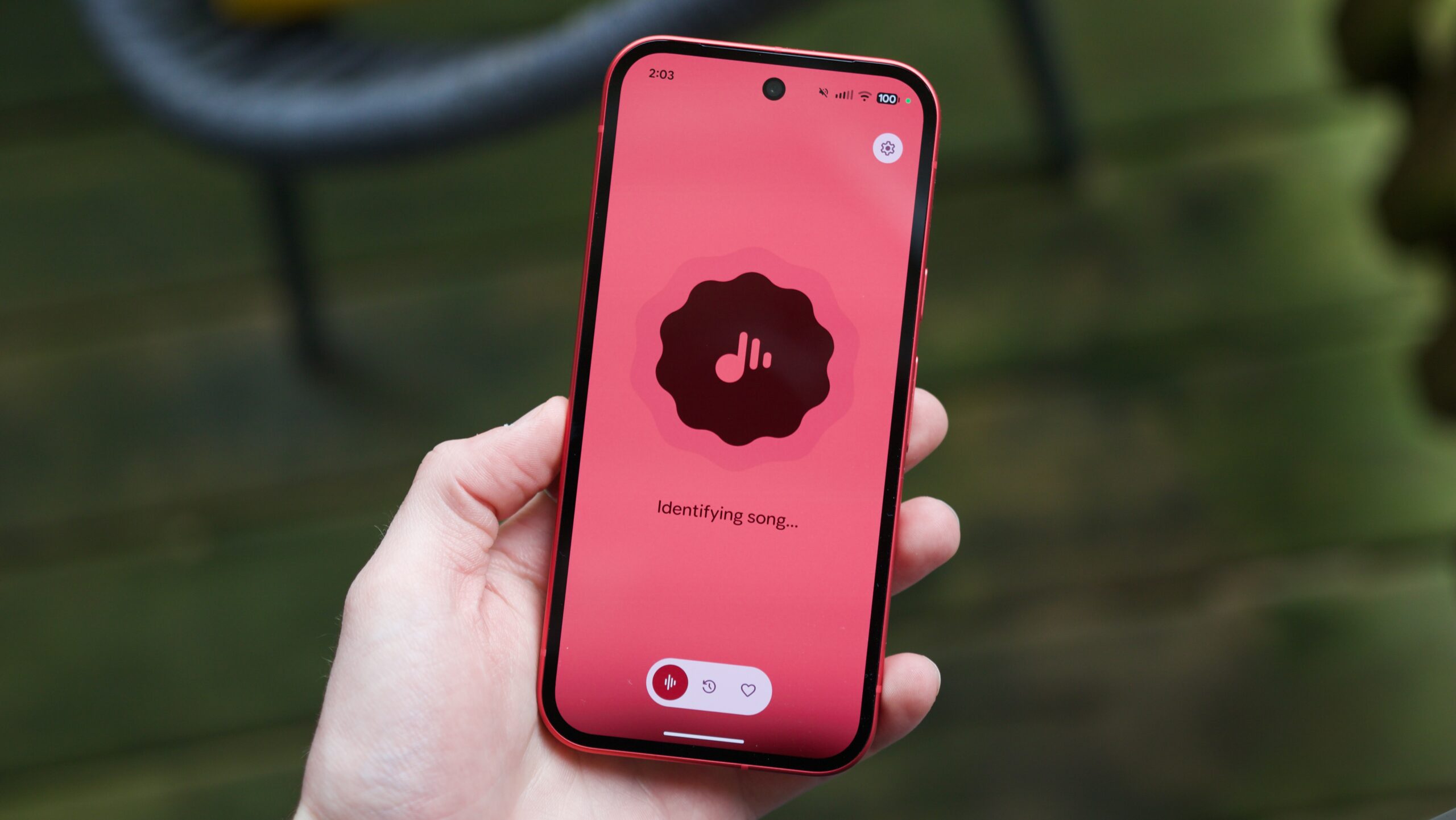
With the new Now Playing app, everything is now available in a standalone, dedicated application. You can still see your history and liked songs, and adjust your preferred music provider. All the functionality is the same, but it’s presented so much better, with a coat of Material 3 Expressive paint that looks incredible.
Additionally, if you ever want to manually identify a song, the Now Playing app supports that, too; just open the new app and tap the giant circle button in the middle of the screen. You could manually ID songs before using the Now Playing tile via Quick Settings, but having everything in one centralized place is obviously a better approach.
This is the update Now Playing deserved

Joe Maring / Android Authority
As you can probably tell by now, Google hasn’t really added any new features to Now Playing with the release of the standalone app. What it has done, however, is taken what was previously a fairly disjointed feature set and given it a nicer home than it’s ever had before. If you ask me, this is exactly what Now Playing needed.
It sounds corny to say, but Now Playing has always felt like one of those smartphone features only Google could make. And as the years have passed by without any other brand copying it, that point has been proven.
Not only does the new app improve the overall experience of using Now Playing, but it also adds peace of mind that Google isn’t putting it on the chopping block any time soon. Now Playing has largely been ignored by Google in recent years, so to see this much attention go into the standalone app is a reassuring sign for its future. Now Playing deserves to stick around for the long haul, and this new app adds a lot of confidence that it will.
If you don’t have the new Now Playing app on your Pixel yet, open the Google Play Store, search for Now Playing, and you should see a listing for the new app with an update available. You can also find it here.
Don’t want to miss the best from Android Authority?


Thank you for being part of our community. Read our Comment Policy before posting.
 By
By