

Joe Maring / Android Authority
TL;DR
- One UI 8.5 adds new scheduling options for routines.
- You’re able to schedule routines to end after a certain date, or to only run a single time.
- These scheduling options are available on both the One UI 8.5 beta and stable One UI 8.5.
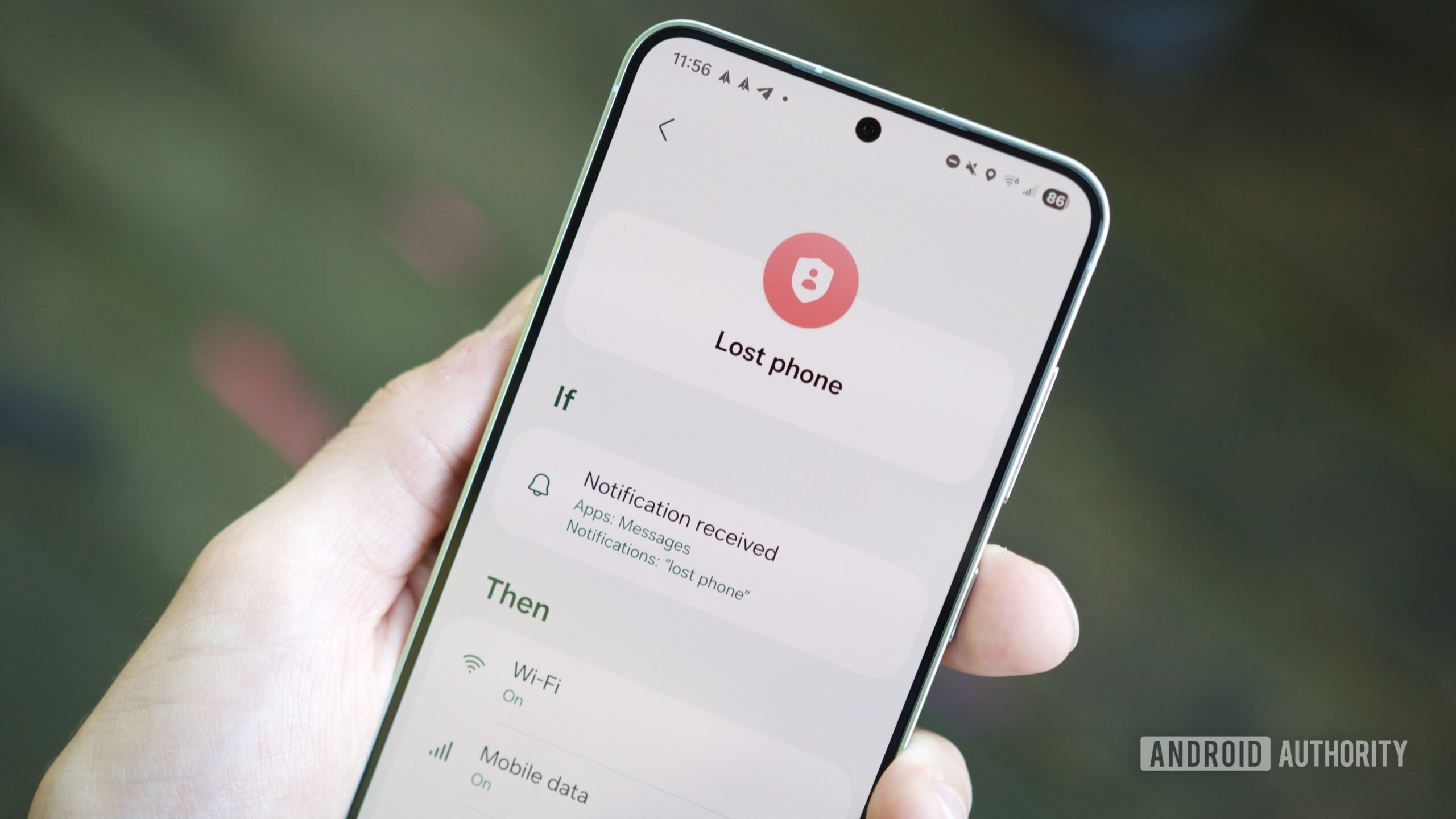
One UI 8.5 is adding a flexible new option for creating routines. In addition to triggers and actions, on Samsung’s latest Android update, you’re now able to set an expiration that’ll see the routine stop firing when you want it to.
We’ve spotted a new Keep routine until field in the routine interface within One UI 8.5. The default is Forever, but there are also options to have the routine active until a certain date, or even to only use the routine a single time.
Don’t want to miss the best from Android Authority?


Tapping the Keep routine until option in the routine creation interface will open a menu with the selections for Forever, Choose date, and Run only once. This option seems available for all routines created in One UI 8.5 except for ones that use the Start manually trigger.
This new option could be convenient if you want to create a routine that’s only useful seasonally (in which case you can set it to end after a certain date), or to pre-plan a single action (set it to Run only once).
You’re able to add expiration dates to routines created on Samsung devices running One UI 8.5 right now. We first saw this feature on a Galaxy S26 running stable One UI 8.5, but we’ve also been able to confirm that the new Keep routine until setting is available on Galaxy S25 devices enrolled in the One UI 8.5 beta program.
Thank you for being part of our community. Read our Comment Policy before posting.
 By
By