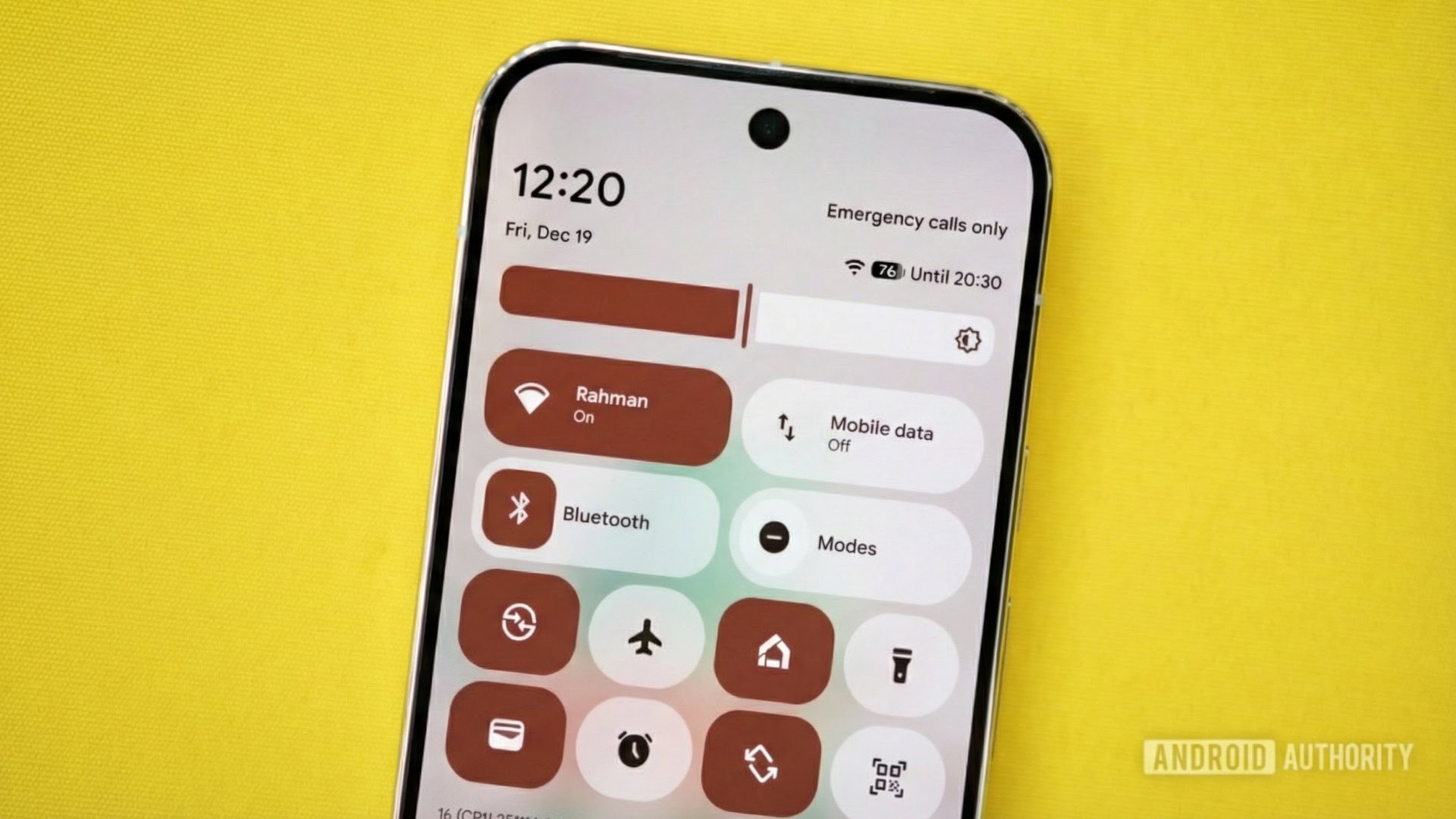


Image of a Pixel phone with Android’s Quick Settings on it. Original photo by Joe Maring. Gemini Nano Banana Pro was used to modify the photo and place the screenshot on the screen.
TL;DR
- Android 17 Beta 3 restores the ability to turn Wi-Fi on or off with a single tap via the Quick Settings tile.
- If you have a 2×1 Quick Settings tile, you can toggle Wi-Fi by tapping the icon on the left.
- Tapping the right side of the tile will bring up the old pop-up that shows nearby networks.
Yesterday, Google rolled out Android 17 Beta 3, which delivers several changes to Pixel devices. While many of the changes are new, there’s one that brings back an old favorite from years ago. With Android 17 Beta 3, you can once again turn Wi-Fi on or off with a single tap of the Quick Settings tile.
Don’t want to miss the best from Android Authority?


In the past, you could quickly switch your Wi-Fi on or off by going into Quick Settings and tapping on the tile. However, an extra step was added to the process after Android 12. This change introduced a pop-up that appears when the tile is tapped. The pop-up contains a list of nearby networks and a couple of other options, in addition to the Wi-Fi toggle. So what was once a one-step process became a two-step process.
Thankfully, Google came to its senses and has restored single-tap functionality with Android 17 Beta 3. If you have a 2×1 tile, tapping on the Wi-Fi icon on the left will turn the setting off or on. Tapping on the right side of the tile will bring up the pop-up from before. This behavior is similar to how the Bluetooth Quick Settings tile started working after Android 16 QPR1.
If you have a 1×1 Wi-Fi Quick Settings tile, it’s a simple single tap with no option to bring up the pop-up. Meanwhile, long-pressing on the tile will open up the full Internet settings page.
Something else that’s nice about this update is that it separates Wi-Fi and mobile data into separate toggles. Meaning that you can now switch Wi-Fi and mobile data on or off independently.
Thank you for being part of our community. Read our Comment Policy before posting.

 By
By