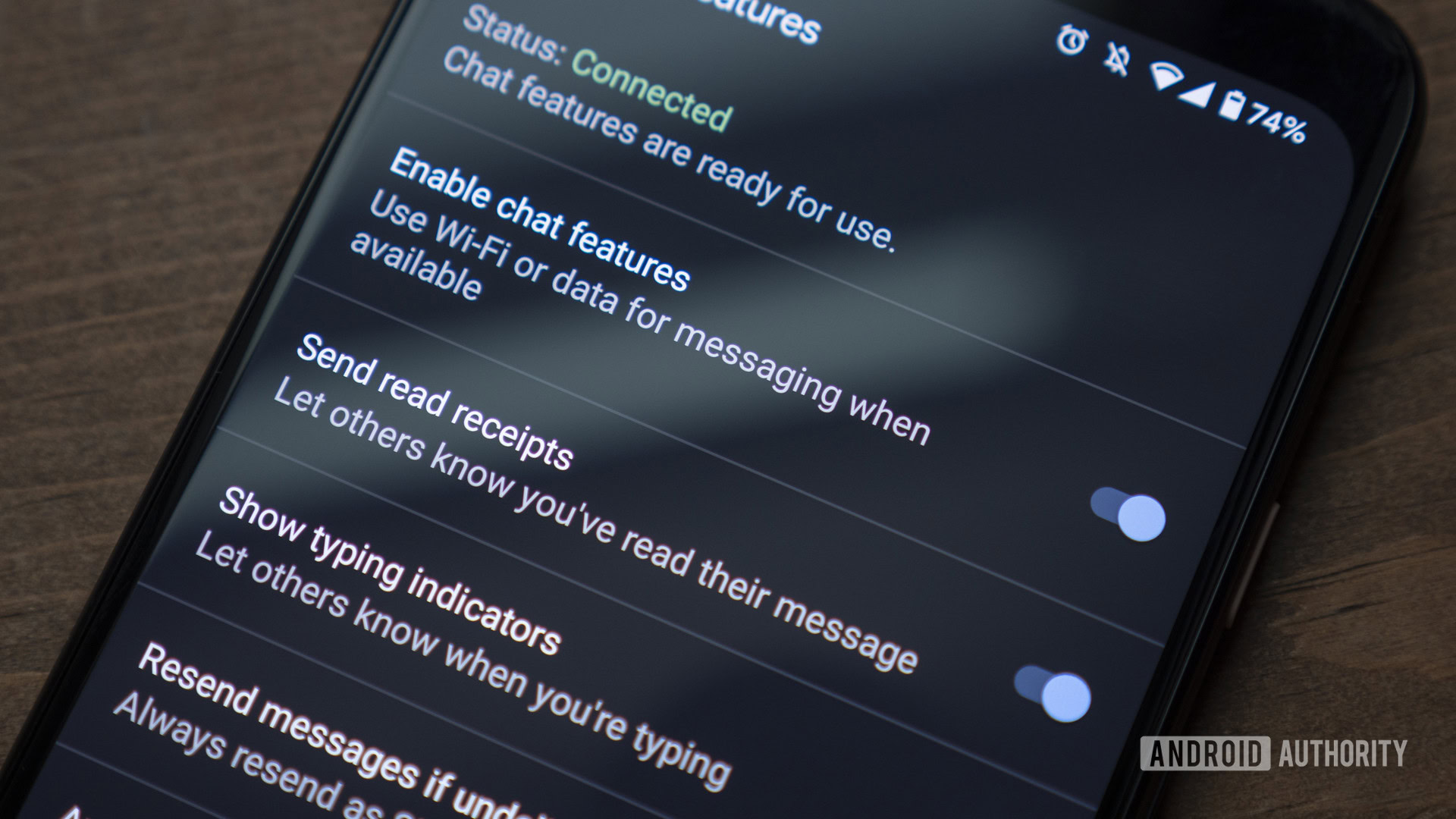


It has taken a long time for RCS to unify the messaging experience across Android devices first, then between them and between iOS. But we’re almost there now. Green bubbles notwithstanding, sharing messages between different phones and platforms is now a much more consistent and reliable experience without the need to use third-party apps like Telegram, WhatsApp, or Signal.
And Google Messages’ impact has been tremendous in getting RCS properly adopted. I notice this a lot, even in France, where WhatsApp is near ubiquitous. When I communicate with my friends or family, it’s WhatsApp; but when Samsung’s repair service wants me to send them photos of my broken TV, it’s through Google Messages. Yet, there’s still room to improve that experience, and the just-announced RCS 4.0 promises to bridge the gap even more and make Google Messages a more powerful messaging experience.
Which feature are you most excited to see in Google Messages?
8 votes
Cross-platform video calling

Rita El Khoury / Android Authority
Video call support is one of the cornerstones of the latest RCS 4.0 standard. With it, apps that adopt the spec will not only be able to initiate cross-device and cross-platform chats and media sharing, but start and manage video calls too. Instead of Messages acting like a texting app that launches video calls in Meet or Video over LTE, it could become the video call app on its own, with native, integrated support. And when Apple adopts that, that should ideally mean no more FaceTime-this and Meet-that. I could just start a call with the person I’m talking to, no matter the platform, and not wonder whether they have the right phone or app to take it.
Going back to my broken TV, when I was on a call with Samsung’s repair center, they had to share a link with me via Messages that opened Chrome to start a web-based video call and show them what was wrong with my TV. It required a bunch of permissions, didn’t work at first despite me knowing what I was doing, and the support agent kept asking me to restart it to get the stream working. When Google Messages adopts RCS 4.0, this kind of workaround could and should be abolished. Companies would have the option to do native video calls, without resorting to bad third-party services.
Imagine video calling your friends or family members without worrying about FaceTime-this or Google Meet-that.
Outside the USA, we may not video call our immediate friends in Google Messages like this, but for random and necessary calls with companies, support and repair services, and the like, this promises to become the default go-to. In the US, the promise is even bigger with families and friends no longer needing to be part of one platform to talk to each other.
There’s no word yet on encryption during these calls, but we know they’ll come with some very cool features. Users can “late join” a group video call if they miss the initial invite; call logs sit right inside of the messaging app; and devices automatically identify the right codec to make sure both devices have the highest-quality call possible.
High-quality audio and video sharing

Stephen Headrick / Android Authority
Going from MMS to RCS has greatly reduced the occurrence of low-quality image and video sharing across devices and platforms, but there’s still room for things to get better. Today, Google Messages-to-Messages shares handle that very well in my experience, but there are still instances of blurry videos and crushed photos in large groups, especially when people use different mobile operating systems.
With RCS 4.0, things should get even better. The two devices in a chat will perform a “handshake” before a file is sent to identify exactly which codecs are supported by both phones. So instead of the sending phone guessing or settling for a safe, low-quality format, it’ll choose the optimal encoding for the recipient. Technically speaking, this promises that Google Messages will be able to send the most optimized high-bitrate photos and videos to other Messages users and iPhones without any compression along the way.
Audio messages will benefit, too, thanks to a standardized roadmap and codec. A voice note from Google Messages should sound just as clear on iMessage as it does for another Messages user.
Native rich text formatting

When I was reading this, I couldn’t believe that the RCS Universal Standard still didn’t support rich text formatting. I’m too used to WhatsApp applying formatting to my messages that I never really questioned whether Google Messages could do it, too. I assumed it did. But nope. I can’t *bold* words or _italicize_ them like this, nor can I tap and hold on a word to apply formatting. That’s silly. Every messaging and communication app supports this formatting, from Slack to WhatsApp, Discord, Asana, and more, so it’s high time Google Messages supported it, too.
With RCS 4.0, that should be the case. Better yet, if you use any formatting to send your message and it falls back to SMS, the recipient won’t get a bunch of random ** and __ characters; they’ll receive the original text stripped of any rich text formatting, so that the message remains readable and doesn’t appear too spammy.
I can’t believe Google Messages doesn’t do bold or italics yet, but this will change it.
This should also bridge the formatting gap with iMessage when Apple adopts RCS 4.0. Right now, Apple has a bunch of text effects in iMessage, but none of them carry over to Google Messages. If you’re talking to a friend on an iPhone and they send you some exploding or jittering text, you see some gibberish formatting code along with their message. That won’t change, but rich text support should at least standardize the basic formatting styles between the two platforms so we can all strikethrough our intended typos in peace.
There’s a bit more to RCS 4.0 than these three features, especially for business partners and their messaging, but that part will have little impact on day-to-day communication across Google Messages. The three features above will be much more important for daily users, and the only thing we can wait for is for both Google and Apple to implement the standard as soon as possible.
Don’t want to miss the best from Android Authority?


Thank you for being part of our community. Read our Comment Policy before posting.
 By
By