

Dhruv Bhutani / Android Authority
I’ve spent the better part of the last decade trying and failing to finish Robert Jordan’s “The Wheel of Time.” The book is supposed to be a masterpiece of world-building, but it is also a 14-book exercise in mental endurance. With over 2,700 characters and political subplots that span thousands of pages, it is all too easy to get mentally exhausted to the point where the narrative just gets too complicated to follow along.
For years, my solution has included everything from making my own notes to fan wikis and Google searches, but the problem with that approach is twofold. First, wikis tend to be full of spoilers that can ruin a character arc you haven’t reached yet. Second, in my experience, using a general-purpose large language model like ChatGPT isn’t ideal. It’ll often give spoilers, or hallucinate details and mix up fan theories with actual story lines. But in 2026, I’ve made it my mission to finally read the entire series all the way through from scratch, and I’m making use of NotebookLM to help keep me on track.
Do you use NotebookLM to enhance your reading experience?
1 votes
A spoiler-free way to make sense of massive book series

Dhruv Bhutani / Android Authority
The biggest hurdle with any massive fiction series is the “who is that again” factor. Be it “A Song of Ice and Fire,” “Dune,” and, of course, “The Wheel of Time,” a minor noble mentioned in book two might suddenly become a pivotal political player in book nine. Meanwhile, seven months into the reading marathon, I have no recollection of who that character was. Normally, looking that person up on a traditional search engine is a recipe for disaster. You’ll see their name, followed immediately by a word that might give up that the character has died, or a description of their actions and consequences. That’s no good.
NotebookLM fixes this by acting as a closed-loop system. Because the AI only looks at the specific files I upload, it doesn’t know what happens in book 10 if I’ve only uploaded books one through nine. It isn’t affected by online theories and analysis either. It effectively lets me build a private, intelligent encyclopedia that only knows as much as I do. More importantly, it has turned my reading experience from a stressful memory test into an AI-annotated experience where I can ask for context without fear of ruining the ending. And all of that is only because of NotebookLM’s recently added ePub support.
NotebookLM turned my reading experience from a memory test into something I can actually enjoy.
Until recently, getting your personal book library into NotebookLM was a bit of a chore involving PDF conversions that often mangled the formatting. However, Google recently rolled out native ePub support, which has completely streamlined the process. You no longer need to spend an afternoon in Calibre stripping DRM and converting files just to make them readable for the AI. You can simply drag and drop your library directly into the interface.

Dhruv Bhutani / Android Authority
I now keep a single dedicated notebook for the entire series. Each book is its own source, and because the current limits allow for up to 50 sources per notebook, I can fit the entire 4.4-million-word series into one place. This is crucial because it allows the AI to perform cross-source queries. I can ask how a specific prophecy from book one was fulfilled in book six, and the AI will pull citations from both texts to show me the connection. Having that bird’s-eye view of a decade-long narrative changes how you perceive the author’s foreshadowing, and more importantly, helps you keep track of plotlines.
NotebookLM makes it a cinch to keep track of fictional geographic locations, character arcs, and relations.
The most immediate use case for me has been real-time character tracking. High fantasy is notorious for having characters with similar names or complex family trees that are borderline impossible to keep track of unless you’re a full-time nerd. When I encounter a name that feels familiar but doesn’t quite click, I no longer have to flip back through 500 pages of physical text or go through the aforementioned Google search that risks spoiling the chapter for me. I just keep NotebookLM open on my tablet next to my Kindle. I can simply ask for the last interaction between two specific characters, and the AI parses the uploaded texts to give me a concise summary of their relationship history.
This extends to the physical location of the cast as well. In a series where characters are scattered across a continent, being able to ask where exactly a person is and who they are currently with is a massive quality-of-life upgrade. In fact, books like “The Wheel of Time” are spread across continent-sized maps, and understanding the geography of individual locations is its own headache-inducing task. Now, I can just ask NotebookLM anything I need to know about the city in question, say, Illian. It provides a level of clarity that traditionally required keeping a physical notebook or a series of bookmarks. Instead of pausing my reading to remember if a character is in the city of Caemlyn or Tear, I get an answer in seconds and get right back to the story.
How NotebookLM explains the rules behind the story

Dhruv Bhutani / Android Authority
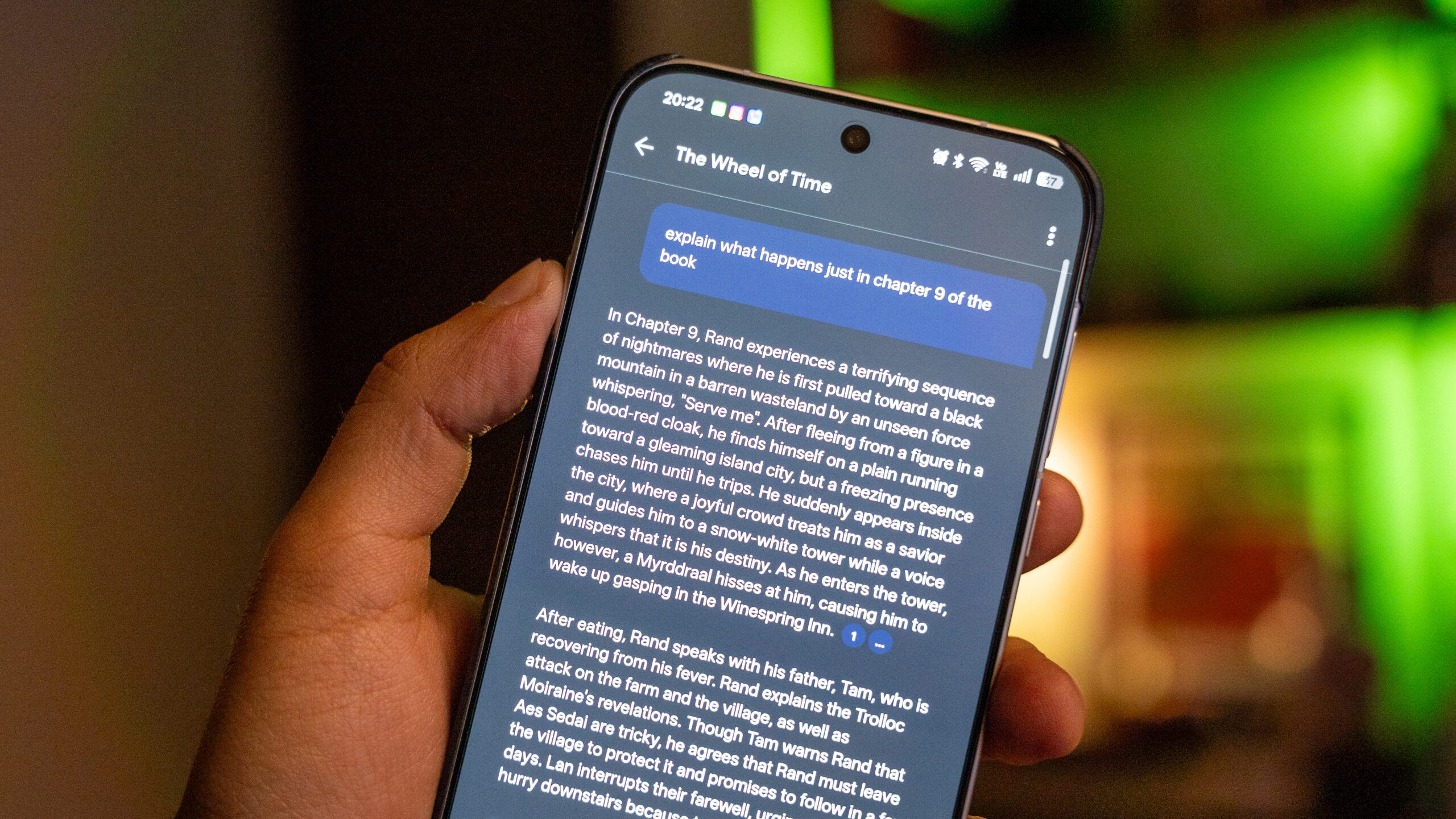
Every epic fantasy series has its own internal logic, and Jordan’s take on magic, titled the “One Power,” is one of the most intricate I’ve come across. Let’s be clear, this isn’t wands and brooms like Harry Potter. Between the different ways the powers interact with the lore, the gendered split of the power, and the historical lore of the Age of Legends, it is easy to get lost. NotebookLM excels at acting as a technical manual for these fictional systems. If I’m confused about why a character can’t perform a certain task, I ask the notebook to explain the rules of that specific scene based on the text. It doesn’t just give a generic answer; it cites the specific chapters where those rules were established. And more importantly, since it is isolated only to the books that I’ve uploaded, it only uses information up to the book that I’m reading. In fact, I can even set guardrails for it to only reference up until a specific chapter.
NotebookLM doesn’t just summarize, it can draw connections between the world-building logic and explain it to you.
This has been invaluable for understanding the political maneuvering within the series, and the AI helps me cut through the prose to find the actual stakes of a conversation. It can even perform an internal logic check. In a series written over decades, I’ve used the tool to identify if a character’s sudden power jump is earned or a potential plot hole. Trust me, the first time you start using the feature, it really makes you feel like the author is sitting next to you, walking you through the plotline. It’s pretty cool.

Dhruv Bhutani / Android Authority
Elsewhere, if you prefer a more visual approach, you can use the built-in slide generator to get a Cliffnotes presentation to get you up to speed.
Mapping factions and alliances with NotebookLM

Dhruv Bhutani / Android Authority
Before I even dive into a specific chapter, I often use the Mind Map tool tucked into NotebookLM’s studio panel to visualize connections between different factions. In “The Wheel of Time,” keeping track of which noble house is allied with which king is a full-time job. With a single click, NotebookLM generates a branching diagram that links the various entities found in the text. If you’re just looking for connections, this can be faster than even querying the book.
You can also click on specific nodes in the mind map to ask follow-up questions directly in the chat. If I see a branch connecting the Forsaken to a specific merchant guild, I can tap it and ask for the exact textual evidence of that alliance. It turns a dense political landscape into a navigable map in the same vein as the annotations and notes I used to take myself.
Audio Overviews help get me up to speed

Dhruv Bhutani / Android Authority
One of the more experimental ways I’ve been using NotebookLM is the Audio Overview feature. When I finish one 1,000-page tome and prepare to start the next, I don’t always want to read a dry text summary of what just happened. NotebookLM can generate a conversational, podcast-style summary of the documents in my notebook. I’ve started treating these as recap segments. Before opening a new book, I’ll have the AI generate an audio overview of the previous one to refresh my memory on the major plot points and cliffhangers.
Hearing two voices discuss the plot points and character growth makes the transition between books feel seamless. If you prefer, you can even interact with this audio to demand better analogies or quiz the hosts on specific details. Moreover, it feels like listening to your own bespoke podcast running you through what you might’ve missed, or forgotten already.
Additionally, I love the fact that it draws comparisons with the overarching real-world psychological themes that the book was touching upon. Things I wouldn’t even think about in the heat of rushing through pages of a book and keeping up with battles and politics. Trust me, in a book series spanning over 15,000 pages on the Kindle, there will absolutely be details that you’ll forget or not think about.
Audio recaps make jumping between 1,000-page books feel seamless.
Look, I don’t want to be called out for skipping parts of the book, but every once in a while, pacing tends to slow down to a crawl even in the most fast-paced fiction. Be it hundreds of pages dedicated to travel or internal monologue. I get the hero’s internal struggles, but I don’t need to read through it for the tenth time. NotebookLM lets me skim forward through pages while ensuring I don’t miss out on anything important. When the prose slows down to a halt, I end up asking the AI assistant to summarize the key plot points of a specific chapter. This ensures that I don’t miss out on the world-building aspect, while allowing me to jump forward through the slower sections.
This has significantly increased my reading speed and helped me move through chapters where I’d struggle to read more than a couple of pages a night. NotebookLM lets me maintain a high-level understanding of the plot through AI summaries, and I can stay engaged with the series even during the parts where the author was clearly less engaged.
Why AI-enhancements might shape the future of reading

Tushar Mehta / Android Authority
The move toward using AI as a literary companion feels like the natural evolution of the e-reader. I’ve even talked about hacking Gemini onto a jailbroken Kindle for book-specific chats. While I generally approach AI with a healthy dose of skepticism, it’s hard to deny that, in the right context, it makes consuming complex media far more accessible.
Books are no longer static, they’re becoming systems you can interact with, and NotebookLM is my favorite tool for the task.
The truth of the matter is that we went from physical books to digital screens that could hold thousands of volumes, and now, we are moving into an era where those volumes no longer need to be static files, but can be turned into living databases that we can converse with. For a series as massive as “The Wheel of Time,” using the book as a database that can be queried at will is incredibly useful. And frankly, it might be the only reason I’m actually going to finish the series this time. It removes the friction of information overload so I can actually get around to enjoying the story.
Don’t want to miss the best from Android Authority?


Thank you for being part of our community. Read our Comment Policy before posting.
 By
By