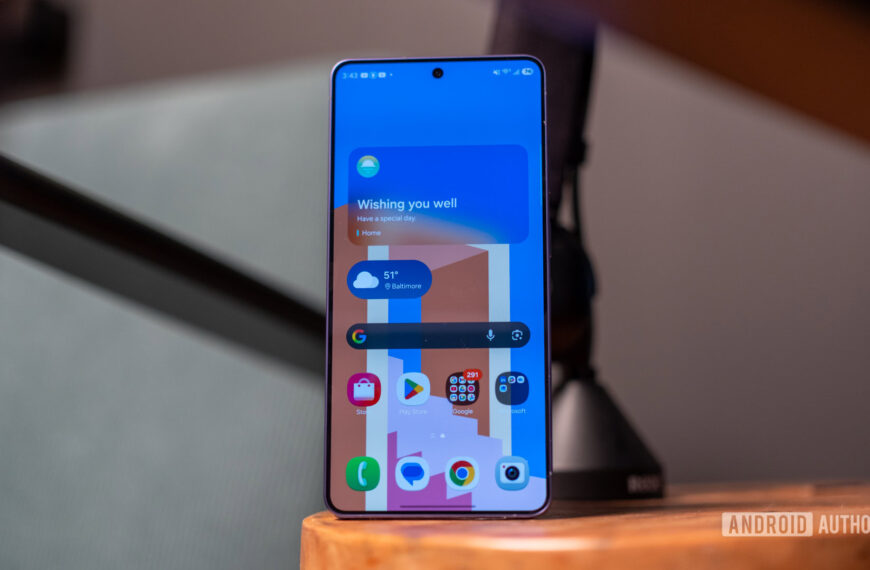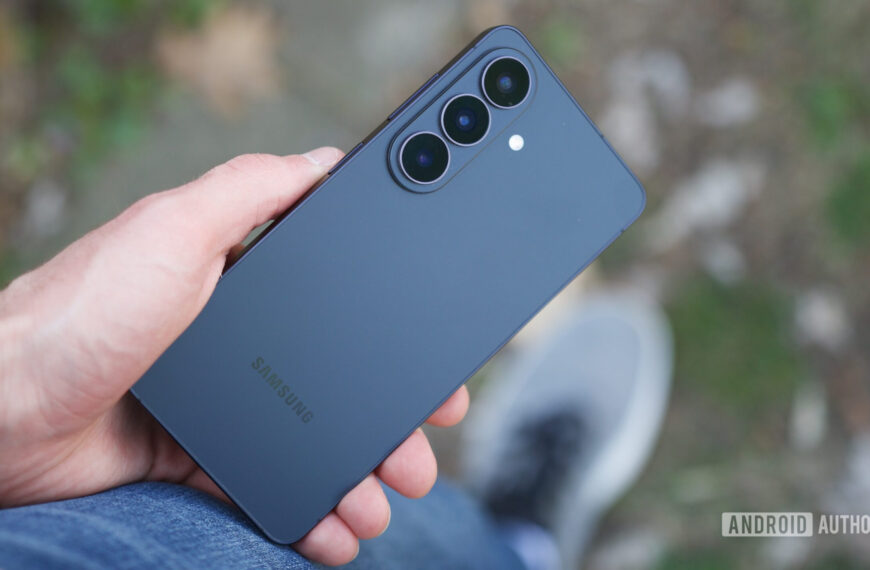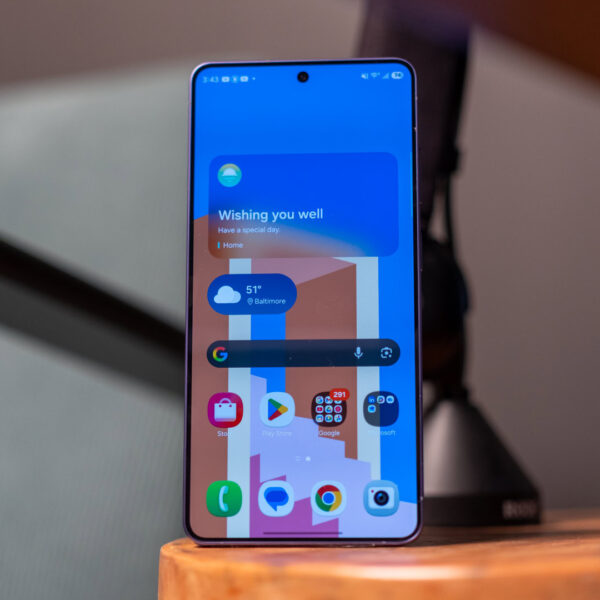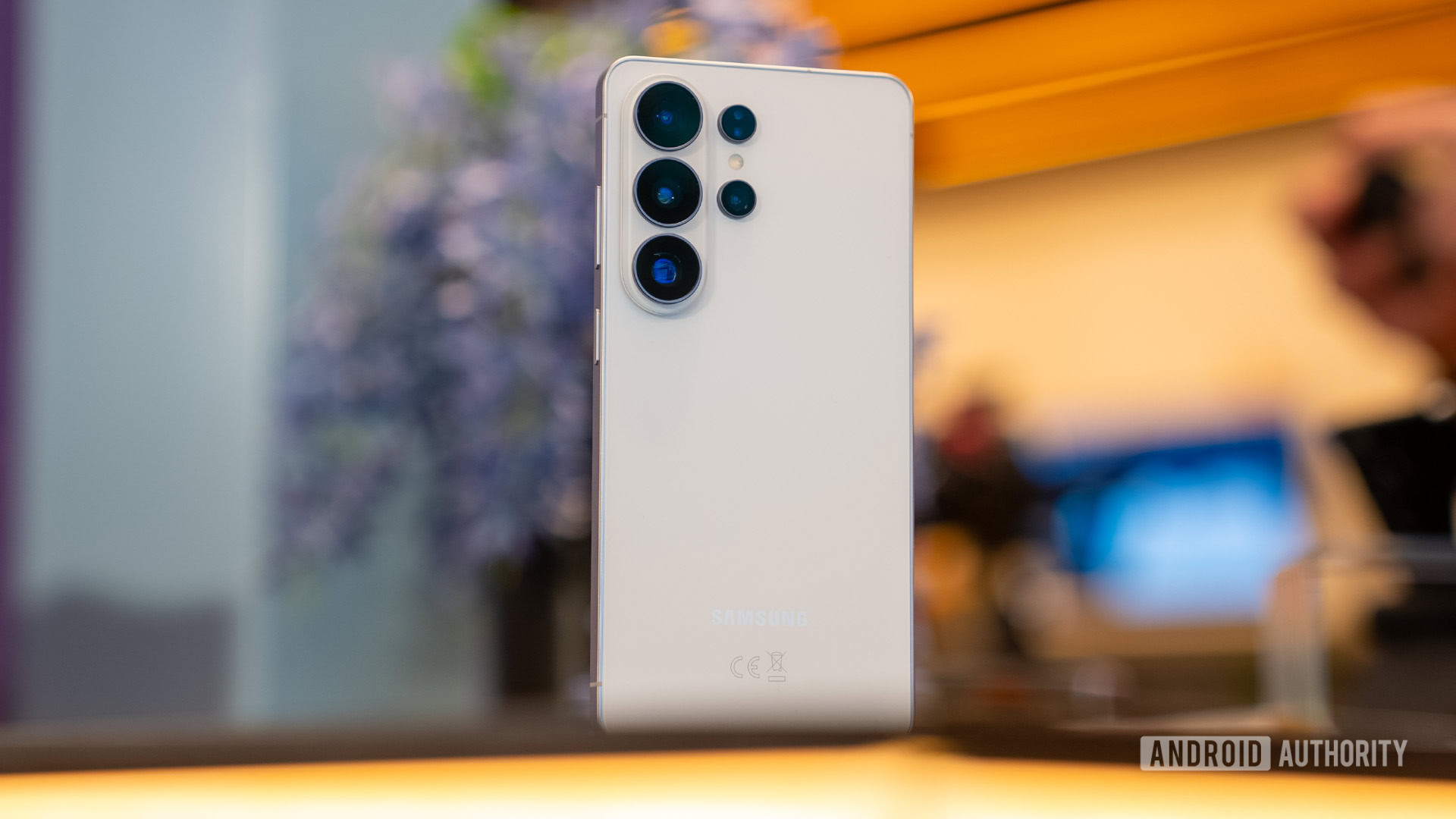


The Samsung Galaxy S26 Ultra is a powerful flagship that brings a little spark back to the venerable king of Android. Samsung’s updated design and all-new Privacy Display are big wins for the hardware lovers, while One UI 8.5 adds new customization options and even more Galaxy AI features than ever before.
Just over a year ago, I sat here and declared the Samsung Galaxy S25 Ultra to be a big, powerful phone that no longer felt special. Yes, it offered a big battery, flexible cameras, and a built-in S Pen, but so did the Galaxy S24 Ultra before it, and the Galaxy S23 Ultra before that, and… you get the picture. So, when leaks of the Galaxy S26 Ultra began to flow, showing off a big battery, flexible cameras, and yes, a built-in S Pen, I decided to exercise caution rather than excitement.
After all, I’ve been fooled by hope before. I’ve seen one flagship launch after another promise new levels of power and clever AI features that I’ll definitely actually use this time, only to find myself in the same usage patterns as before. But now that I’ve had the Samsung Galaxy S26 Ultra for a few weeks, I can confidently say it’s no mere clone of the Galaxy S24 Ultra. Is it special again? Maybe not quite yet, and there’s still more I’d like to see from the series in the future, but I know it’s a good enough iteration of Samsung’s ever-popular, super-premium flagship to keep its place in my pocket a while longer — here’s why.
A little personality (and some privacy) goes a long way

Ryan Haines / Android Authority
Now, I don’t want to sit here and keep bashing the previous Galaxy S25 Ultra — that phone is done, settled, and complaining about it won’t do me any good. However, I do feel like it’s worth reminding you just how boring it was, at least from a design perspective. I described it as belonging as far as possible from our list of the best-looking smartphones, and I stand by it. There just wasn’t anything to get excited about from a slab of titanium and glass with a few cameras dotted on the back. Would it have killed Samsung to keep a curve around the frame or try a texture other than satin glass? I guess we’ll never know.
Anyway, back to the present. Make it make sense that I think the Galaxy S26 Ultra’s design is a breath of fresh air — or at least an open window in a stuffy room. It’s not a major overhaul, but it looks and feels just a little better because Samsung finally brought back the camera bump. Honestly, I think that’s all it took — breaking up the rear glass just a bit. The simple change has taken Samsung’s top-end flagship from being Apple’s generic point of comparison to one that looks like it belongs alongside the Galaxy Z TriFold (RIP). I have no reason to be this impressed by something so simple, but here we are.
Finally, Samsung gave us a little bit to look at.
Of course, the design updates aren’t all good news, because the Galaxy S26 Ultra remains massive. Seriously, I have no idea who can hold this phone comfortably in one hand. I mean, I didn’t think that Samsung was gearing up to offer a smaller Ultra a la Google with its Pixel 10 Pro and Pro XL, but it actually made the Galaxy S26 Ultra even larger. It swelled to 163.3mm tall and 78.1mm wide, and has planted itself firmly in my two-handed camp. And, if you’ve read any of my past reviews, you know that I’d much rather be wrangling a smartphone with just one hand.
Thankfully, though, there’s at least one reason beyond size to use the Galaxy S26 Ultra with two hands: The S Pen. Yes, it’s back, along with the usual slate of buttons and the SIM tray spread around Samsung’s now-aluminum frame. This time, however, you’ll have to get used to inserting the S Pen correctly. After years of flexibility, the design team moved the built-in stylus a bit closer to the edge of the frame, giving it a slightly rounded cap that only fits in one direction. It’s not that big of a deal — the pen is small enough that you can twirl it in your hand to get the right orientation — but it feels like an odd choice to add when Samsung is mostly focused on removing features.
And yes, unfortunately, that means the S Pen still doesn’t support Bluetooth. It’s lighter and thinner than the previous design, but it doesn’t offer any new tricks worth getting that excited over. There’s still a bit of a smell and a bitter taste — I checked just for you, dear reader — but I find myself reaching the point where I’m ready for Samsung to ditch the stylus altogether. I can count on one hand the number of times I’ve used it since getting the phone, including once for the smell-and-taste test. Also, if my choices are a stylus or magnetic wireless charging, I promise I’m picking the latter every time.
Design quirks aside, the Galaxy S26 Ultra remains one of the best-made smartphones on the market. It still combines one of Corning’s best versions of Gorilla Glass (Gorilla Armor 2) with a stout IP68 rating against both water and dust. Some might bemoan the change to an Armor Aluminum 2 frame instead of titanium, but you certainly won’t feel a difference in-hand. I still feel like the phone is as sturdy as I could ask for, and it’s survived all manner of early Spring adventures here in the Mid-Atlantic.
Of course, now it’s time to dig into the design feature that Samsung actually wants users to be excited about: The Privacy Display. It’s a Galaxy S26 Ultra exclusive feature that adds a bit of protection to the already excellent 6.9-inch Dynamic AMOLED panel, and if you’re lucky, you’ll be able to use it without getting a headache. Alright, jokes aside, the Privacy Display is a clever idea that uses narrow pixels to direct your screen straight forward rather than the wide pixels, which would allow for viewing from wider angles.

Ryan Haines / Android Authority
In theory, it should help protect sensitive information such as banking details, logins, and notification pop-ups, all of which it can detect automatically. In practice, though, you can also use it to cover things like dating apps or other, shall we say, personal content that you might not want prying eyes to accidentally glimpse. Honestly, how much you use the Privacy Display is entirely up to you — you can set it to activate for specific apps or keep it active at all times if you really want to keep your content on lockdown.
Personally, I’ve barely used it. I know that’s not the ringing endorsement Samsung wants, but I just don’t think I really needed the feature to begin with. I rarely log into sensitive apps in public, and I don’t really have anything to hide in my notifications. Yes, I’ve toggled it a few times just to see how effective it is, and it does work; I just don’t have a place for it in my everyday life.
As if there was any doubt: The Galaxy S26 Ultra is a powerhouse

Ryan Haines / Android Authority
Despite feeling like Samsung’s updated design is both a hit and a bit of a miss, there’s one part of the Galaxy S26 Ultra that’s as reliable as sunrise, taxes, and Google axing beloved software features — everything under the hood. When we pick up a new Samsung flagship, we just know it’s going to be powerful, and this is no exception. The Galaxy S26 Ultra pairs an overclocked Snapdragon 8 Elite Gen 5 for Galaxy chipset with 12GB of RAM in its base configuration, and offers up to 16GB of RAM and 1TB of storage for a fee. Do I need that much? No, and you probably don’t either, but it’s enough to make the phone run like a racehorse.
I, of course, sat down to benchmark the Galaxy S26 Ultra with pretty high expectations. Its predecessor performed well, besting the likes of Google and OnePlus at pretty much every turn. So, for Samsung’s latest phone to get its annual chipset upgrade, I thought it could only improve on the marks set last year. And, not to give too much away, but I was right. I loaded up a gauntlet of CPU and GPU tests, and I let the Galaxy S26 Ultra do its thing. If you want an even deeper dive into performance, we’ve got a dedicated article here.
Looking at the graphs above, it’s almost boring how good the Galaxy S26 Ultra’s scores are. As expected, it hops right into the single-core and multi-core legs of the CPU-heavy Geekbench 6 test and immediately keeps up with the best of both Android and iOS. It might be a hair behind the iPhone 17 Pro duo at first, only to jump ahead and set the tone, just barely edging out the OnePlus 15 with its standard Snapdragon 8 Elite Gen 5 chipset. Samsung’s flagship then turned around and set the highest marks in our graphics and ray tracing tests, easily topping its predecessor.

Ryan Haines / Android Authority
Of course, our first battery of tests is a short one, looking to establish the Galaxy S26 Ultra’s maximum numbers. When we switch to the sustained Wild Life Extreme stress test, though, the Galaxy S26 Ultra performs just as well. It starts noticeably higher than its competitors and tails off gradually over 20 runs, not tying with any other phone until it meets the OnePlus 15 in its 13th loop. And yes, the Galaxy S26 Ultra does settle just a hair behind OnePlus’s flagship, but it still offers more consistent scores overall.
Perhaps most impressive is the fact that this performance represents a turnaround from the previous generation. Where the OnePlus 13 held a lead over the Galaxy S25 Ultra across all 20 runs, Samsung now maintains its advantage right up until the very end. More importantly, neither the iPhone 17 series nor the Pixel 10 Pro actually came close to topping Samsung’s output.
Then again, controlled testing seldom tells the full story, so it’s much more important to get the Galaxy S26 Ultra out and about to see how it fares. This is where I’d love to tell you there’s a surprise twist coming — that somehow the Galaxy S26 Ultra isn’t as powerful as it seems. It really is that powerful, though, and cruised through all manner of challenges, traveling from one gray East Coast state to another while visiting family now that a month’s worth of snow has melted. Along the way, I tested a few of the new Galaxy AI features, letting Now Nudge fill in the details before I sent messages, and stacked the Creative Studio up against Google’s Pixel Studio.
The Galaxy S26 Ultra is a beast… and not just to hold.
I counted on the Galaxy S26 Ultra to serve as my Spotify DJ on a few trips home for birthdays, intentionally leaving my charger behind just to see how far I could push its battery life. Each time, it responded with more power than expected, almost willing me to drive the backroads of my hometown just a bit longer to snap more photos of familiar territory. Instead, I popped in my Galaxy Buds 4 Pro, pulled up some Tottenham Hotspur highlights, and relished in the fact that there’s still somehow a worse team to watch right now than my beloved but beleaguered Chelsea.
Then, to really test Samsung’s flagship, I got in my car and drove to Boston. Sure, there’s probably an easier way to get there — like flying or taking the train — but have you tried navigating airports or paying for trains recently? No thanks. So, I loaded up my directions in Google Maps and handed my passenger control of Spotify, and off we went. Despite running for nearly seven hours straight, the Galaxy S26 Ultra brushed off pretty much the entire trip. I pulled into the parking garage with close to 30% charge remaining, which was more than enough to grab a few photos of the only sunshine we saw all weekend. Granted, the Snapdragon 8 Elite Gen 5 did warm up a bit along the way, but it never got quite so uncomfortable to hold as, say, an older Pixel 7 Pro.
And by the time I was ready to check into my hotel, I decided it was best to finally charge my Galaxy S26 Ultra. I didn’t necessarily need it — I still had about 20% battery left — but I wanted to be able to get a fresh start without any charge anxiety the next day. Here lies another one of Samsung’s upgrades. The Galaxy S26 Ultra is the first Galaxy flagship to support 60W wired charging, finally breaking beyond the 45W ceiling that had stood for so many years. It also supports 25W wireless Qi2.2 charging, though you’ll need a magnetic case for full support, as Samsung has once again skipped the embedded ring.
Looking at the charging graph, though, it seems like upgrading your wired charger is a must if you’re picking up the Galaxy S26 Ultra. I used Google’s dual-port USB-C Pixel charger and saved myself nearly 15 minutes compared to charging the previous Galaxy S25 Ultra, which is no small feat. I thought it was good when that phone dipped under an hour for total charge time, but the Galaxy S26 Ultra now gets back up and running in less time than it takes to watch an episode of Hulu’s Paradise, and it nearly matches the OnePlus 15’s charge time, though it’s worth remembering that Samsung’s battery capacity is quite a bit smaller.
Anyway, once you’re back up and running, the Galaxy S26 Ultra’s battery life is good but not quite great. Although it handled my long drive without issue, its scores in our controlled battery drain leave a bit to be desired. The 5,000mAh cell nearly topped the 4K playback section, but landed closer to the bottom of the pile in terms of both 4K recording and overall camera performance — not great for a phone with four sensors and a mountain of megapixels.
I can’t say I suffered any real battery anxiety — the charge is more than enough to last a long day away from power — but I can once again beat the drum of asking why Samsung hasn’t switched to a silicon-carbon battery to increase its overall capacity. The OnePlus 15 uses such a cell, and it topped the Galaxy S26 Ultra across almost every category in our testing.
I like Samsung’s cameras, but I have one big problem with AI zoom

Ryan Haines / Android Authority
Along with power, cameras are typically another one of Samsung’s strengths. Yes, we used to bash on the Galaxy lineup for overcooking its reds and greens, but those days are pretty much behind us. Now, Samsung usually finds itself on the podium of the best Android camera phones, and it’s not hard to see why. After all, with four cameras at work on the back of the Galaxy S26 Ultra, there shouldn’t be too much that falls outside of the realm of Samsung’s flexibility.
If you were expecting a massive hardware change to go along with Samsung’s resurrected camera bump, however, this may not be the generation for you. At a glance, the Galaxy S26 Ultra’s hardware doesn’t fall far from its predecessor, pairing a 200MP primary camera with 10MP 3x and 50MP 5x telephoto sensors and rounding off with a 50MP ultrawide camera — all four of which match the megapixel counts from last year. The sensor sizes themselves are identical, too, which is almost enough to make you think that Samsung sat by while its competition tried new things.
The good news, however, is that Samsung actually expanded its maximum apertures on both the primary and 5x telephoto cameras to allow for greater light capture. Its 200MP primary camera now offers a maximum aperture of ƒ/1.4, up from ƒ/1.7, and the 50MP sensor sits at ƒ/2.9, up from ƒ/3.4. In both cases, the upgrade should allow for greater detail in low-light conditions and shallower depth-of-field for portrait snaps. It is, of course, easy to sit here and guess how these on-paper upgrades might shake out, but let’s look at some snaps to see how the Galaxy S26 Ultra actually performed.
Perhaps the first thing you’ll notice about my collection of snaps is that I spent almost no time at the Galaxy S26 Ultra’s default 1x zoom. It’s nothing against the 200MP primary sensor, I just find the 23mm equivalent focal length a bit too wide for my liking. It did, however, come in handy for the shot of the USS Constitution in all of its gray Boston glory. Besides, with 3x zoom results like the portrait of my brother’s dog to the right and the two shuffleboard pucks in the middle, why would I want to go wider?
Anyway, across all four images above, I think the colors and details look great. I’m very pleased with the natural separation in the photo to the far left, as it keeps the hands in sharp focus rather than blending them into the background. This is without portrait mode, too — Samsung’s object identification has become that good.
This row tells largely the same story, with Samsung’s 69mm-equivalent 3x telephoto sensor stealing the show. It once again nicely separates the foreground from the background, yet includes just enough of the Bradford pear tree to the right to establish its sheer size. I like the painting I spotted in the window on the left, too, with good colors and a funny scene overall. The thing you can’t tell from the shot, however, is that it’s in the top corner of a second-story window, yet it looks like it’s right in front of me.
When we switch to the full zoom range, I’m once again happy with the Galaxy S26 Ultra across the ranges I mentioned above. It’s perfectly sharp with good, natural colors from the ultrawide sensor through to 10x zoom without looking too artificial. When you get to 30x zoom, though, I think things fall apart. Sure, the image is still detailed, but it takes on a fake sharpness, and you can tell that Galaxy AI has kicked in. The lines in the front of the church look just a little bit too sharp, almost like they were rendered in a video game.
Then, when we hit 100x zoom, I’m not really sure what to say. Sure, it’s technically impressive for the Galaxy S26 Ultra to zoom that far, but I just don’t think the results are worth it. You can tell what you’re looking at — as well as the time on the clock — but what else are you going to do with the lack of detail in the roof and the muddied colors of the stones? Unfortunately, I think I’ll be sticking to shorter focal lengths for the rest of my time in the Galaxy ecosystem.
During my time in Boston, I found a new favorite lens on the Galaxy S26 Ultra: The 50MP ultrawide sensor. It’s an extremely wide 13mm equivalent lens (0.6x magnification, to be specific), and it handles taller landmarks without issue. I was glad to fit the entire Bunker Hill obelisk into my photo while standing nearly at the base, and I think the Hood milk stand — which hopefully sells more than milk — has a cool, otherworldly glow.
Closer to home, I was lucky to find a small mosaic while out for a walk in Fells Point. I didn’t want to capture the surrounding cars or record shop, but still wanted to snag the scene in all its pinkness. Despite the slight lens flare in the top left, I’m pretty pleased with the amount of detail you can still pull from the cracked glass, with only minimal distortion in the foreground bricks.
Low-light photography is, naturally, where I expected the Galaxy S26 Ultra to stumble a bit. Sure, the increased maximum aperture should help with light, but that’s the type of thing we always hear and attach big expectations to. In practice, though, I feel like the Galaxy S26 Ultra delivered. I didn’t even need a one-second countdown for the image to the left, yet it’s perfectly sharp and nicely lit, with the mural’s shadows giving the old bricks plenty of character.
The image to the right looks deceptively simple, but the part you can’t see is the 20-mile-per-hour wind blowing the buoys back and forth, along with the driving wind I had to block with an (also unseen) umbrella. So, for everything to come out as cleanly as it did is at least a minor miracle.
And finally, the selfie camera. Samsung’s premium flagship packs the same 12MP selfie lens as its siblings, and the results are as sharp as you’d expect. The Galaxy S26 Ultra captured all the detail you could ask for in my beard and the Adidas logo on my shirt. I’ll say it captured most of my hair in the portrait image on the right, though it definitely missed a few pieces around the top — not that I really mind. I also can’t tell if it’s my imagination, but the color science in the portrait sample looks just a tiny bit brighter.
If you plan to shoot videos, the Galaxy S26 Ultra is about as ambitious as Samsung has ever been. Yes, its default stabilization is pretty impressive, as is the up to 8K recording at 30fps, but the standout feature is its Horizon Lock. Essentially, this stabilization mode acts like a handheld gimbal, offering steady 4K footage from any angle… even if you flip your phone upside down. I’m not sure I need my clips to be quite that stable — unless I want a video of a rollercoaster — but the results are seriously impressive if you want to use your phone for action shots.
You can check out full-resolution versions of these samples (and plenty more) at this Google Drive link.
Samsung Galaxy S26 Ultra review verdict: Should you buy it?

Ryan Haines / Android Authority
At the end of the day, there has to be one question left on your mind: Is the Samsung Galaxy S Ultra series special again? It’s a big, shiny phone with a big, shiny price tag, which means there are lofty expectations for it to meet. And, if you ask me, it largely meets them with the Galaxy S26 Ultra — but it does so with a different goal than its predecessor.
See, where the Galaxy S25 series was all about pushing Galaxy AI into your face in the hopes that it would paper over the cracks of an otherwise underwhelming update, the Galaxy S26 Ultra doesn’t make the same push. It relies on power, precision, reliable hardware, and Samsung’s typically excellent software support (seven years of updates here, as expected), and I think it works out much better than the previous generation, though I can understand why anyone might feel it still doesn’t have enough new to offer — my colleague Paul was a bit more underwhelmed in his video review.
Of course, I’m not just saying all this because I’m relieved that Samsung isn’t pushing Galaxy AI as hard as it has in the past. Sure, I’m glad I can go about life with the Galaxy S26 Ultra without feeling like the Now Brief wants to take over my life, but it’s much more important to me that I can trust the phone’s battery life, performance, and cameras when I need them at a moment’s notice. Would I love to see more of an identity and innovation from the de facto king of Android? Of course, but that doesn’t change the fact that the Galaxy S26 Ultra is an exercise in refinement done right.
The Galaxy S26 Ultra feels a little more special than its predecessor, even if it still lacks a bit of identity.
I would, however, caution against picking this one up if you have smaller hands. The Armor Aluminum 2 frame is still a bit sharp around the edges, which, combined with the phone’s sheer size, makes it uncomfortable to hold for long stretches. Also, if you already have some experience with Qi2 charging, just note that you’ll need to pick up a case for your Galaxy S26 Ultra if you want to keep using the same charger. Other than that, this is a flagship phone that’s light on flaws — unless you want to count its steep price against it.
If you do, there are plenty of other premium phones worth considering, starting with the Galaxy S26 Ultra’s own siblings. Both the Galaxy S26 ($899.99 at Samsung) and Galaxy S26 Plus ($1099.99 at Samsung) offer a similar One UI experience, just with smaller displays, fewer cameras, and slower charging. You’ll still get several years of updates, the revamped camera bump, and a suite of Galaxy AI features, though there’s no Privacy Display, and the finished product feels just a little bit more like the Galaxy S25 series than you might like.
Outside of the Galaxy ecosystem, Google’s Pixel 10 Pro XL ($1199 at Amazon) and the OnePlus 15 ($899.99 at Amazon) are probably your best bets if you want big displays and plenty of power. The Pixel 10 Pro XL leans heavily on its Tensor G5 chipset to power everything from image processing to chats with Gemini Live and the rest of its AI toolbox. We called it even better than the Pixel 9 Pro XL, improving on the finer things just enough while keeping the Pixel personality and clean software that we love so much.
As for the OnePlus 15, it caters more to the power-above-all crowd. It marks the first OnePlus flagship launched after the end of the brand’s Hasselblad partnership, so the camera experience feels a little nerfed compared to the superb OnePlus 13 ($849.99 at Amazon) — in fact, if you can still grab the previous gen phone, we think it’s a better buy. If not, the OnePlus 15 at least delivers plenty of raw performance from the Snapdragon 8 Elite Gen 5 chipset and the monstrous 7,300mAh battery, and you might not even mind that the alert slider has been replaced with a suspiciously iPhone-like button.
Speaking of the iPhone, if you’re not sold on Android, the iPhone 17 Pro Max ($1199.99 at Amazon) is your best bet for life on the other side. Yes, the massive camera bump might take some getting used to, but it packs Apple’s most impressive camera update in several years with the new 4x telephoto sensor. You might not mind the current state of iOS 26, either, which is now more customizable than ever with color-matched app icons, well-themed wallpapers, and perhaps the easiest-to-ignore set of Apple Intelligence features. Of course, if you’re already set up inside the Galaxy ecosystem, you might find it a bit too hard to leave.
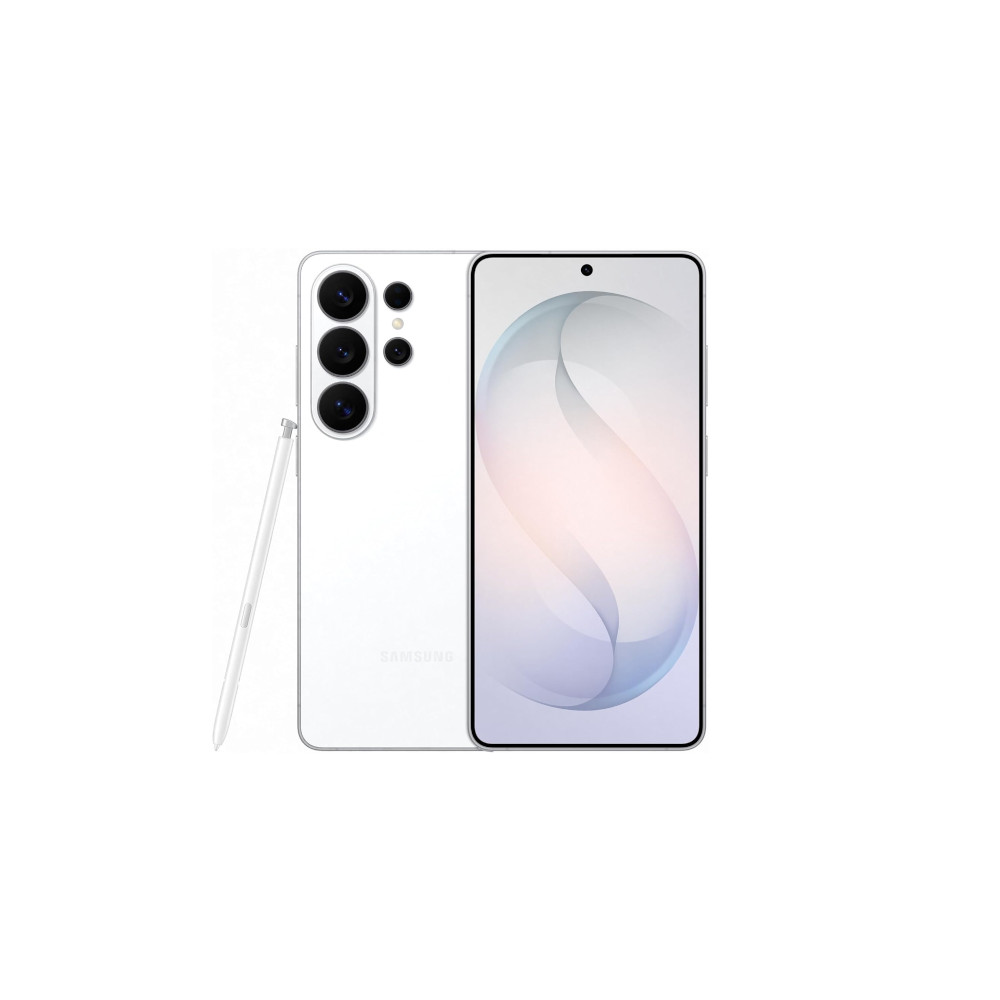
Privacy display • Snapdragon 8 Elite Gen 5 for Galaxy • Power AI features
MSRP: $1,299.99
Powerful flagship with top-tier cameras, AI, and privacy features.
The Galaxy S26 Ultra is Samsung’s slimmest and lightest Ultra yet, pairing a 6.9-inch display with the Snapdragon 8 Elite Gen 5 for Galaxy and a redesigned cooling system. It doubles down on imaging with a brighter 200MP main camera, upgraded zoom, advanced 8K video features, and Ultra-exclusive privacy and Galaxy AI tools.
Positives
- Refined, improved, durable design
- Top-tier performance
- Innovative privacy display
- Upgraded charging
- Excellent camera versatility
- Leading update coverage
Cons
- Very large and hard to use one-handed
- Battery performance not class-leading
- AI zoom image degradation
- No built-in magnets for Qi2.2
Thank you for being part of our community. Read our Comment Policy before posting.
 By
By