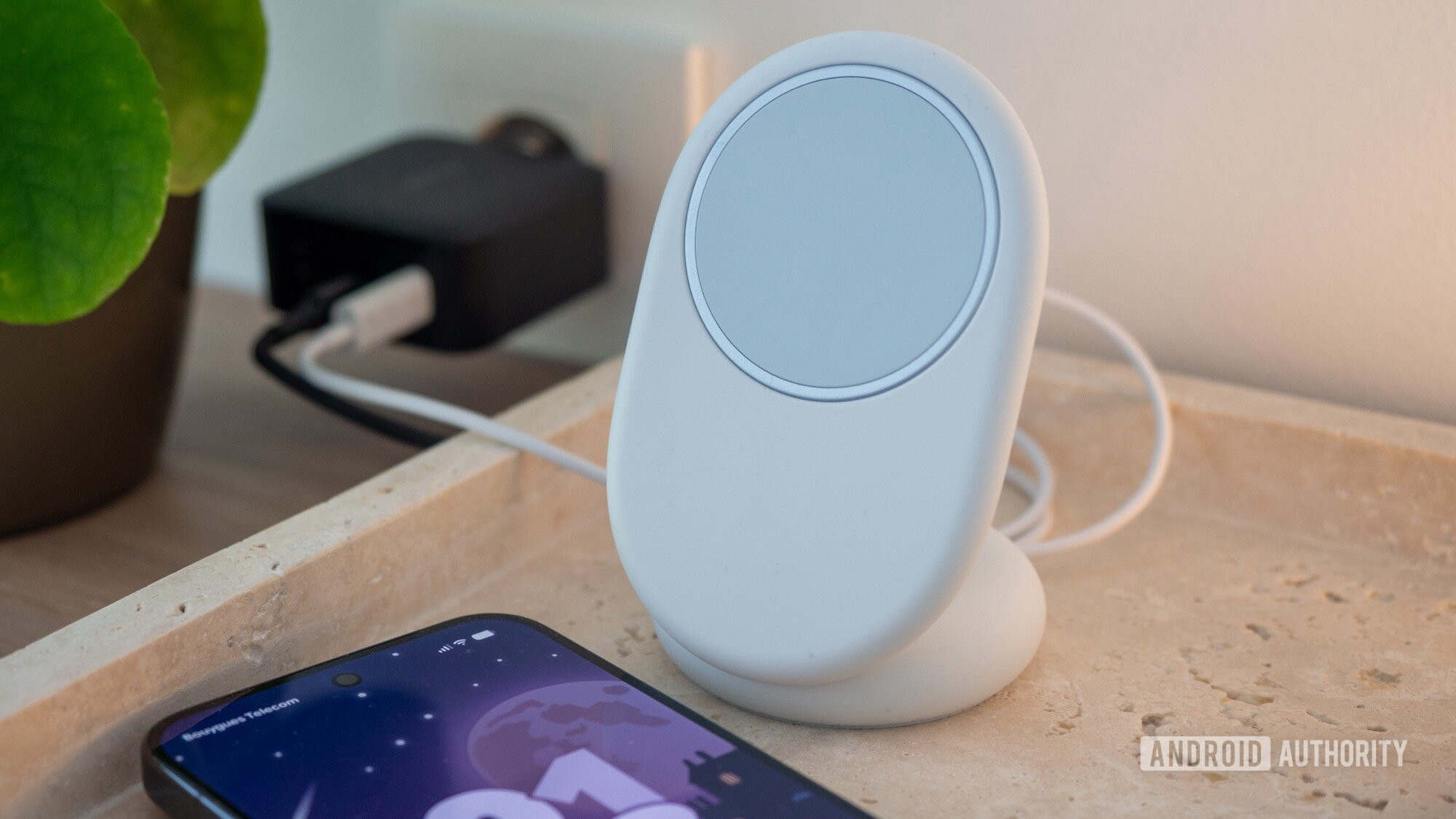


Rita El Khoury / Android Authority
TL;DR
- Google introduced its Pixelsnap Charger alongside last year’s Pixel 10 series.
- Firmware updates allow the Charger to stay up to day with the latest Qi wireless standard.
- In addition to push updates through Pixel phones, Google has developed a manual path towards installing Pixelsnap Charger updates.
These days, with so many of the devices in our lives actively connected to the internet, it’s easy to take for granted how effortless it’s gotten to distribute updates. When new software’s available, a company can just publish it online, and all its devices or apps can check back home and retrieve the new code. But how do we get updates out to hardware that’s not online all the time — or at all? Today we’re sharing a PSA for owners of Google’s Pixelsnap Charger, as you may not be aware of all your upgrade options here.
Don’t want to miss the best from Android Authority?


Google introduced its Pixelsnap accessory branding with the Pixel 10 series last year, referencing Qi2 magnetic charging tech. And its headlining product there was the Pixelsnap Charger. The first thing you’re probably wondering is, “why does a charger need software updates anyway?” Wireless charging standards are always evolving, and updates can make sure that the Pixelsnap Charger is using the latest protocol to communicate with devices you’re charging.
OK, but how do those updates actually reach the Pixelsnap Charger without any Wi-Fi connectivity of its own? Well, for most use cases here, you’ll never need to worry about installing updates. Google uses your Pixel phone as the deliveryman, and it can fetch updates and transfer them to the Pixelsnap Charger when docked.
That works great when you own a Pixel, but what if you’re trying to use the Pixelsnap Charger with other phones? Those can’t relay updates to the charger automatically like Pixels can — but it turns out there’s a backup. 9to5Google draws our attention to a special Pixelsnap Charger update page you can use to manually send the latest updates to your accessory.
What’s particularly interesting about Google’s approach here is that it requires you to connect the Pixelsnap Charger to your phone and visit that update page in your mobile Chrome browser — it refuses to play nicely with Chrome on your desktop PC.
Even if that path forward towards updates is a little narrow, it’s still nice to know Google’s paved it for us. Were you aware this option even existed? Will you be trying it out for yourself? Show your Pixelsnap love down in the comments.
Thank you for being part of our community. Read our Comment Policy before posting.
 By
By