

TL;DR
- Google is fixing a common frustration with Chrome’s split view feature.
- The option is being moved below the “Open link in new window” option to prevent accidental clicks.
- There will not be a master toggle to disable the feature “at this time.”
When Chrome 145 rolled out earlier this year, it introduced a highly requested feature to the browser — split view. This feature allows the user to put two tabs side-by-side in a single window for improved multitasking. While the feature works as intended, it has also been the cause of some frustration. Google has heard the complaints and has announced plans to fix the issue.
Don’t want to miss the best from Android Authority?


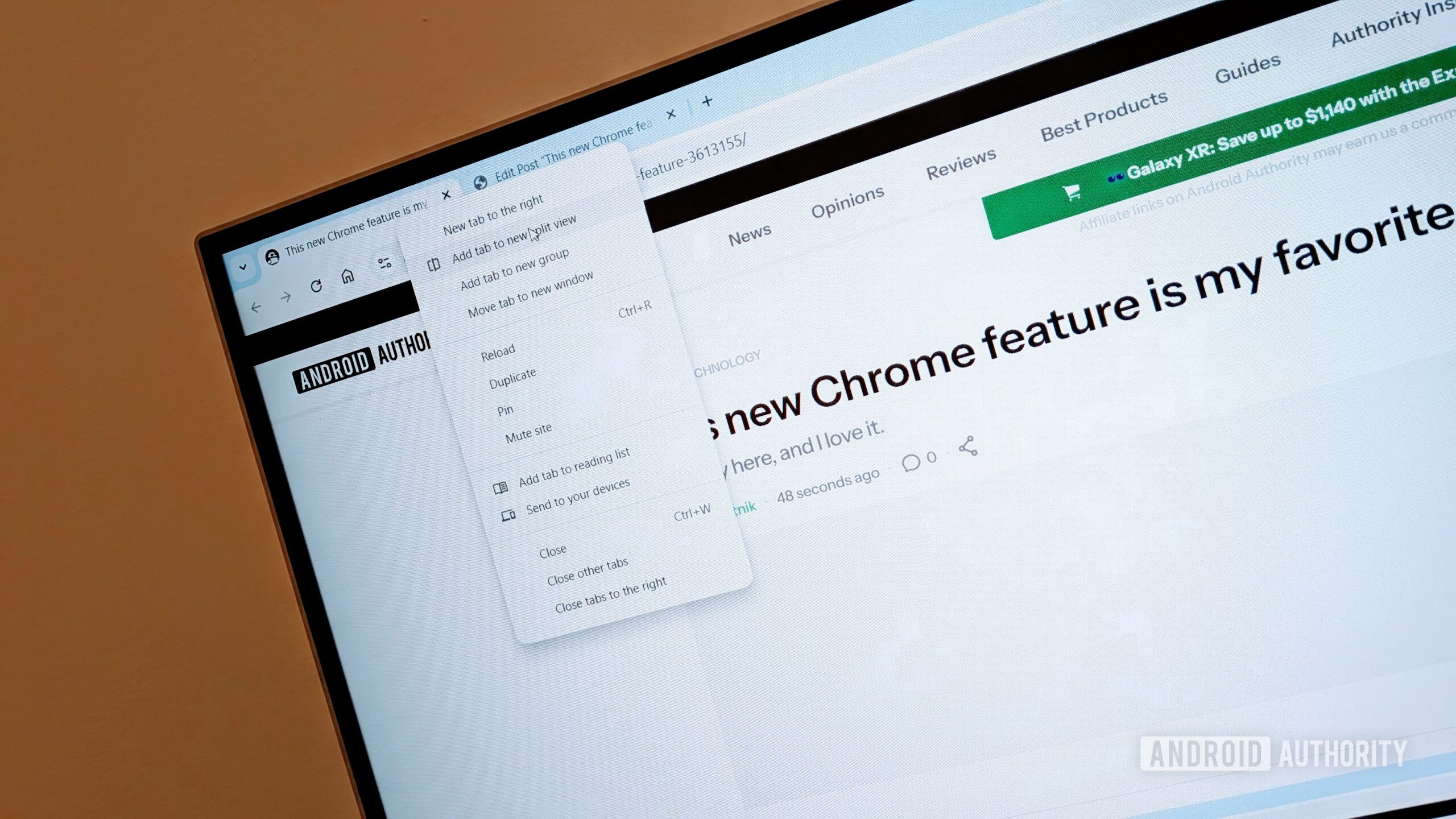
For those unaware of the problem, the frustration with split view stems from accidental activations. As a refresher, there are three ways to activate split view: right-clicking a tab, right-clicking a hyperlink, and moving a tab to the edge of a window. When split view was introduced, it was added as the second option in the context menu. Due to muscle memory, this led many to accidentally click on split view when they meant to open a new window or add a tab group. Some users would also accidentally trigger the feature when moving a tab.
Since the rollout, there have been many complaints across community forums, Reddit, and the Chromium Issue Tracker. Now Google has finally responded to the outcry. Spotted by PiunikaWeb, the Chrome team revealed how it plans to eliminate the friction with split view in a response to a bug report.
According to the Chrome team, the fix will involve two refinements. First, the team will move split view below the “Open link in new window” option. The second step involves adjusting the drag-and-drop thresholds for triggering split view when moving a tab to the edge of the window.
Do you see yourself using Chrome’s Split View feature?
211 votes
Users have also asked the team for a toggle that can disable the feature completely. It looks like that won’t be happening, at least for now. As for why, Google said:
We understand many of you requested a master toggle to disable Split View completely. While we are not introducing a global switch at this time, this wasn’t a decision made lightly. Our goal is to evolve Chrome’s multitasking capabilities while maintaining a streamlined set of configurations that remain manageable for all users. We believe that by refining the context menu placement and drag-and-drop sensitivity of the feature, we can provide value to those who use it without it being intrusive for those who don’t.
While you won’t be able to turn the feature off, these changes should make it harder to accidentally activate split view in the future. Have you accidentally triggered split view before? Let us know in the comments below.
Thank you for being part of our community. Read our Comment Policy before posting.
 By
By