

Rita El Khoury / Android Authority
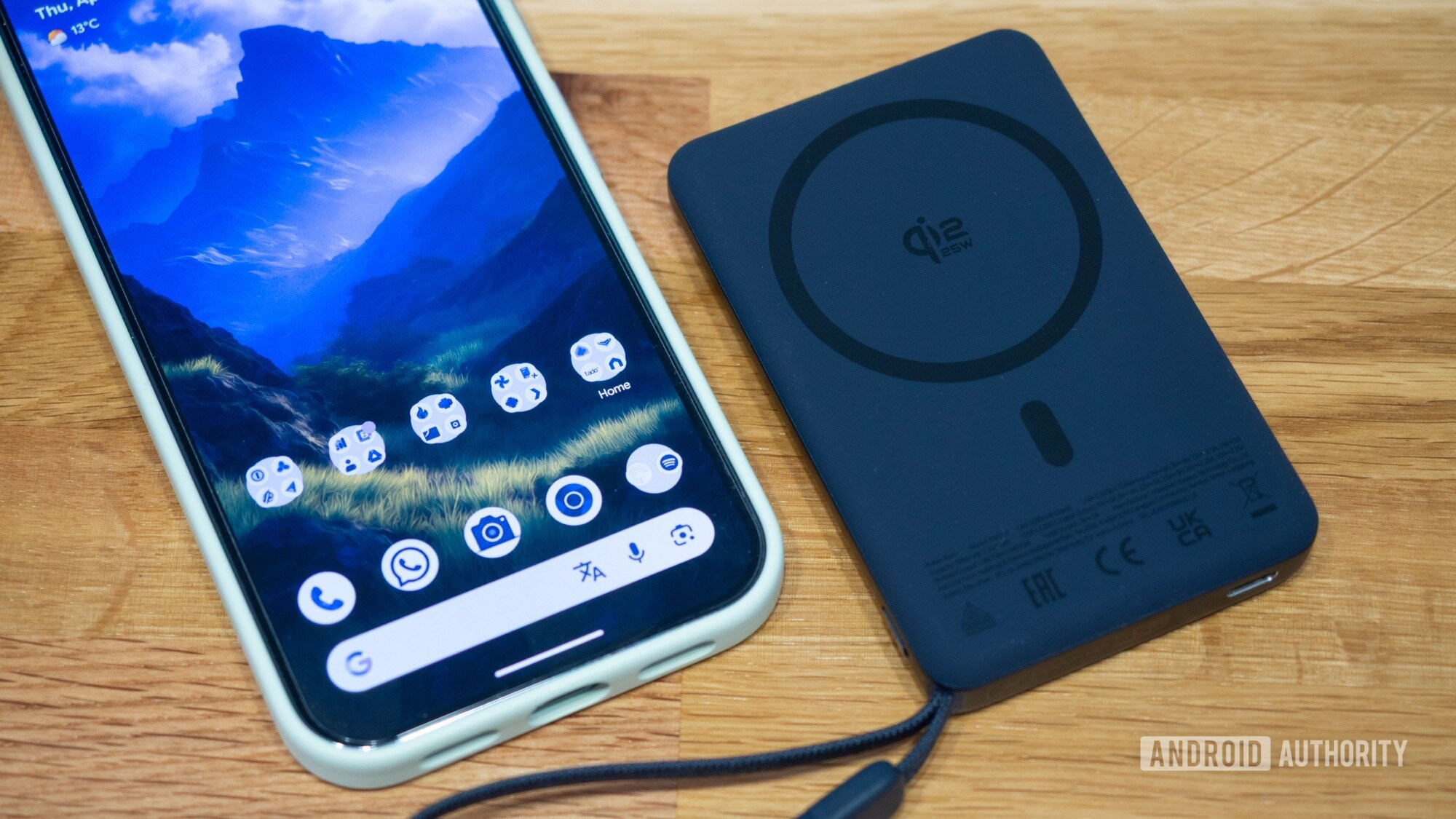
When I realized that my brand new Pixel 10 Pro XL doesn’t work well with my existing Qi power banks, I went looking for new Qi2 options and assumed I would use them the same way I used my previous portable batteries, wireless or not. Plug in or magnetically attach when my phone’s battery is running low on a busy day, give it an hour or so, and manage to make it to the end of the day without the phone dying.
But over the last few months, something slowly shifted in the way I’ve been using the few Qi2 power banks I own. Of course, they charge my phone — I haven’t figured out a magical trick to use them in a different way — but it’s the when and how that have changed for me.
Have you bought a Qi2 charger or power bank for your Pixel phone?
2804 votes
Don’t underestimate the convenience of no-look charging

Rita El Khoury / Android Authority
What completely changed my approach to charging my phone on the go is the idea of “no-look charging.” Magnets are incredibly convenient for aligning and immediately attaching my Pixel 10 Pro XL and all my Qi2 accessories, but they are crucial if I want to top off my phone without looking.
When I’m out and about, or when I’m traveling, I don’t want to think about charging. I don’t want it to disrupt my Google Maps navigation or my photography session. I’d rather it happened in the background without me obsessing over every lost percentage of battery each time I unlocked my phone. That’s where magnets bring a fantastic advantage.
I keep my Qi2 power bank in my left pocket and my phone in my right pocket, and, when I need a charge, I just move the power bank to my right pocket. Without even looking, I can feel for the phone and attach the two together, and I know my phone will start filling up. 10 or 20 minutes later, I separate them again without looking and put the power bank back in my left pocket.
The in-pocket, no-look charging is so convenient and seamless that I’ve stopped taking my phone out to top it off.
I go through shorter cycles like these early on during a busy day, keeping my phone around the 60-70% battery range, which ensures that both phone and power bank don’t overheat by charging for a long period. This also allows me to charge in smaller bursts when my phone isn’t being used, which is way more efficient than trying to charge a 20-30% phone over an hour or two, while also needing to use it.
The first time I did this dual-pocket strategy, it wasn’t intentional. But at the end of that day, I thought, “Huh? Now, this is much more convenient than my usual scramble mid-afternoon to charge my dying phone battery!”
And it’s all thanks to magnets. I know I could technically do this with a USB-C power bank, but it wouldn’t be as convenient or as seamless. I know; I’ve tried it. Fumbling around blindly for the cable and the port, aligning them, trying not to break the USB-C plug by inserting it the wrong way — that’s not a frictionless process. I often end up taking both phone and power bank out of my pockets and plugging them, making sure that the charging notification popped up… and by that time I’m probably going to unlock my phone and get sucked in.
No-look charging is a whole other experience, and once I used it a few times, I just couldn’t go back. It’s faster, frictionless, doesn’t cause my phone to heat up, and can be done during screen downtimes, which is an all-around win in my book.
The secondary perks of Qi2 power banks

Rita El Khoury / Android Authority
If, for me, the major convenience of Qi2 power banks lies in this no-look charging approach, there are still several extras I also appreciate.
For one, I realize that some busy days don’t work exactly as expected and I still find myself with my phone’s battery nearly empty and in need of a quick charge. Some power banks, like the Baseus PicoGo AM52 () that I’m carrying now have a built-in USB-C cable. This one even serves as a lanyard! But the cable provides up to 45W of PD fast charging, with less energy loss due to the wireless transfer of power, and much less heating. The convenience of 45W fast-charging adds up to the perk of still using the magnet to keep phone and power bank attached as a single unit. No loose, tangle-inviting wires.
And when the power bank is as small and portable as this one, despite its 10,000mAh capacity, I can still use my phone single-handed while charging over USB-C and keeping the two magnetically linked. It’s funky, and a little heavy to hold for longer periods of time, but it works for bouts of 10 minutes or so. The Pixel 10 Pro XL is obviously smart enough to privilege USB-C charging over wireless charging from the power bank.

Rita El Khoury / Android Authority
On less busy days, I skip this built-in USB-C cable perk though, and opt for just Qi2 with the super tiny, super portable Baseus PicoGo AM31 5,000mAh ($35.99 at Amazon). At half the capacity and only 15W Qi2, it’s not a heavy-day hitter, but the built-in kickstand makes for an excellent train ride of coffee shop companion.
Qi2 is slowly becoming the norm for power banks, and I’m happy to see that. I’ll also die on the hill that built-in phone magnets should become the rule sooner than later. (Cases are fine, but we need a universal adoption of magnets, and only built-in does that). And with this shift to Qi2, I hope many more people experience the benefit of no-look charging.
Id you’re in the market for a Qi2 power bank, I’d recommend reading my lessons from months of using them. Most importantly, keep in mind that you need a Qi2-compatible phone to get the higher charging speed. If you have an older Pixel (9 and earlier), you will be downgraded to basic 5W charging and won’t get any of the speed benefits of Qi2 15W or 25W.
Don’t want to miss the best from Android Authority?


Thank you for being part of our community. Read our Comment Policy before posting.
 By
By