

Edgar Cervantes / Android Authority
TL;DR
- Samsung Wallet users must update Google Play Services to use a vital feature.
- Samsung is notifying users that the digital key feature may stop working on outdated versions of Play Services.
- If you use the feature, a few simple steps can update Play Services on your Galaxy device.
Samsung Wallet is an excellent Google Wallet alternative that stores your digital payment cards, IDs and vital documents, and even serves as a password manager. Additionally, it can also unlock your cars and smart doors. But to do that smoothly, you must keep a key Android app up to date.
Don’t want to miss the best from Android Authority?


Samsung Wallet recently added the option to store digital keys for smart door locks, in addition to the already-supported feature for storing digital car keys. But to use those, Samsung insists you must ensure you’re running an up-to-date version of Google Play Services.
Samsung has been notifying users (via Sammy Fans) that they must update Google Play Services on their Galaxy devices to the latest version to be able to continue using digital keys. When you tap the notification, you will be taken to the Play Store listing page for Play Services. Although the app is usually auto-updated, you may see the option to install the latest update on the page. Alternatively, you can check for any pending updates using another method.
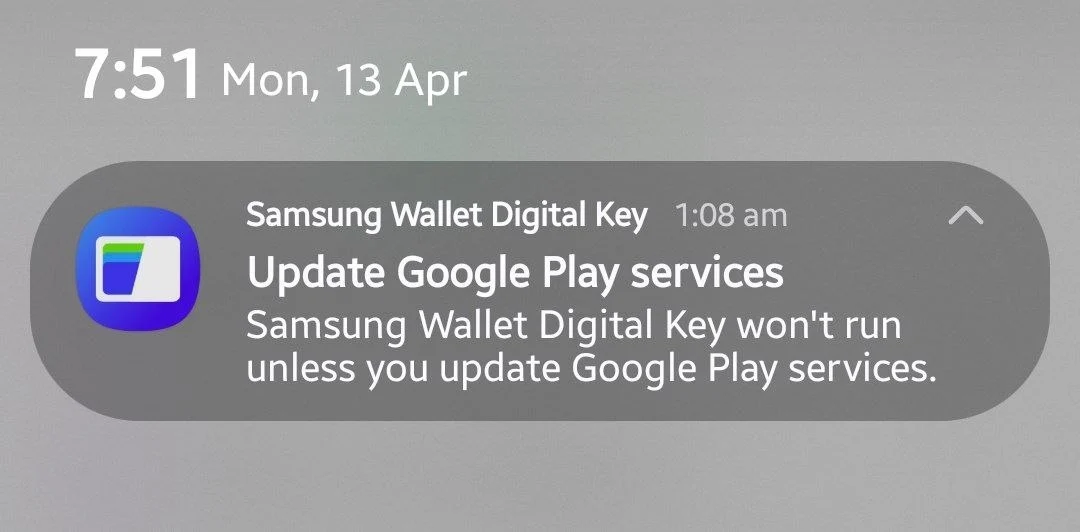
How to update Google Play Services on your Samsung Galaxy?
To update Play Services, go to Settings > Google services on your Galaxy device, tap All services, and look for System services under the Privacy and security section. Tap System services, where you’ll find out if there are any pending updates for Google Play Services. Restart your device if prompted to ensure the latest update is applied after installation.
Sammy Fans also notes that you may see the notification even if Play Services are updated to the latest version on your device. Don’t mind Samsung just being cautious and thoughtful!
It’s essential to note that Play Services differ from the Google Play system updates. The latter ensures that core Android features, such as Theft Protection on your phone, are updated to the latest version, while Play Services ensures that Google apps (or extensions) available to download via the Play Store, along with location services and app notifications, work seamlessly.
Thank you for being part of our community. Read our Comment Policy before posting.
 By
By