

Mishaal Rahman / Android Authority
TL;DR
- Android has finally added native flashlight brightness controls from the Quick Settings panel.
- Google added support for controlling the flashlight brightness in Android 13, but there was no way to do so from Quick Settings.
- This feature is available in the latest August 2025 Android Canary release and may arrive in Android 16 QPR2.
If you’re looking for something under a couch, bed, or other dimly lit area, then your phone’s built-in flashlight will come in handy. Nearly every phone has one, including every Google Pixel device. Unlike other devices, though, Pixels don’t let you adjust the brightness of the flashlight from the Quick Settings panel. That’s thankfully changed in the new August 2025 Android Canary release that Googel rolled out today.
Don’t want to miss the best from Android Authority?
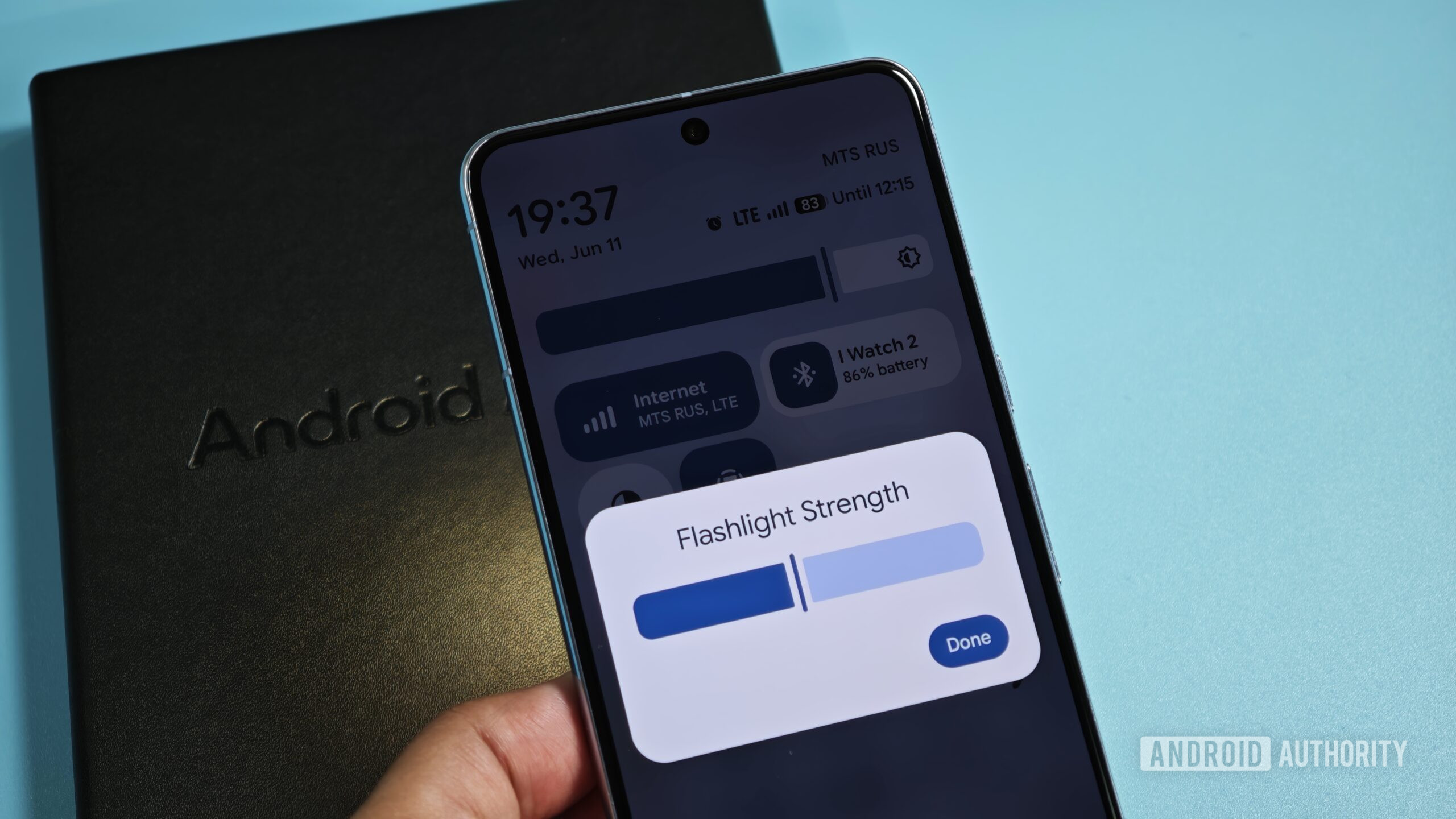
After installing the new Canary release, I noticed that the flashlight tile was now expandable. Tapping it opened a dialog named “Flashlight Strength” that had a slider and buttons to turn off the flashlight or confirm the brightness level.

Mishaal Rahman / Android Authority
The feature works exactly as you’d expect. Higher levels boost the intensity of the flashlight, while lower levels dim the intensity. Newer Pixel phones default to 50% brightness when the flashlight is toggled from the Quick Settings, so it’s nice to have the ability to quickly adjust the intensity.
Previously, in order to adjust the flashlight brightness on a Pixel phone, you had to use a separate app like FlashDim or Google’s Magnifier. This is because while Google added an API for controlling the flashlight brightness way back in Android 13, the company didn’t utilize this for the Quick Setting tile.
We first heard of this feature back in June, so we’re not too surprised to see it in the latest Canary release. That being said, we don’t know when this feature will actually roll out in the stable channel. Our guess is that it’ll appear in a future beta release of Android 16 QPR2 before rolling out with the stable release in December.
Thank you for being part of our community. Read our Comment Policy before posting.

 By
By