

Joe Maring / Android Authority
TL;DR
- Google is rolling out changes to Chrome browser tabs and reading mode starting today.
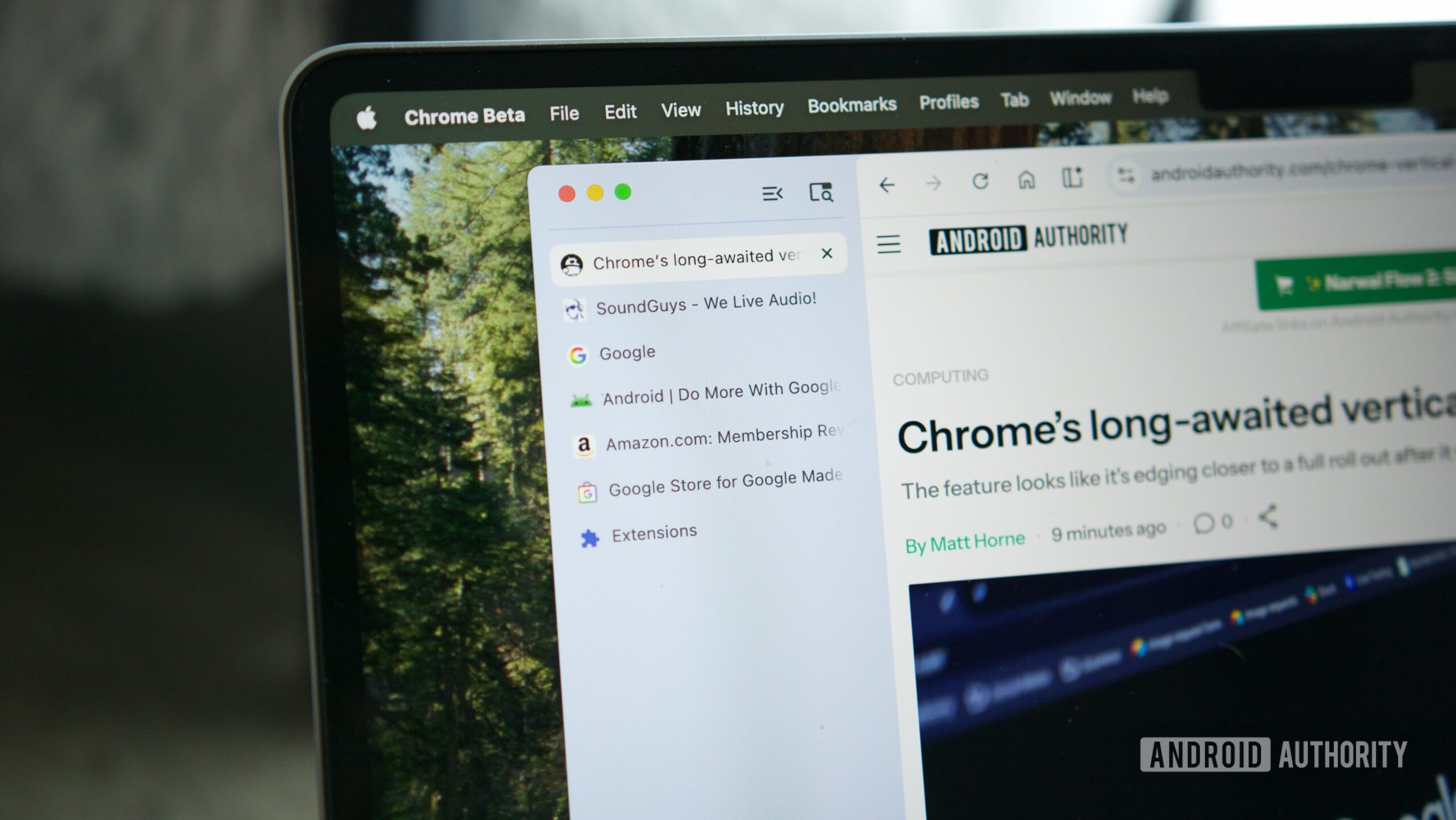
- A new vertical tab grouping option, previously available in beta, lets you move your tabs to the left-hand side of the window.
- Chrome’s reading mode will now fill the whole window, rather than opening in a split view with the original web page.
Google’s been cooking up a new vertical tab organization option for Chrome on desktop for a while now, with the layout graduating from Canary to Beta status at the beginning of the year. Today, Google’s announced that vertical tabs are rolling out in stable Chrome, along with new changes to the browser’s reading mode.
With vertical tabs enabled, your Chrome tabs move from the top of the browser window to the left-hand side, saving some vertical real estate and giving text labels on tabs more room to breathe. Reading mode, which removes visual elements like photos and ads from a page, making for a more digestible reading experience, is being upgraded with a full-screen view that hides the original webpage entirely while you’re reading.
Don’t want to miss the best from Android Authority?


To use the new vertical tab grouping, right click on a Chrome window and then click Show Tabs Vertically. Once the vertical layout is enabled, your tabs will be stacked neatly on top of one another on the left edge of the browser window. If you want to focus on a single tab at a time, there’s a button that collapses the tab bar out of view.
If you really want to lock in on a single tab, you can turn on reading mode by right clicking anywhere in the tab, then clicking Open in Reading Mode. Prior to the update announced today, Chrome’s reading mode opened in a split view, with the full website shown on the left side and the cleaned-up reading layout on the right. Starting today, reading mode will take up the whole window, making it a little easier to focus on what you’re reading.
Google says both of these features are rolling out to the stable desktop version of Chrome starting today.
Thank you for being part of our community. Read our Comment Policy before posting.

 By
By