

Stephen Schenck / Android Authority
TL;DR
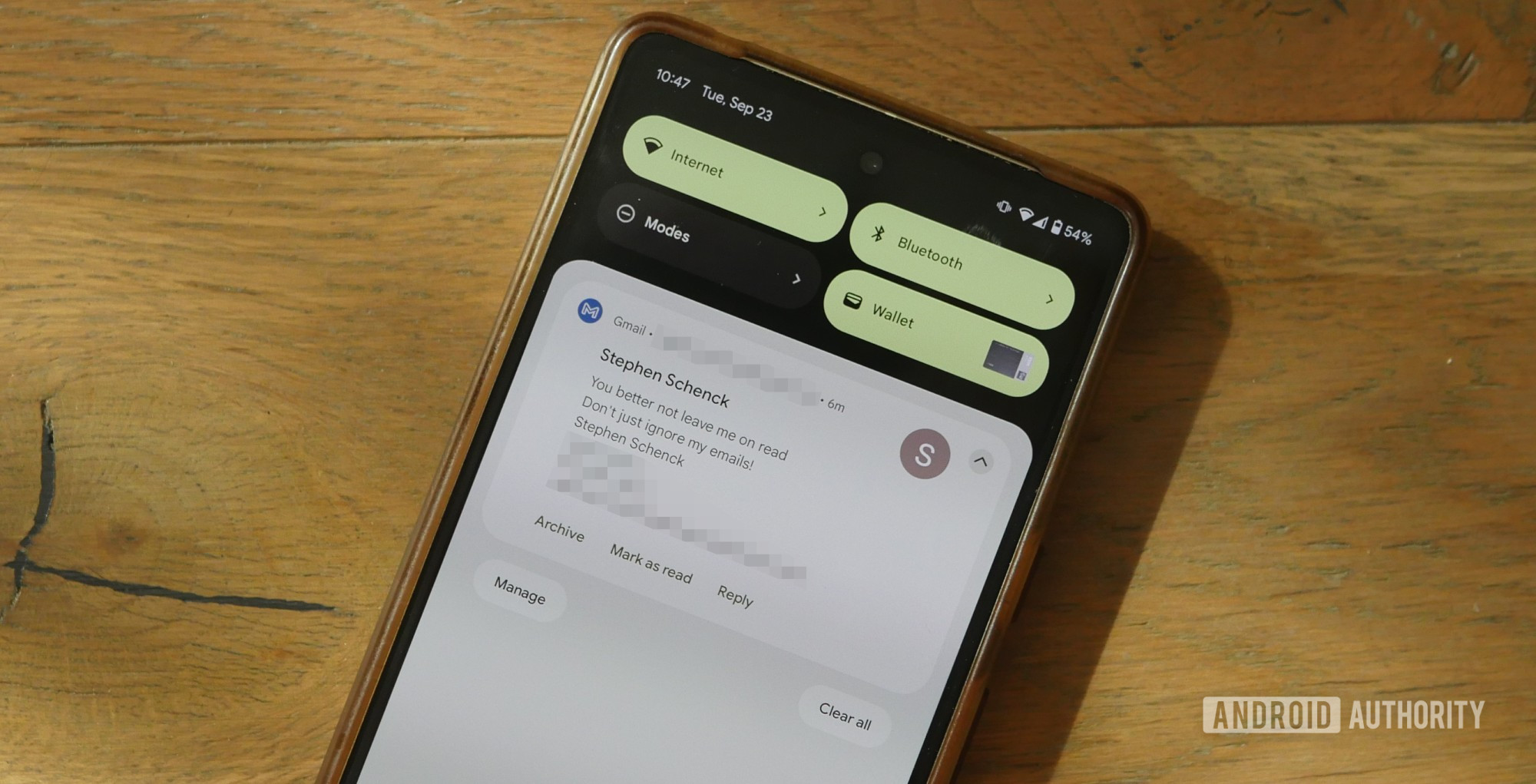
- This past summer, Gmail tested adding a “mark as read” option to Android notifications.
- That’s now ready to roll out widely, and should be hitting Gmail users everywhere.
Email may have a reputation as being a bit clunky and inelegant compared to texting or DMs for quick conversation, but with it as broadly compatible as it is, we still find ourselves falling back to it over and over again. Sometimes it even feels almost as easy as texting, and you don’t even need to fully open an email to get all you need from it, and the info in your notification is more than enough. If that sounds like your experience, you’re going to be a big fan of Gmail’s new notification option.
Don’t want to miss the best from Android Authority?
It’s been a couple months now, but this past summer we started getting reports from users about a new option showing up in Gmail notifications, no longer just letting you delete an email or start crafting a reply to it, but now letting you directly mark it as read, right from the notification. While we saw multiple Gmail users getting access, this was also far from generally available, and it looked like Google was still testing the feature out.
Well, now that we’re in the early days of fall, it looks like it’s finally time to go official, and today Google announces that “mark as read” notification support is rolling out to everyone.
Everybody has a different approach to inbox management (or the lack thereof), and if you’re the type who can’t sleep unless everything’s archived or deleted, this addition may not immediately impact you that much. But if you’re content to let your inbox be an inbox, and just care about know what you have and haven’t read yet, this looks like a great way to mark when you’re done with a message.
Of course, if you can’t get all the info you need from the notification, you’re always free to tap through to the full email — and, obviously, mark it as read in the process — but for checking out a quick response and then being done with it, an easy option to tap like this is just what we’ve been waiting for.
If you weren’t a part of the earlier testing, look for Gmail’s “mark as read” notification option to be appearing for your account anytime now.
Thank you for being part of our community. Read our Comment Policy before posting.

 By
By