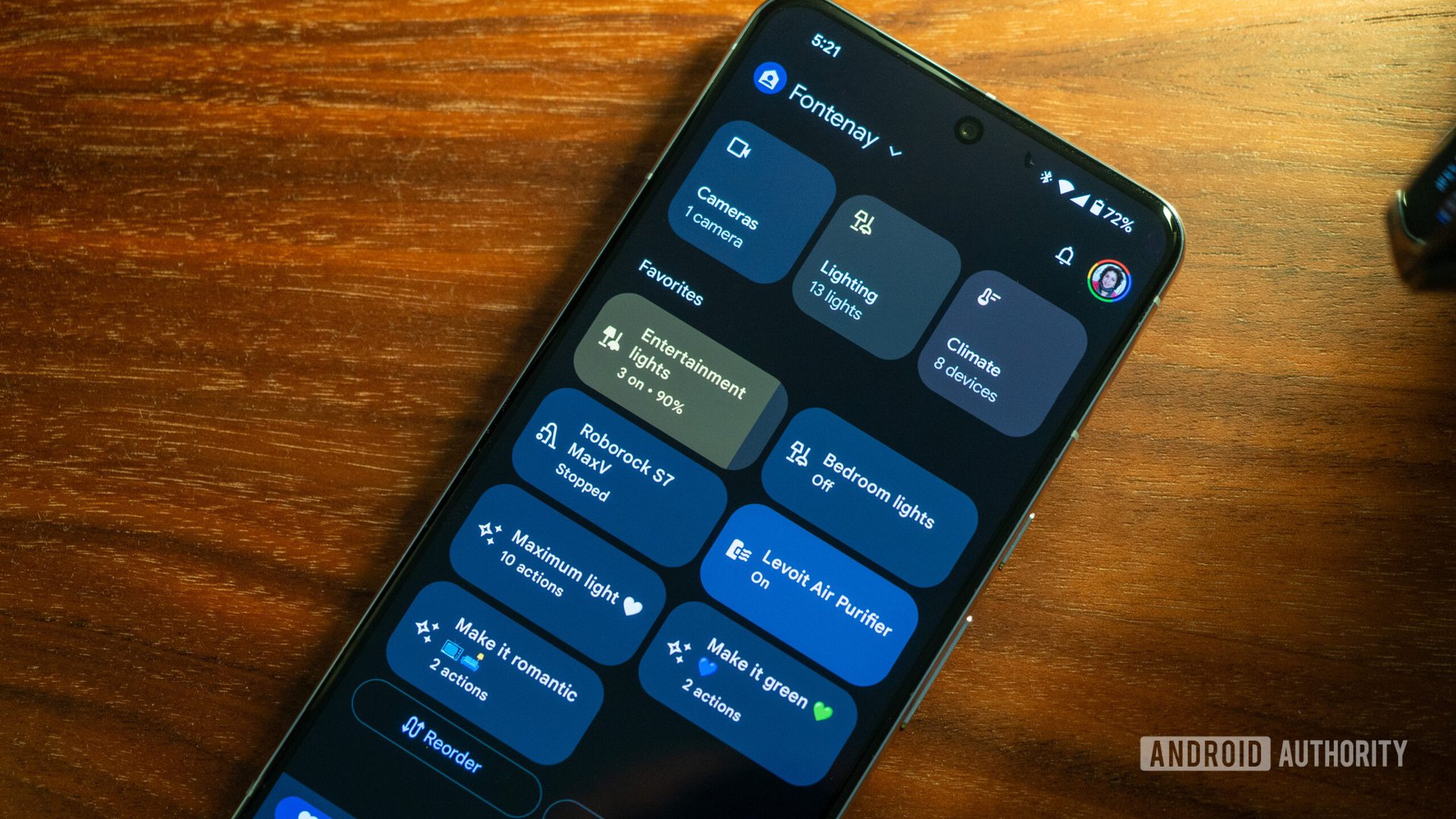


Rita El Khoury / Android Authority
TL;DR
- Workspace accounts finally work with Google Home.
- You can now share smart home control with both Workspace and @gmail.com users.
- Newer devices like Nest Learning Thermostat (4th gen) and Nest Doorbell (3rd gen) now work directly with Workspace accounts.
After years of frustrating lockouts, Google is finally adding real Workspace support to the Google Home app. Still, the company is asking users not to use their work accounts.
Workspace users can now do what personal Gmail users have always been able to do: set up new Nest devices, invite family members to manage the home, and move old Nest accounts (from 2019 or earlier) to their Workspace identity, according to a Google Nest Community post. So if you’ve been using a custom domain for your smart home, you can now collaborate without restrictions.
Don’t want to miss the best from Android Authority?


Here’s what’s new: You can now invite anyone, whether they use another Workspace email or a regular `@gmail.com` account, to help manage your lights, locks, and thermostats. Before, this wasn’t possible. You can also set up the latest hardware, like the Nest Learning Thermostat (4th gen) and Nest Doorbell (3rd gen), right in the Home app without needing to switch accounts.
But there are still two big limitations. Workspace accounts can’t join the early access program for Gemini for Home, which is Google’s new AI voice assistant for smart home controls. Some Google Assistant personal results features are also still missing. If you want a fully personalized assistant, you’ll need to use a regular Gmail account.
Google keeps repeating this warning, and it’s important to pay attention: Never use a school or work account for your smart home. If your administrator removes your access or you leave the organization, you lose everything — every device, every setting, and every automation.
Workspace admins now have clear controls to turn Google Home access on or off for everyone in their organization. If you get locked out, you’ll need to contact your IT team. For people who own their Workspace domain, like families or small businesses, this update is a long-awaited improvement.
Thank you for being part of our community. Read our Comment Policy before posting.
 By
By