

Joe Maring / Android Authority
TL;DR
- Google is introducing the ability for Pixel users to record their own voice greetings for the AI-powered Take a Message.
- The update, found in a new Phone app beta, replaces the automated Google Assistant voice with personalized recordings up to 60 seconds long.
- While currently limited to a single default greeting on Pixel 6 and newer devices, future updates may allow users to assign specific messages to individual contacts.
Google has spent years enhancing Pixel phone features with AI tools like Call Screen and Hold for Me. Last year, it introduced Take a Message, a modern, on-device voicemail with real-time transcriptions.
Since launching on the Pixel 10 last fall, the experience has lacked a fundamental personal touch: the ability to record your own voice. Instead, callers have been greeted by a sterile, automated Google Assistant. That is finally changing.
Don’t want to miss the best from Android Authority?


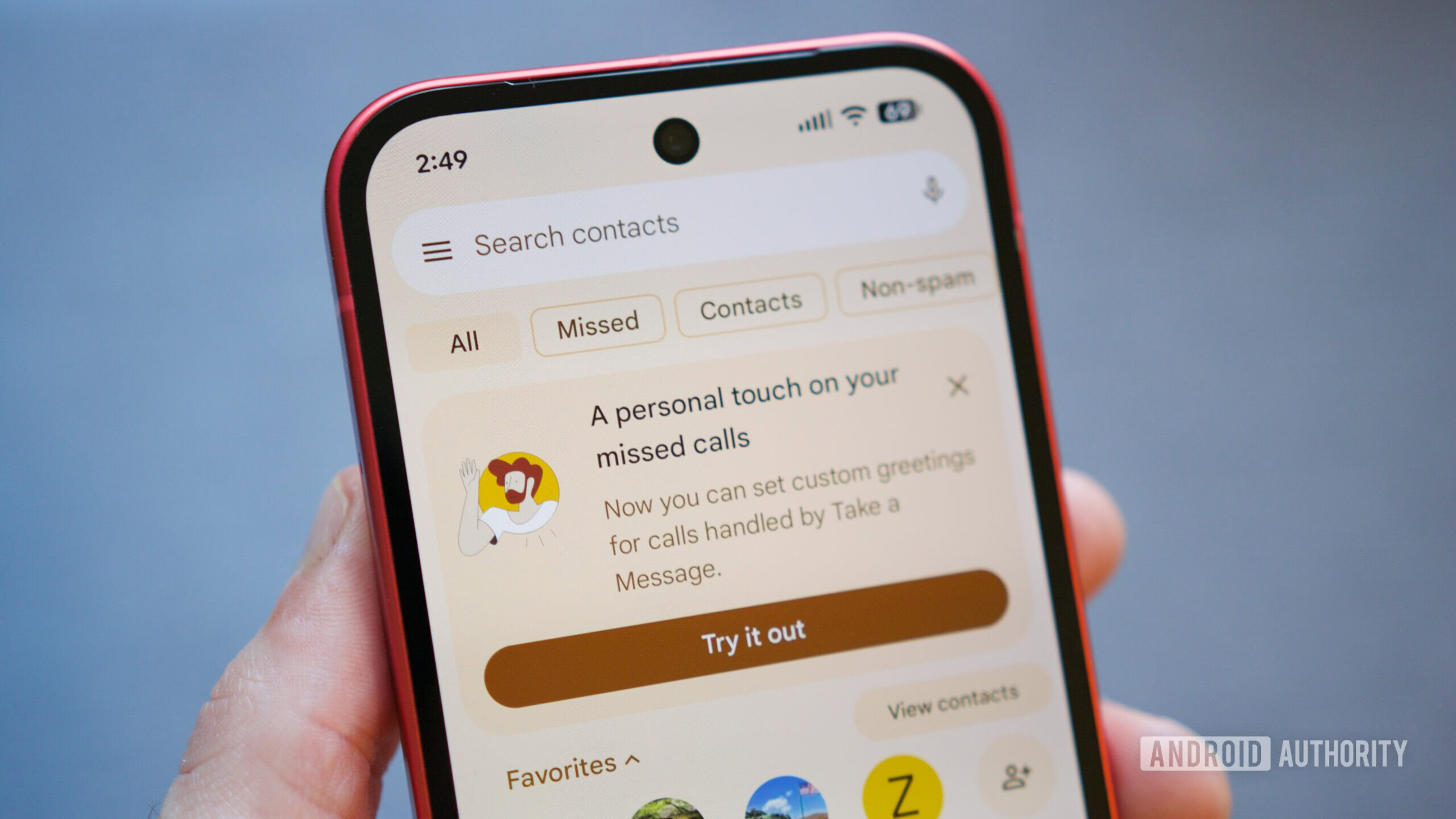
On one of our devices running Google Phone version 217.0.895016164-publicbeta-pixel, we’re now seeing Custom Greetings for Take a Message finally roll out. When we previously tracked this new Take a Message feature it wasn’t yet working, but now it’s finally starting to arrive in a functional form in the latest beta. A new banner at the top of the Phone app’s “Home” tab reads: “A personal touch on your missed calls. Now you can set custom greetings for calls handled by Take a Message.”
Beta users can find the new controls under Settings > Take a Message > Manage greetings. The interface offers several features:
- Material 3 recording: A sleek new recorder allows for clips up to 60 seconds long.
- Multiple greetings: You can record and save a library of messages rather than being restricted to just one.
- Management tools: A three-dot overflow menu lets you rename, delete, or “Set as default” any of your recordings. A star icon clearly indicates which greeting is currently active.
This update is significant because it brings the entire voicemail experience under Google’s roof, simplifying setup. Users no longer need to use clunky, outdated carrier setups; they can now quickly manage greetings directly in the app, improving convenience and immediacy.
While the current beta implementation allows you to set a single default greeting for all calls, code snippets we’ve seen previously suggest that Google may eventually allow users to assign specific greetings to specific contacts. For now, anyone not assigned a custom message (once it launches) will simply hear the standard Google default.
The feature is currently starting to appear for users on the Phone by Google beta on Pixel 6 and newer devices. Given that the UI is fully functional and Google is actively promoting it with in-app banners, a rollout to the stable channel likely isn’t far off.
To try it out now, you can enroll for the Phone app beta online. Just be aware that space is limited, and as with any beta, you may experience a few unwanted glitches.
Thank you for being part of our community. Read our Comment Policy before posting.
 By
By