

Robert Triggs / Android Authority
The beauty of a home server lies in the absolute control it provides. Whether you are hosting a massive Plex library, a Nextcloud instance, or a self-hosted password manager, you are the master of the entire stack from the hardware at the bottom to the software at the top. However, that control comes with the heavy weight of responsibility that most of us prefer to ignore in our daily tinkering.
We focus so much on the “how” of building our systems that we forget the “who” regarding their long-term survival. If you are the only one who knows how to navigate the terminal or where the master encryption keys are stored, your data essentially dies with you. It is a sobering thought I have revisited often as my self-hosted setup has expanded.
If you’re the only one who understands your home server, your data may effectively die with you.
Recently, I had to guide my family through the complexities of my SMB-grade internet setup — a system that, much to their frustration, has no traditional “off” switch. That experience led to a stark realization: if I were to become suddenly unresponsive, my family would be effectively locked out of a decade of photos, financial records, and essential services. To solve this, I decided to install a dead man’s switch on my home server using an open-source tool called Aeterna.
Have you documented your home lab to prepare your digital legacy?
20 votes
Setting up a safety net with Aeterna

Dhruv Bhutani / Android Authority
While there are plenty of cloud-based services, like Google’s Inactive Account Manager, that offer similar features, those services are predominantly geared toward data hosted on third-party servers. They are designed to unlock a Gmail account, not a local ZFS pool or a proprietary Docker stack. It simply would not work for my self-hosted setup. Moreover, I did not want my most sensitive instructions sitting on a third-party server. If the goal is to pass on encryption keys and master passwords, putting them in a Google or Apple account feels like moving the single point of failure rather than solving it. I chose Aeterna because it keeps everything right here on my own infrastructure. It is a lightweight, Docker-based application that does one thing and does it well, and can be easily run on anything from a Raspberry Pi dedicated to the task, or a NAS setup as a home server.
Aeterna uses a three-step logic to ensure continuity for your digital legacy.
Setting up Aeterna was surprisingly straightforward, even as someone who isn’t a professional developer. The app’s logic follows three distinct phases: the pulse, the grace period, and the payload. The “pulse” acts as a check-in to prove you are active. This pulse informs the server to reset the timer instead of deploying the payload. Aeterna offers several ways to handle this, from fully automated cron jobs to manual pings. For example, you could set up a script on your main workstation to ping the Aeterna API every time you log in, ensuring the server knows you’re around without any manual effort. However, I prefer a manual pulse via the web interface. By requiring a conscious click once a month, I am forced to verify that the failsafe is still functioning. If an expected check-in does not happen, it is a signal that either I am unavailable or the service itself has crashed. A manual check-in ensures I catch both scenarios before the timer expires unexpectedly.
Meanwhile, the “grace period” is the window of time between your last pulse and the trigger. I settled on 30 days. This window is generous enough to account for a remote vacation or a hectic month where server maintenance, unfortunately, gets left behind, yet short enough to be actionable in a true emergency. Aeterna allows for multiple notification stages; I receive emails at the 15-day and 25-day marks. This prevents the system from accidentally broadcasting my secrets to others just because I had a busy week and forgot to check the dashboard.
Since Aeterna is self-hosted, reliability is paramount. I have it running as a Docker container on a low-power machine backed by an uninterruptible power supply. I also configured a Gmail SMTP relay, choosing a major provider here because I need the “final” email to be delivered reliably. You can, of course, configure any email service here, but I’d highly recommend sticking to a popular one to avoid getting your emails stuck in spam filters. Next, testing out your Dead Man’s Switch is the most stressful part of the setup. I ran multiple trials where I let the timer expire to ensure the email arrived exactly as expected and did not get caught in a spam filter.
So, what actually happens when a Dead Man’s Switch gets triggered?

Dhruv Bhutani / Android Authority
Well, that’s the third part. The goal of a Dead Man’s Switch is to initiate an action after a period of inactivity. In this case, that means sending a payload over email to trusted sources. And I’d argue that the most critical part of the process is drafting the payload, which is the actual content of the email that gets sent when the timer hits zero. You don’t want to dump a fifty-page technical manual on someone who is trying to wrap their head around your system architecture, but you also need to provide enough information to be useful. I spent a lot of time making sure my payload was concise and focused only on the essentials.
I broke my payload down into four essential categories to keep the information digestible. First is the master password for the password manager. Since everything else, including banking and legal information, is stored inside that vault, this is the single most important piece of information. Second is the location of physical two-factor authentication backup codes. Even with the master password, my family might get stuck at a login screen asking for a hardware key or a TOTP code.
If you cannot explain your home server in a single email, the setup is probably too complicated.
Third, I included step-by-step details on how to use and access our shared photo archive as well as how to fix essential Home Assistant issues to keep the smart home running effectively. To make this as accessible as possible, I also included a list of local IP addresses and login credentials for our most-used services so they aren’t left guessing at URLs. Fourth, I included a kill switch guide, which is effectively a plain-English guide to shutting off all the non-essential tasks, which cloud storage services to cancel, and how to fall back to a simple plug-and-play hard drive for memories. As a bonus, I also included the details of a tech-savvy friend who might be able to assist in case all else failed.
Now, before you scream at me for storing my master password in a script to be shared over the internet, I know that is a valid concern. To mitigate this, I don’t store the actual passwords in plain text within the app. Instead, I just point out the location of a physical “in case of emergency” envelope hidden in my study. This creates a two-factor authentication system for the real world. This way, even if my server were somehow compromised, the attacker wouldn’t have the full set of keys.
The bus factor problem in a home lab

Dhruv Bhutani / Android Authority
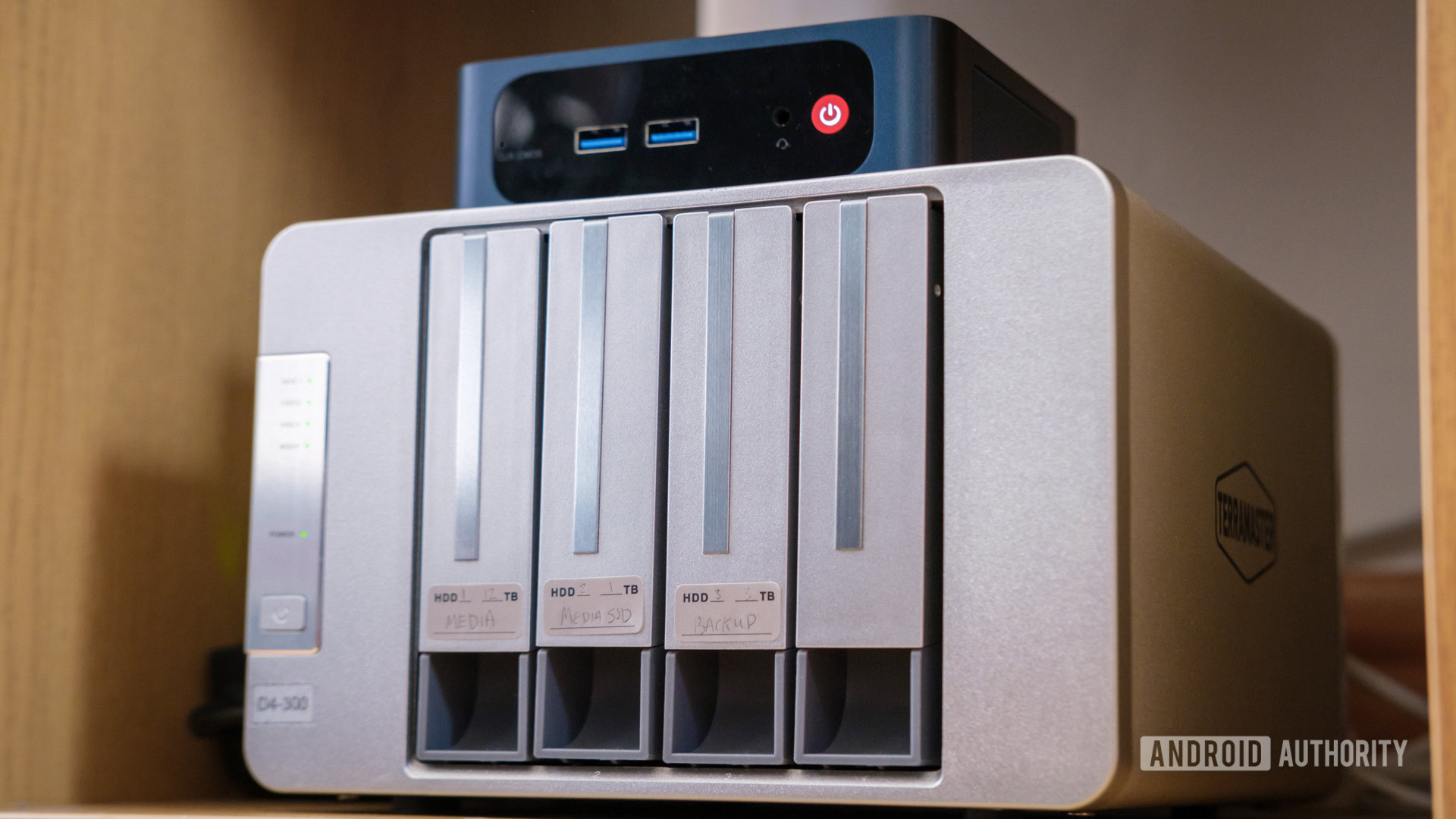
We spend a staggering amount of time talking about hardware redundancy in the self-hosting community. Between buying expensive NAS drives and setting up complex RAID arrays so that a single hard drive failure doesn’t wipe out our digital life, we tend to obsess over off-site backups, bitrot protection, and Uninterruptible Power Supplies to ensure the best possible uptime. Yet, many of us ignore human redundancy. There’s a common concept called the “Bus Factor” when it comes to software engineering. The concept simply questions what is the absolute minimum number of people needed to keep a project running. In a home lab, that factor tends to be one. And if you are no longer around to keep the system up, it doesn’t take long for the infrastructure to come crumbling down.
Your home server might be reliable, but what happens when its administrator disappears?
If you are the sysadmin of your household, you are the most critical component in the rack. If you are gone, the server becomes a black box that no one else can access or understand what to do with, even if they can access it. Add in things like layers of encryption and a custom VPN, and you start running into what I call the paradox of modern privacy. The better you are at protecting your data from hackers, the better you are at accidentally protecting it from your own family.
Using Aeterna has also forced me to audit and simplify my home lab. Documentation is a powerful tool for clarity. It has helped me ensure that my home server, which is deeply integrated into how technology is accessed in my home, does not end with me, but proves to be a lasting and accessible resource for my family. The fact of the matter is that if you cannot explain your server setup in a single, admittedly long, email, the setup is probably too complicated already. As an added benefit, the process of writing this forced me to look at local DNS settings and port forwarding rules I hadn’t touched in years.
A contingency plan for your digital life

Dhruv Bhutani / Android Authority
By using Aeterna, I’ve ensured that my home server isn’t just a hobby that exists in a vacuum, but a lasting and accessible resource for my family. Okay, it likely won’t last in perpetuity. However, the switch and payload combo guarantees that the people who matter will have all the tools and information at their disposal to extract essential information, and buy them some time to figure out the next steps. In the circumstances where a tool like this would come in handy, even that would be useful.
A home server should be an asset for your family, not a black box left behind.
I get it. Setting up a Dead Man’s Switch is a morbid pursuit from the onset. However, if you’re as deep into integrating an open-source tech stack into how you interact with technology, be it backups, services, or even your smart home, having a contingency plan is a good idea. Life is unpredictable, and I’d go as far as saying that it’s the responsible thing to do. Ultimately, your home server should be an asset for your household and family, not a liability left behind in the attic. It only takes an hour or two to configure a tool like Aeterna, but that’s all it takes to ensure that your hard work continues to serve its purpose even if you aren’t there to maintain the terminal.
Don’t want to miss the best from Android Authority?


Thank you for being part of our community. Read our Comment Policy before posting.

 By
By