


C. Scott Brown / Android Authority
TL;DR
- Homey has launched a self-hosted version of its smart home platform that runs on your own hardware instead of a dedicated hub.
- Homey Self-Hosted Server supports Matter, LAN, and cloud devices by default, with Zigbee and Z-Wave available via an optional Homey Bridge.
- The software is available worldwide with a free trial, followed by a monthly subscription or a one-time lifetime license.
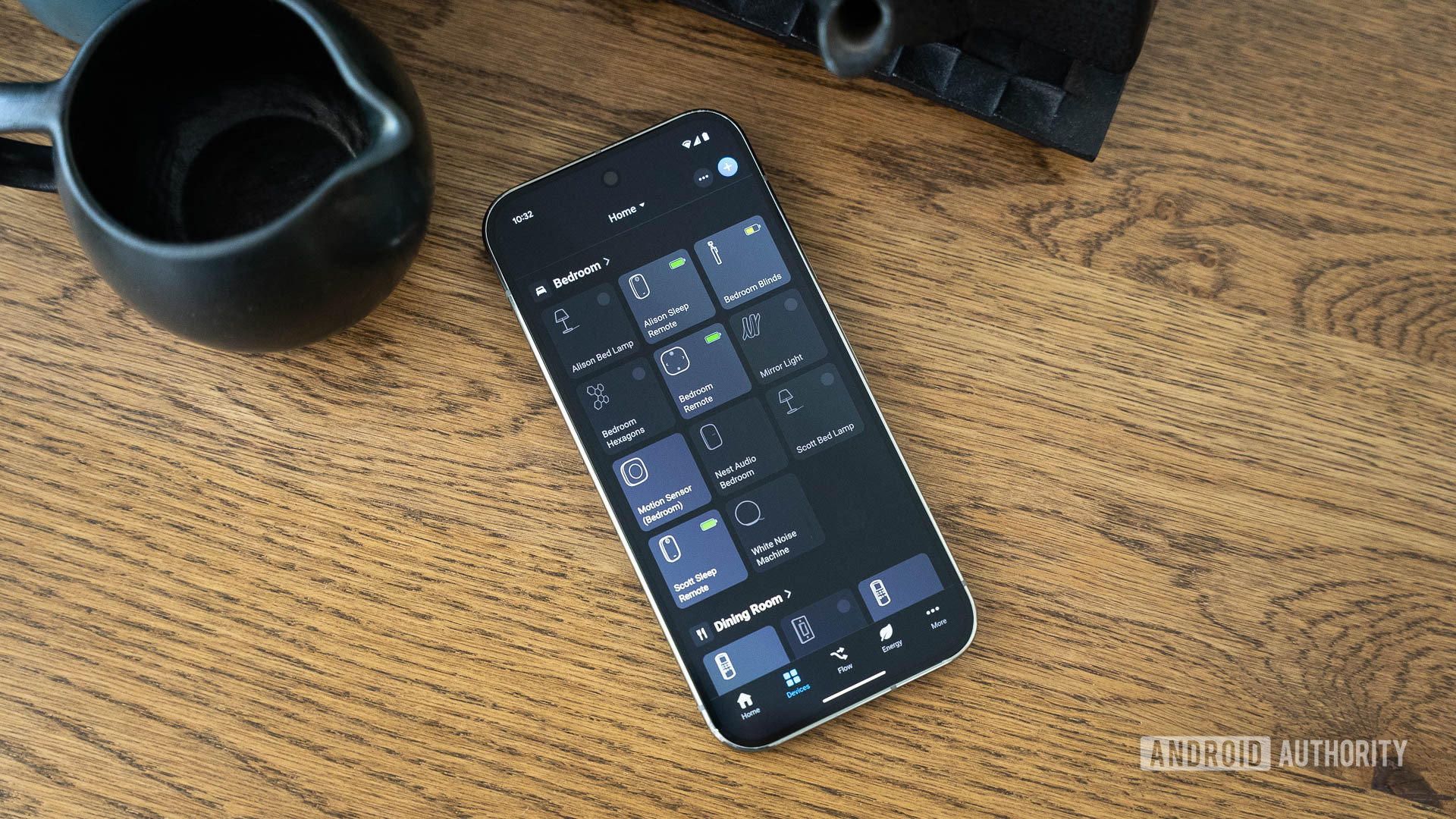
Homey seems to have recognized that there’s a significant overlap between people who like to build out a comprehensive smart home and those who also prefer running their own bespoke setups. With that in mind, the company has launched the Homey Self-Hosted Server, a new software-only option that lets you run the Homey Pro operating system on your own hardware. Available globally from today, it gives advanced users a way to host Homey locally on devices like a Raspberry Pi, NAS, or small home server, rather than relying on dedicated Homey hardware or cloud-only control.
Until now, Homey’s lineup has centered on a combination of cloud-based control and physical hubs, such as Homey Pro. With the Homey Self-Hosted Server, the company is opening up its platform to users who want more control over where their smart home operates, while maintaining the same local-first approach that Homey Pro is known for. According to Homey, the aim is to offer more flexibility without changing how everything from automations to data is handled day-to-day.

The self-hosted server can run on a wide range of platforms, including Linux, Windows, macOS, Docker environments, and popular NAS systems from Synology and QNAP. In practice, it should work on almost any system capable of running Linux. Out of the box, it supports Matter, LAN-based devices, and cloud integrations, with Thread support available when a Thread Border Router is present on the local network.
Don’t want to miss the best from Android Authority?


Support for radios like Zigbee, Z-Wave, Bluetooth LE, infrared, and 433 MHz isn’t built in. To use those, you’ll need the optional Homey Bridge, which is sold separately for €69 in Europe. Homey says multiple bridges can be added in a “satellite mode” setup to extend wireless coverage across larger homes.
Feature-wise, the Homey Self-Hosted Server offers the same core experience as Homey Pro. That includes standard and advanced Homey Flows, energy monitoring, Insights, dashboards, and access to both official and community apps via the Homey App Store. Homey also states that personal data is processed locally, with no profiling or other privacy-invasive uses, and that cloud services, such as remote access, OTA updates, and voice assistant support, remain included even when running the platform on your own hardware.
Pricing starts with a one-month free trial, after which Homey Self-Hosted Server costs €4.99 / $4.99 per month or €149 / $149 for a lifetime license, with regional pricing available in other currencies. Licenses can also be transferred between systems, making it easier to upgrade or change hardware later on.
Thank you for being part of our community. Read our Comment Policy before posting.
 By
By



![Nothing’s new tool makes sharing between Android and desktop easier — and it does one thing differently [Update]](https://tdsnews999.com/wp-content/uploads/2026/04/t8zKbL8TSciJzTQYiW3D4M-2560-80-870x570.jpg)





![Nothing’s new tool makes sharing between Android and desktop easier — and it does one thing differently [Update]](https://tdsnews999.com/wp-content/uploads/2026/04/t8zKbL8TSciJzTQYiW3D4M-2560-80-600x600.jpg)