

Ryan Haines / Android Authority
The Galaxy Z Fold 7 is a big upgrade over Samsung’s previous foldables with a few controversial changes. The S Pen is gone, something that is sorely missed by many of us, and the selfie camera on the inner screen went back to being a punch-hole after the Z Fold 3 through 6 used an under-display camera (UDC). While the new selfie camera does take better photos, it’s turned into a UX nightmare that’s driving me crazy.
Do you like the Galaxy Z Fold 7’s new selfie camera?
0 votes
Previous Galaxy Folds had “invisible” selfie cameras

Zac Kew-Denniss / Android Authority
The UDC was introduced with the Galaxy Z Fold 3. It placed the inner selfie camera beneath the display, with the intention of providing a more immersive experience. I was skeptical when I first saw it, but during my time with the Galaxy Z Fold 4, I grew to love it. The UDC isn’t completely invisible — the pixel density of the display is much lower in this area, so when you look for it, the color is slightly different from the display around it, and anything shown there won’t look sharp.
Even so, it was far better looking than the punch-hole camera. It was noticeable when you looked for it, but while I was using the phone normally, it faded into the background, and I stopped noticing it. Even in the photo above, it’s hard to see where the UDC is unless you know where to look for it, and that’s despite the fact that it shows up on camera more clearly than it does to the eye. So, why did Samsung get rid of it?
Previous Galaxy Folds had less noticeable selfie cameras, with very bad image quality.
Objectively, in all of our tests, the UDC wasn’t a good camera. Samsung only managed to squeeze a 4MP sensor under the display, and on top of that, the display that sat above the sensor reduced the photo and video quality even further. I always hoped, as did others, that Samsung would manage to improve that over time, but after four generations of phones, that never happened.
What’s wrong with the Fold 7’s selfie camera?
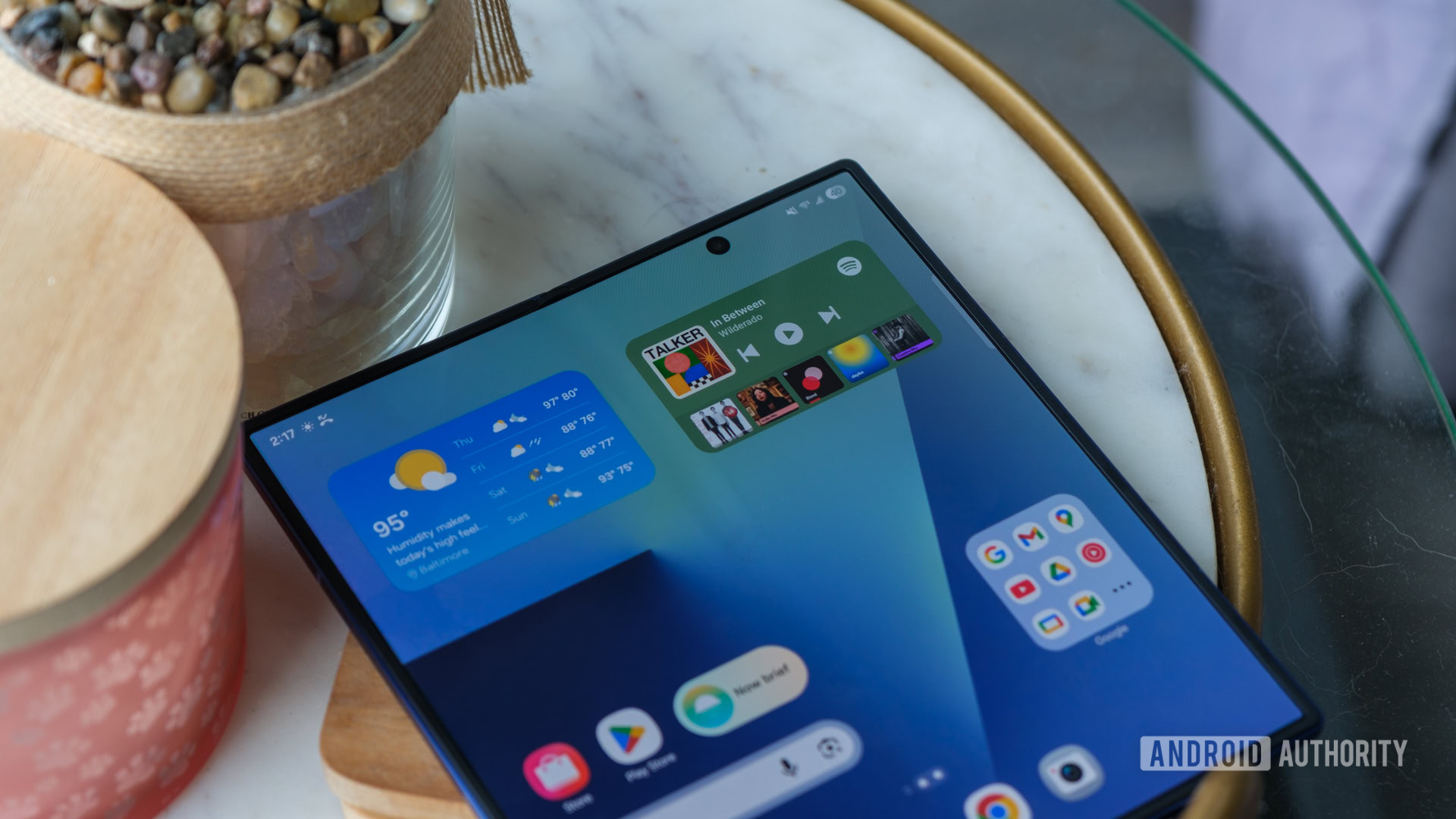
The problem with the new punch-hole camera isn’t quality. It’s miles ahead of the UDC in our testing. No, the problem is that it hasn’t moved to the corner like on the Pixel 9 or 10 Pro Folds. As soon as you rotate the phone into landscape orientation, the camera cuts off text and UI elements in apps. That’s not limited to third-party apps, either. As you can see in the photos above, this is the case for Samsung apps like the clock, as well as other apps like Amazon and Reddit. I often use the Fold 7 in landscape, especially when I’m using split-screen, and the camera getting in the way is infuriating.
Even worse than that, though, is that it gets in the way in portrait orientation, too. There are several apps I use that end up with their text cut off when in full-screen, but the most egregious is Samsung Notes. In the images above, you can see Samsung Notes opened in full-screen on my Galaxy Z Fold 4 and Z Fold 7. The tool represented by the blue “a” icon is completely hidden from view by the Fold 7’s punch-hole, while the Fold 4 doesn’t have that problem. You can still access the tool — the area over the Fold 7’s camera is touch sensitive — but even so, this is an awful user experience. It feels as though nobody bothered to check whether changing this piece of hardware would mess with anything.
It feels as if nobody at Samsung bothered to check whether the new punch hole would mess any apps or interface elements.
It’s not like this is a hard problem to solve, either. For one, Samsung could have the common sense to make sure its own apps and software work with its phones. For the other, it could place the camera out of the way so that developers won’t need to think about it. Google’s foldables do this, putting the selfie camera in the far right corner, where you’re unlikely to find anything important.

Joe Maring / Android Authority
Other than updating its own apps, there’s little Samsung can do to fix this problem for the Fold 7, and I doubt app developers are going to redesign their UI just for one stupidly-designed phone model. However, we can all hope Samsung will think about this and fix it properly for the Galazy Fold 8 later this year.
Don’t want to miss the best from Android Authority?


Thank you for being part of our community. Read our Comment Policy before posting.
 By
By