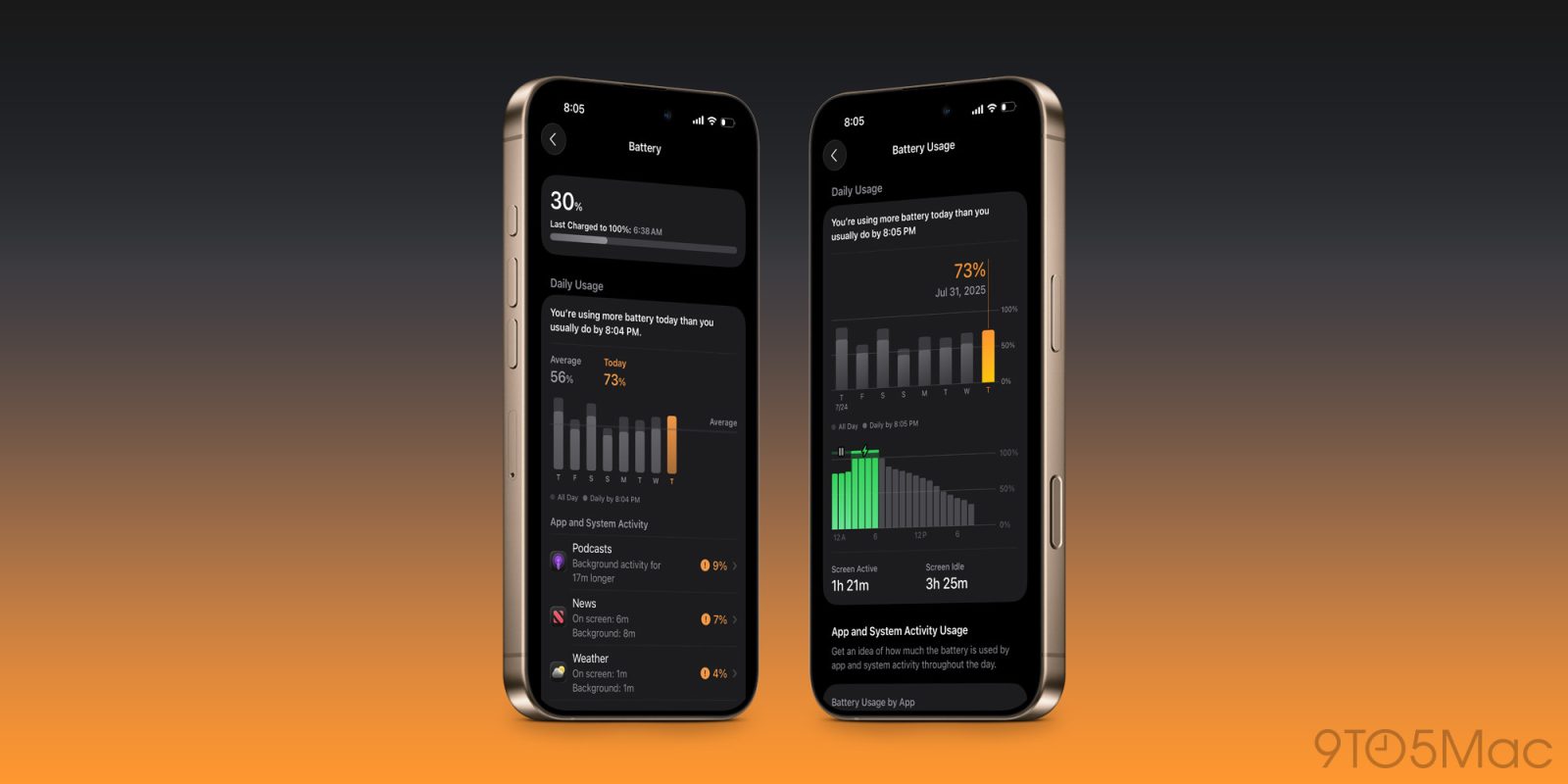
Apple has some big changes coming to the Battery screen inside iOS 26’s Settings app, including a feature that can help prevent excessive iPhone drains.
iOS 26 Battery settings has intelligent suggestions for excess drain
Have you ever experienced a mystery iPhone battery drain? A day when your iPhone usage is more or less normal, but for some reason your battery’s draining at an accelerated rate?
Force-quitting a bunch of apps might be your solution. Or perhaps visiting the Battery screen inside Settings to see what’s happening.
Though the Settings app has always offered a host of data about battery usage, I’ve never found it all that helpful for solving excess drain.
But in iOS 26, that’s changed. Apple has a variety of new battery-related features coming that include a revamped Settings screen.
When an iPhone battery is draining faster than usual, iOS 26’s Settings app now explicitly highlights the excess drain, and offers suggestions for what could be causing the issue.
As seen in the images above and below, there’s a graph comparing your battery drain to normal usage. Apps and system activity with especially unusual drain are highlighted.
In prior iOS releases, you would need to sort through a long list of usage data to try identifying problem apps.
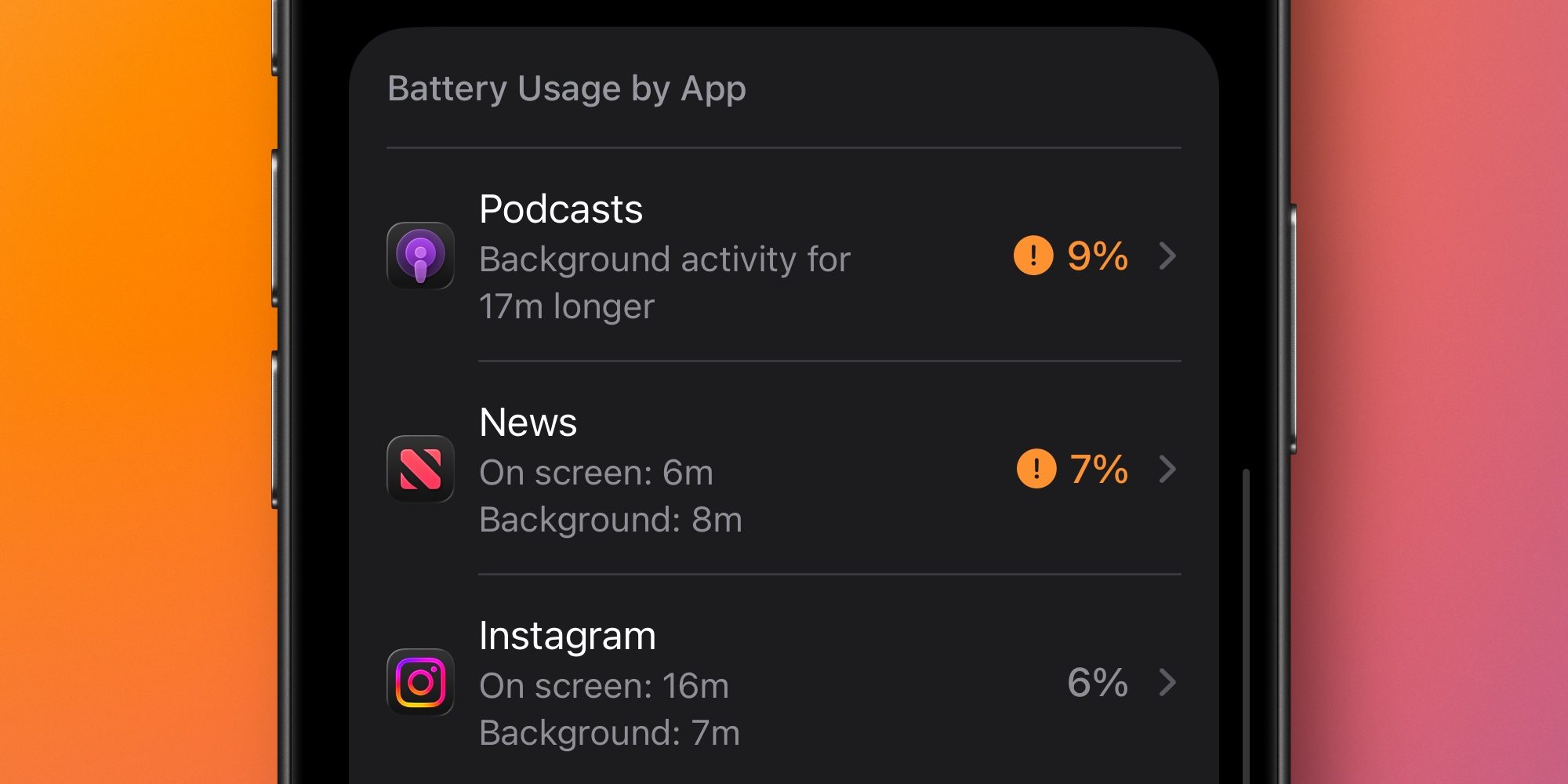
But with iOS 26, apps with unusually high drain get a special orange design that alerts you to potential issues.
This orange highlight isn’t just based on total drain either. Rather, it denotes apps that appear to be using more power than they should.
For example, last night my Weather app was highlighted orange for draining 4% of battery. This is because I had very minimal on-screen and background usage. Instagram, meanwhile, spent 6% of my battery but wasn’t marked orange because my usage justified that amount.
This iOS 26 feature is ultimately a small change, but I’ve found it can make a big difference in stopping battery from draining too fast.
Best iPhone accessories
FTC: We use income earning auto affiliate links. More.


 By
By