

DJI Power 1000 V2
DJI’s Power 1000 V2 is a well-executed power station with mature features, good app support, and extras that are going to especially appeal to DJI drone users.
Portable power stations are one of those familiar pieces of modern tech that nonetheless still manage to feel a little magic; the idea of powering everything from handheld electronics to your home’s largest appliances using the same compact box would have seemed impossible just a couple of decades ago. But not only is it our present reality, the solutions available are getting better all the time.
It’s been a couple years since I checked out a new power station, and to learn what manufacturers have been up to, I recently spent some time getting to know the new DJI Power 1000 V2 ($399 at Amazon). I wasn’t disappointed.
All the hardware you need for power on-demand

Stephen Schenck / Android Authority
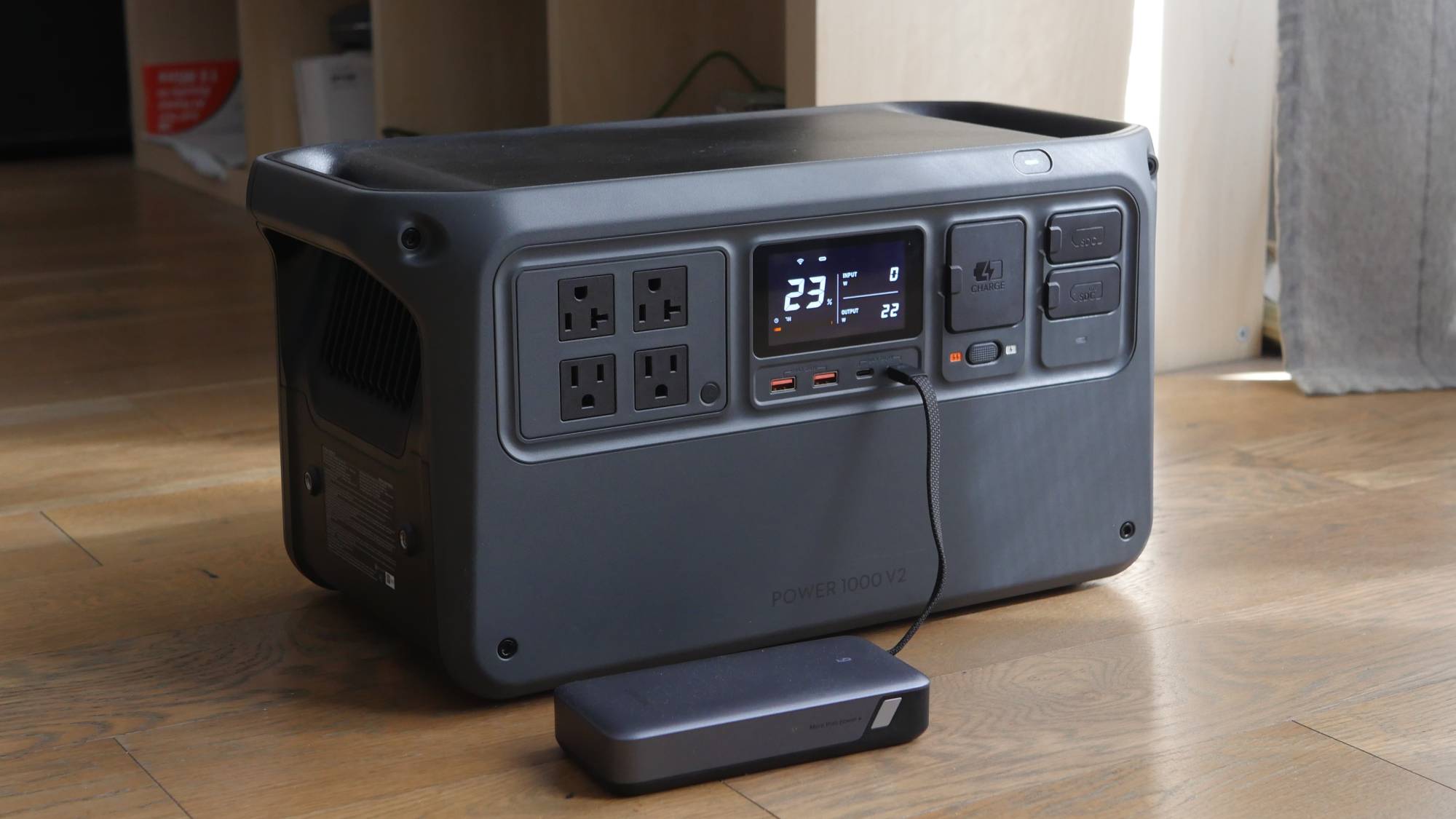
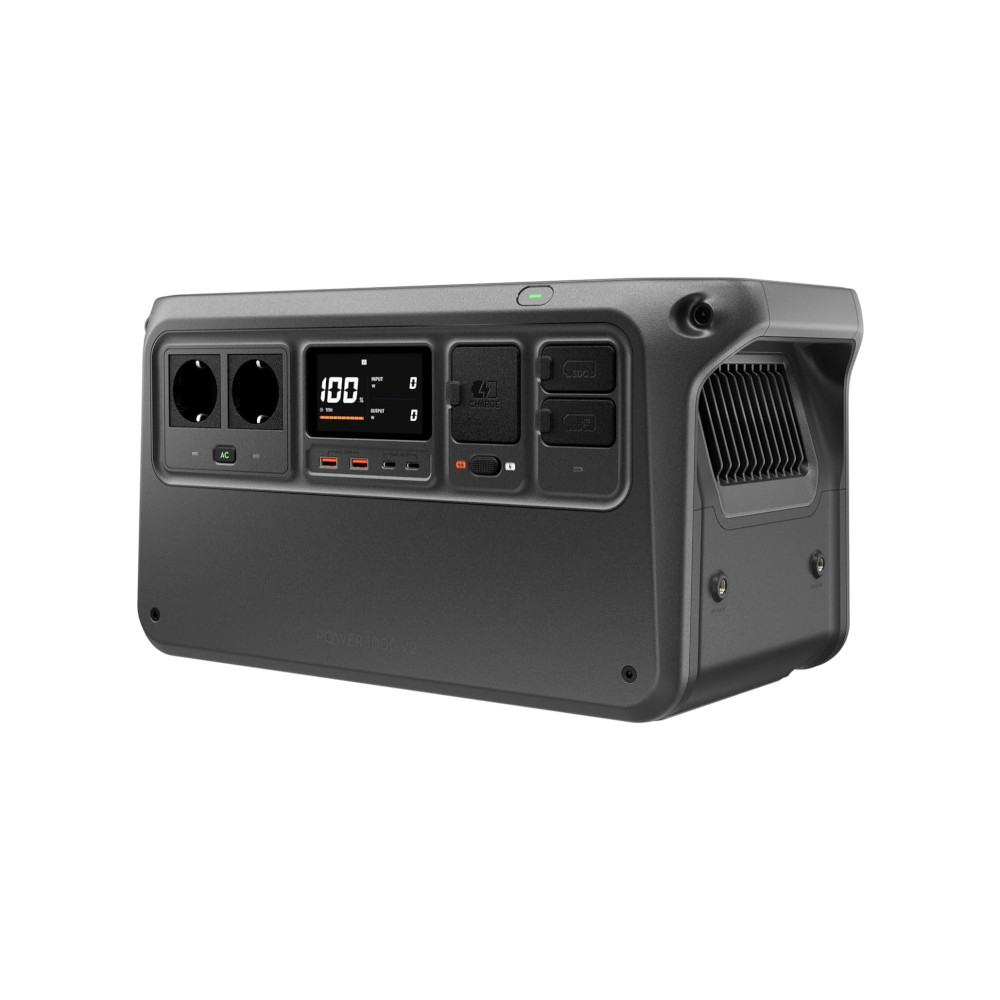
As you should probably grok from the name, we’re talking about a 1,000Wh-class solution — technically, 1,024Wh here. That gives the Power 1000 the capacity it needs to run power-hungry devices for hours on end. And with 2,600W max output, even the most demanding hardware (like heaters) can be made mobile.
DJI has outfitted the Power 1000 with ports sufficient for powering two USB-A, two USB-C, and four AC devices. It can hit 24W on the USB-A ports, and the USB-C ports will handle up to 140W (a piece) for keeping your laptop happy. The AC outlets will deliver 20A each, which will cover any domestic appliance you can throw at it.

Stephen Schenck / Android Authority
DJI provides one SDC and one SDC Lite port.
While this is a solidly outfitted mid-sized power station that looks ideal for helping out with outside power during a garden party or camping weekend, it’s also got some extras that will appeal specifically to users already tapped in to DJI’s ecosystem. Well, parts of it, anyway!
The specialized hardware is all about support for DJI drone batteries.
All I’ve got is a DJI Osmo Pocket 3, and while the USB-C ports here will charge that little guy up without breaking a sweat, the specialized hardware is all about support for DJI drone batteries. If you’re flying a lot and looking to charge spare batteries up quickly to swap them out, the two SDC (Super-Direct Charge) connectors here deliver the highest charging performance possible (cable not included).
I haven’t been able to evaluate that SDC output, but the rest of the connections here all function as advertised.
Powering up the power station

Stephen Schenck / Android Authority
One of the biggest things I haven’t liked about competing power stations has been what’s involved in recharging them. These are all very portable units, and with as much as you might be moving them around, it is all too easy to lose track of their power adapters. I can’t tell you how many times I went to go use a Jackery power bank, only to not be able to find its power brick — or worse, find the wrong one (I even killed an electric scooter by accident once, grabbing the wrong brick).
In theory, DJI has a graceful solution here: The Power 1000 V2 doesn’t use a charging brick. Instead, you just wire it directly to a power outlet with a standard cable. Great, right? Well… one problem: It’s not the right standard.
When you think of a power cord, you almost certainly picture a cable with the IEC 60320 C13 connector on the device end. This is the cable you’ve used for PCs, monitors, and tons of other electronics. Odds are you’ve got a spare or two from an unused device lying around.

Stephen Schenck / Android Authority
Do not lose the DJI Power 1000’s charging cable (left), because a regular appliance cable (right) won’t cut it.
But instead of the C13, DJI uses the C19. It’s similar, but totally incompatible. Going with a C19 theoretically allows the power station to pull up to 16A when recharging, while a C13 cable would be limited to 10A.
According to DJI, though, the Power 1000 V2 only hits 13A while charging. While that gives us faster charging than the alternative, it also means I still have a cable I’m afraid of losing. Considering how many ports and connectors this unit has, I hate that DJI didn’t spend a few more dollars and also add support for C13 cables for when you don’t need to charge super-quickly.

Stephen Schenck / Android Authority
Like many power stations, the DJI Power 1000 V2 accepts input from solar panels — perfect for dealing with extended outages, or topping-off while camping. Unlike some of the competitor models I’ve used, though, here the support isn’t native and requires you to pick up an optional MPPT solar panel adaptor. To DJI’s credit, the adapter can be conveniently mounted to the Power 1000 semi-permanently with a pair of bolts — but it still feels a little cobbled-on, connecting with cables rather than directly interfacing with the power station.
Solar panel input is perfect for dealing with extended outages, or topping-off while camping.
Because DJI uses lithium iron phosphate batteries, you should enjoy some decent service life out of the Power 1000. The company claims users can expect to retain 80% of charge capacity after 4,000 charge/discharge cycles.
Nicely portable, despite its borderline-awkward size

Stephen Schenck / Android Authority
Getting the most out of power stations means embracing a trade-off: more weight stores more power. The biggest units are almost impractical to move around much, with pop-out handles and wheels that feel more like transporting luggage. At just over 31lbs, the Power 1000 V2 isn’t exactly light, but it’s also not anywhere near uncomfortable for me to carry, and I don’t think twice about moving it around where needed.
The Power 1000 V2 isn’t exactly light, but it’s also not anywhere near uncomfortable for me to carry.
My one little complaint there there concerns DJI’s handle placement. This weight is just about the upper limit of what I’m comfortable carrying around one-handed, but with the power station’s handles positioned on each side, with no handle in the middle, trying to pick it up one-handed feels very unbalanced. In fact, I suspect DJI intentionally wants you to carry this with two hands, reducing the risk of damage from drops. If it were even heavier, I probably wouldn’t even be making any stink about this, but right now the Power 1000 V2 is at an awkward point where it almost seems too small to be carrying with two hands.

Stephen Schenck / Android Authority
On the plus side, DJI includes a nice-looking duffle bag for storage — and THIS one adds that centered handle I crave. Beyond that, the bag is fully kitted out to support the Power 1000 V2 without you needing to remove it first, including flaps for ventilation and port access. You’ve got a few zipper-secured pouches to store any cords (like that power cable you do NOT want to misplace) or accessories you might need (like the solar adapter), but there’s nothing else fancy to distract you from the utility here.
Keeping an eye on things with useful app connectivity

Stephen Schenck / Android Authority
This is the first power station I’ve used with app connectivity, and while there’s not a ton that it offers, it does provide some handy data points. You can easily see just how much power your devices are drawing, whether you’re concerned about the Power 1000’s remaining capacity, or just want to make sure they’re charging as fast as possible. You also get info about the power bank’s health, and can easily track operating temperature.
That proved especially useful for me as the first few times I used the Power 1000, I noticed an odor I tend to associate with overheating electronics. In this case, the Power 1000 was still running plenty cool (and I have to assume the smell was normal new-electronics breaking in) but I am very glad I could easily check in the app and assuage my concerns.
DJI Power 1000 V2 review verdict: A creator’s companion
You’ve got your pick from lots of options when you’re shopping for a power station in this roughly 1KWh range, and DJI is far from the only name on the block. So why should you choose this option over some of its peers?
First and foremost, I’d take a hard look at the big three numbers the purchase involves, and see if they make sense for your needs: the capacity, the maximum output, and the price. We already covered those first two points early on, and as I write this, the DJI Power 1000 V2 is sitting below $400. That’s a quite competitive number, and on its own might be enough to sway you in DJI’s direction.
The real value-add here, though, is the fast-charging support for DJI’s drone fleet — if you’ve ever once been out flying drones and found yourself frustrated by batteries that ran down faster than you could recharge them, you are 1,000% the sort of shopper DJI is going after here. Even if you’ve never used a drone in your life, there’s still a lot to like about DJI’s portable power solution.
Quickly charges to full capacity • Convenient app for checking on status • Strong support for DJI drone batteries
MSRP: $699.00
All the power you need, in one convenient box.
DJI’s Power 1000 V2 won’t let you down with solid capacity, high max power output, and flexible recharging options.
Positives
- Quickly charges to full capacity
- Convenient app for checking on status
- Strong support for DJI drone batteries
- Great size and capacity balance for casual users
Cons
- Solar panel support requires adapter
- Only two USB-C ports
- Unusual charging cable is just asking to get lost
Thank you for being part of our community. Read our Comment Policy before posting.
 By
By