

Hadlee Simons / Android Authority
TL;DR
- Google has started rolling out real-time location sharing to Google Messages users.
- The feature was announced earlier this month and lets you (surprise) share your live location with contacts.
- You can choose to share your live location for an hour, a day, a custom time period, or indefinitely.
We discovered real-time location sharing in Google Messages a while back, and exclusively showed you how it would work last month. Google had since announced this feature as part of its March 2026 Android updates. It’s taken a while, but the feature is finally rolling out to some users.
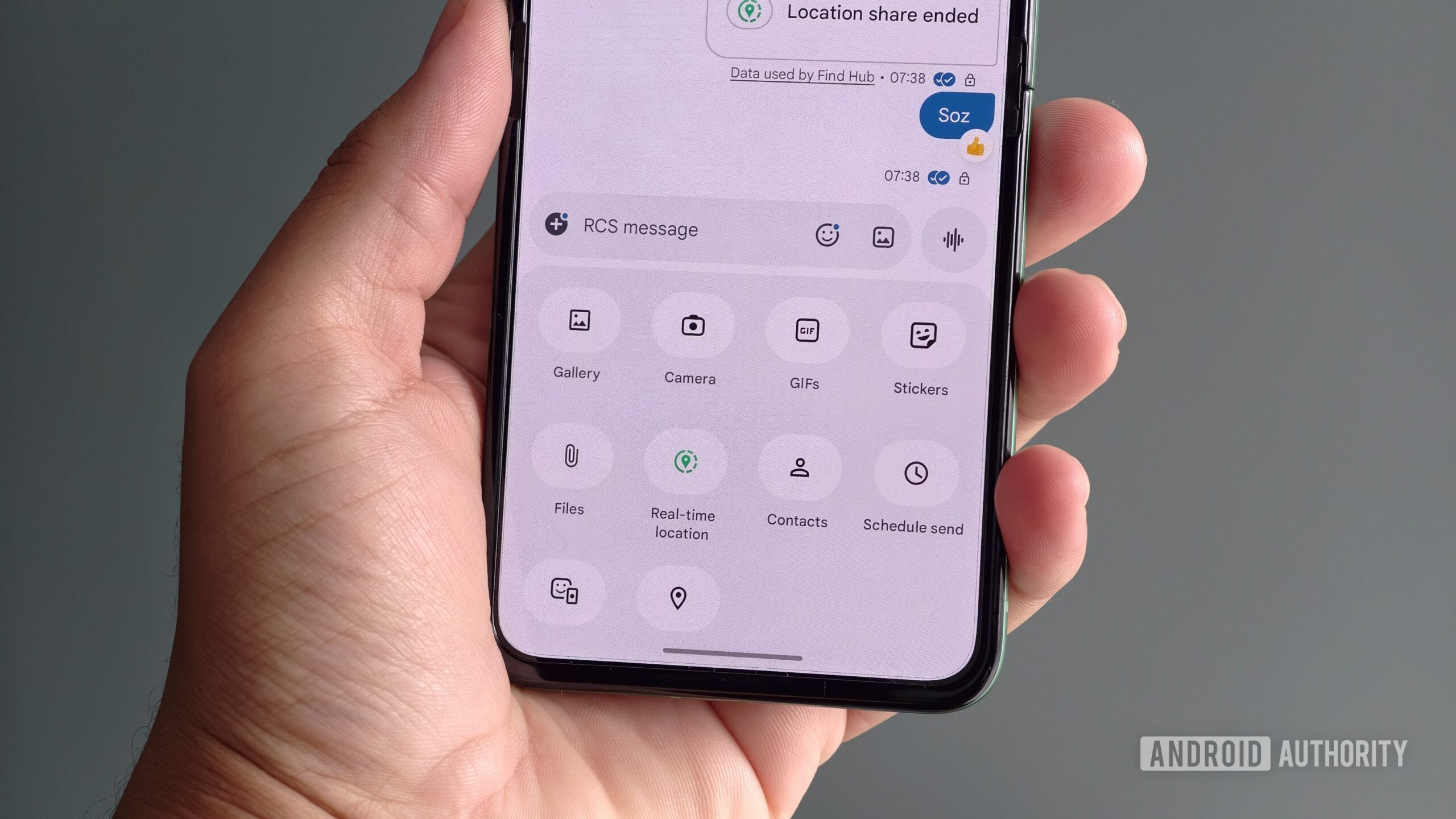
Several Redditors and 9to5Google report that real-time location sharing is now available in Google Messages. We can confirm that the feature is available on our phones. Check out the screenshots below.
Don’t want to miss the best from Android Authority?


Both Andy Walker and I saw the feature on a beta version of Google Messages (version 20260313_00_RC00.phone.openbeta_dynamic), although stable users are apparently getting it too.
You can find this sharing feature by tapping the plus icon in a chat and then choosing Real-time location. The feature defaults to sharing your location for an hour, but you can change this to Today only, Until you turn this off, or custom duration. Choose the latter, and you can specify a time period up to 23 hours and 59 minutes. Google also lets you set this duration with a clock UI. Real-time location sharing is powered by Google’s Find Hub.
It’s also worth noting that Google added a dot to the plus icon (see the first row of screenshots), which was presumably meant to quietly alert users to the presence of live location sharing. However, it doesn’t disappear after you’ve accessed the new feature. A few Redditors have also complained about this persistent dot, suggesting that it could be a bug. In any event, live location sharing is a long-overdue addition to Google Messages. It also comes after rival apps like WhatsApp have offered similar features for years now.
Thank you for being part of our community. Read our Comment Policy before posting.
 By
By