

Joe Maring / Android Authority
TL;DR
- While Google’s search widget has let users customize one of its shortcuts, the same option has not existed for the Pixel Launcher’s search bar.
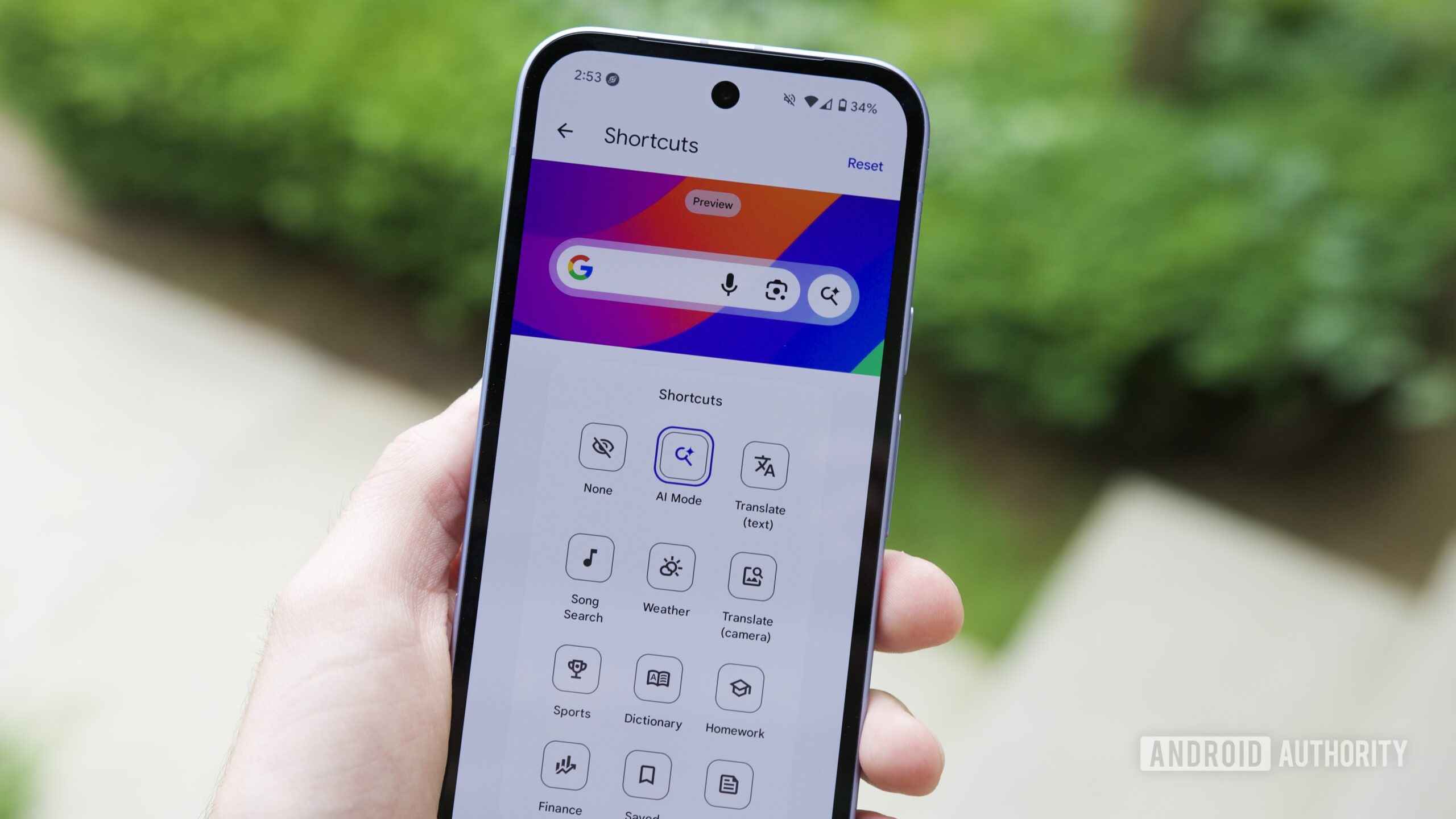
- With Android 17 Beta 1, we finally see the Pixel Launcher pick up that same custom option .
- Right now, though, implementation seems a bit glitchy, with not all options working correctly
No one’s ever going to accuse Google of not giving Android phones enough places to conduct searches. You can search with Chrome, search in the Google app, search from your app tray, ask Gemini to do a search… and we could keep going. On your home screen itself, we’ve got two major players in the search game: You can use the Pixel Launcher’s search bar down at the bottom of your screen, or you can position a Google widget search bar anywhere you like. And now with today’s Android 17 Beta 1 release, those two are becoming more similar than ever.
Don’t want to miss the best from Android Authority?


Compared to the Pixel Launcher’s search bar, Google’s widget has existed as a more flexible alternative. Beyond being able to move it around, we’ve also had the option to reconfigure its shortcut.
By default, both bars offer the same set of buttons, connecting us with voice input, Google Lens, and AI Mode. But in the Google search bar widget, users have been able to swap that AI Mode shortcut out for another of their choosing. In Android 17 Beta 1, we’re now finally seeing that same option arrive for the launcher.
If you’re curious to get an early look along with us, you can download Android 17 Beta 1 for your own Pixel phone and start trying out changes like this one today.
Just be warned: Beta releases are designated as such for a good reason, and unintended glitches can and will interfere with device functionality. In this case, while we’re able to access that shortcut-changing UI, actually changing them doesn’t seem to work all the time — at least not yet. But hey, this is only Beta 1, and Google’s got plenty of time to work out the kinks.
Thank you for being part of our community. Read our Comment Policy before posting.

 By
By