

Taylor Kerns / Android Authority
I don’t just use Google Photos; I have over 50,000 photos in the app and on Google’s servers. I’ve been a loyal user since day one, and I rely on it to keep all my life’s memories and my best photos (along with my NAS for backups). But the more I use it, the more I notice how Google Photos isn’t perfect. Despite how much I love the app, there are still features I wish it had that would make the experience a lot more complete. Here are some of them.
Which feature do you wish to see the most in Google Photos?
1 votes
A proper Google TV app

Megan Ellis / Android Authority
One of the most important features I wish Google Photos would implement is a full application for Google TVs. I know that I can cast photos and videos from my phone or computer onto my TV, but that isn’t exactly seamless. Casting sometimes has hiccups and lags, and it only lets me experience part of the Google TV app. I also know that I can set my photos as screensavers on my TV, but once again, that’s only part of the experience.
Ideally, a native Google Photos app on Google TV would allow me to browse my photos and albums directly on the TV. No phone in my hand needed. I’d be able to show photos and play videos, browse grouped people or locations, view my memories, and even search or ask Gemini questions about my photos to find the right one. A native app would be faster than casting and would allow me to use my physical Google TV remote without having to keep looking down at my phone the whole time.
Find and remove duplicates
Google Photos currently stacks similar photos together, but that’s the extent of its help in finding similar shots or duplicates. I wish there were a more robust system that only let me filter by full duplicates — there was a time when Photos bugged out and uploaded some photos twice, so I’d like to reclaim that space without manually going over it. Another benefit would be the ability to look at photo stacks exclusively, instead of trying to look at my entire library to spot the stacks. That way, I could also find similar pics and try to clean up as many of the ones that I don’t want as possible.
Right now, there’s no such thing. I have to manually go from photo to photo, looking for stacks, and trying to see if I want to delete those. As for real duplicates, forget it. Photos does not point them out.
Better search filters

Robert Triggs / Android Authority
Searching is one of my favorite features of Photos. I can easily say something like, “Me in Slovenia at night with a lake,” and find the nighttime shot I took in Bled without remembering the exact town’s name. However, there are more variables that Google could, and should, add to its search feature. With a growing library of pics, these become essential for finding the needles in the haystack.
For example, I’d love to be able to find photos that don’t have a location assigned to them, so I can go in and add it where it matters. Same for photos that don’t have any time — for example, I play a lot of escape games and get sent photos taken by other phones and cameras, with no date attached, and it would be nice to go in and tag those with the right time.
I also wish Photos would help me filter photos that don’t belong in any albums, so I can see if I’ve missed tagging some shots or categorize them better. The same goes for photos that don’t have unnamed faces. Instead of going one by one and seeing if the face is tagged or not, I’d just want to see the pics where Photos detected a face but couldn’t put a name on it. That way, I can quickly go through them.
And finally, searching in albums and searching in shared albums and shared libraries would be essential for me too. I share my entire library with my husband, and he always has to scroll manually through hundreds of pics to find the one with the potting soil brand we saw a couple of weeks earlier.
Manually tag photos, even when Photos doesn’t recognize a face

Rita El Khoury / Android Authority
In general, Google Photos is pretty good at detecting a face in a photo, even if it doesn’t immediately identify it properly. In those cases, it allows you to assign a name and face to that person. All good. The problem is all the other instances where Photos does not recognize a face at all, even though there’s one.
I like taking pics of my husband walking places, and although technically, there’s no “face” in these pics, just a backside, I’d love to be able to tag them under his name. Sometimes, Photos is smart enough to recognize that it’s a human and even assign the photo to him directly, but most times, it just doesn’t even give me the option to add it manually. No face detected means no way to add a face. Photos should fix this oversight.
Batch convert Motion photos to still photos

Rita El Khoury / Android Authority
I love capturing Motion photos on my Pixel phone, and looking back to see all the funny little clips around a still photo’s moment of capture. However, most times, there’s nothing of note there, and just because my hand shook a little bit, my Pixel decides to take a Motion photo. The issue is that these are large files that take up precious storage space compared to a simple still picture. To go back to the simple pic, you have to export the Motion pic to a photo then delete the original file. And you have to do it one by one. It’s frustrating and inefficient.
I’d love for Google Photos to add an option to batch select Motion pics and convert them to still photos, without having to browse and click one by one, and without having to manually delete the original afterward. Make it all one seamless process, and it would save us a lot of time — and space.
Perspective crop on the web version of Photos

AssembleDebug / Android Authority
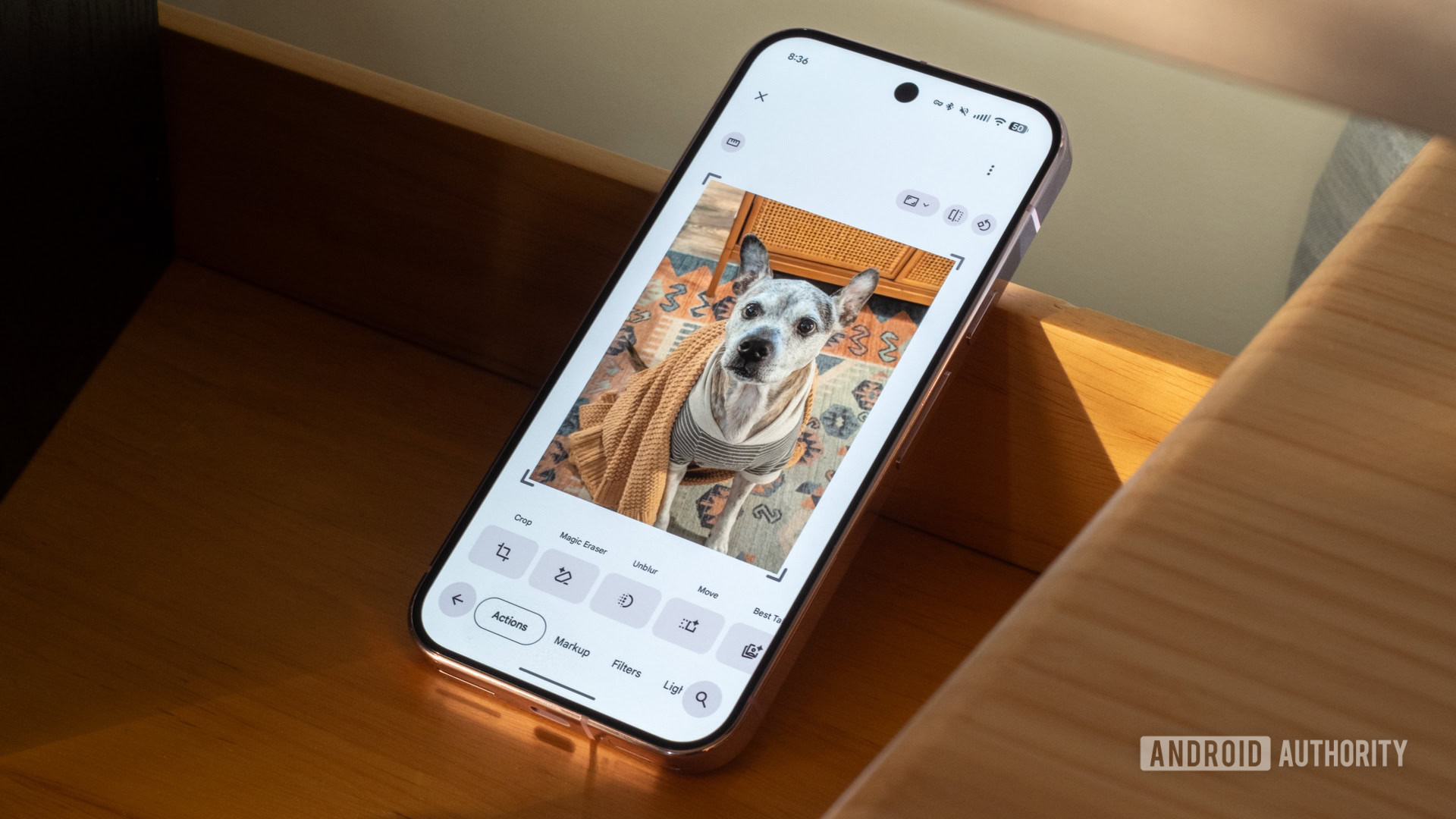
I’m a stickler for straight photos and perfect angles, so whenever I have to take a slightly skewed image because of angle or distance restrictions, I try to adjust it as much as possible. Photos had a good perspective adjustment tool on mobile, scrapped it when the new photo editor rolled out, then brought it back. But it’s nowhere to be found on the web version of Photos. And this is exactly the kind of tool that would make way more sense to use with a precise mouse compared to a large, grubby finger.
Back up only while charging

Andy Walker / Android Authority
Google Photos currently only lets you control the connectivity requirements of a backup, but not the battery requirements. You can choose whether photos get backed up on Wi-Fi or on a data network, limit the data used, block it during roaming, and disable video backups on data. That’s all cool, but there’s no control over the other variables of your phone’s state.
Crucially, I’d want to be able to limit backups when my battery is low, or when my phone isn’t charging. I run into this a lot when I’m travelling. When I find a decent Wi-Fi network, I connect, enable my Pixel’s VPN, and I suddenly see Google Photos running its backup right then and there. What if it’s still morning time and I don’t want to lose half my battery to backups? I just wish I had control to limit big backups to when my phone is charging — that way, I’d know I wouldn’t be losing battery over them.
Capcut-like video editor

Brady Snyder / Android Authority
Google Photos’ video editor has gotten very good recently and can do the trick in a pinch. Cropping, color adjustments, trimming, audio controls, speed variations, text additions; a lot of the basis are covered. But with everyone living their lives online and sharing Shorts and Reels, I wish Photos would embrace that level of editing, too.
Adding automatic captions would be a great start, and Google definitely has the requirements to pull that off very easily. On-device Gemini could live-caption any video in your library in less than a minute, I’m sure. I’d also love to see the option to add an opening thumbnail or an end-credit photo, as well as mid-video stills with animations. Cutting the video into segments, zooming in in places and out in others, or merging multiple videos together would be fantastic, too.
I realize this is a big ask of a photo gallery app that’s supposed to be centered around organizing your library first and foremost, but maybe the Photos team can release this as an auxilliary addition or a separate app. With CapCut becoming less and less user-friendly, it would only make sense for Photos to take the baton and run with it, making the video editing application that everyone flocks to.
What about you? Which Google Photos features are you looking forward to or would wish to see Google implement?
Don’t want to miss the best from Android Authority?


Thank you for being part of our community. Read our Comment Policy before posting.
 By
By